
Migrating enterprise workloads to Microsoft Azure unlocks unmatched scalability, but without rigorous cloud governance, organizations quickly suffer from cloud sprawl, unbudgeted expenditure, and compliance drift.
As a Microsoft Certified Azure Fundamentals (AZ-900) professional and WorldSkills Cloud Computing medalist, I have designed this guide to outline the core pillars of enterprise Azure governance and proactive cloud cost management.
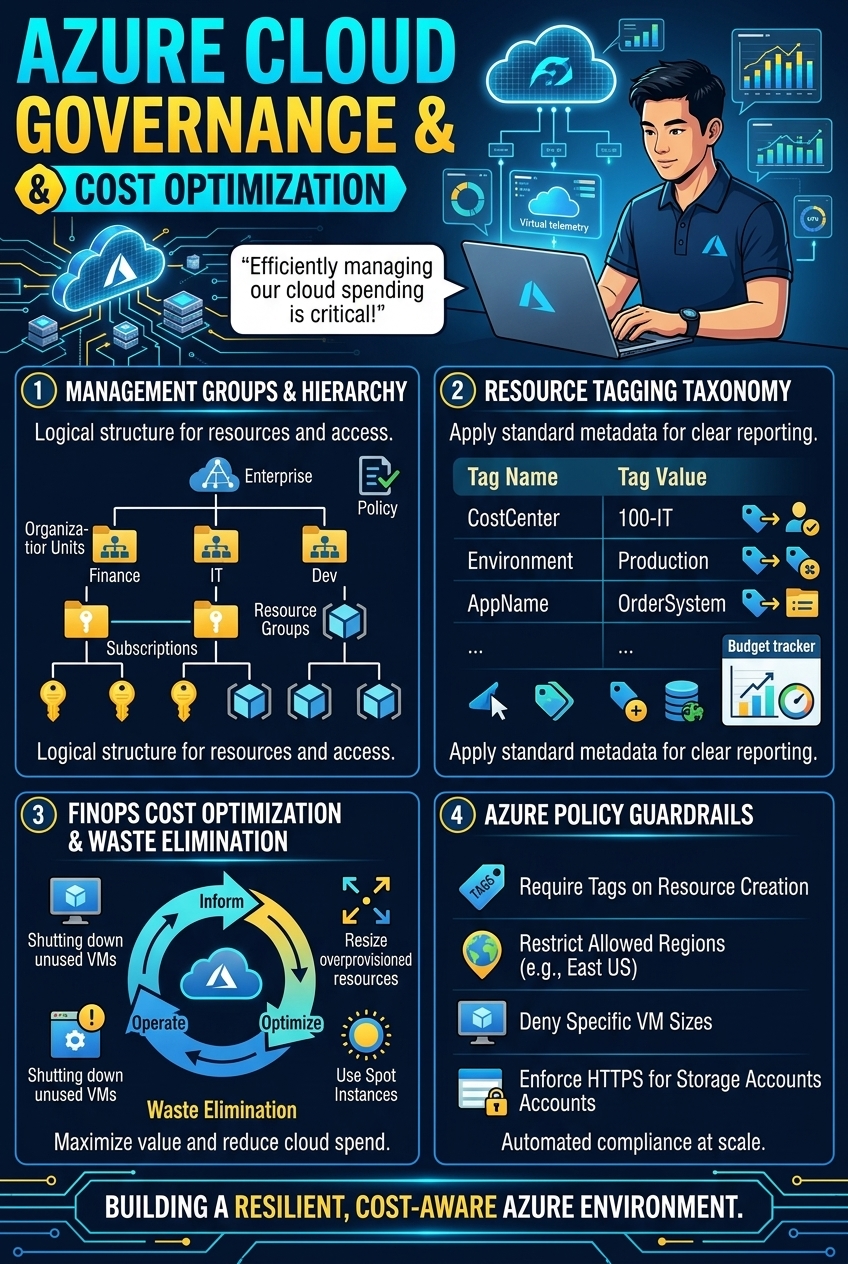
1. Establishing Hierarchical Management Groups
In a mature cloud architecture, resources must be organized into a logical hierarchy that mirrors your organizational governance model:
1
2
3
4
5
6
7
Root Management Group (Tenant)
  ├── Core Infrastructure
  │     ├── Hub Network Subscription
  │     └── Identity & Shared Services Subscription
  └── Workloads
        ├── Production Subscription
        └── Non-Production / Dev Subscription
By organizing subscriptions under dedicated Management Groups, security baselines and compliance policies can be inherited downward automatically without duplicate configuration.
2. Enforcing Tagging Governance with Azure Policy
Resource tagging is essential for cost allocation, departmental chargebacks, and automated maintenance windows. Rather than relying on developer compliance, enforce mandatory tags via Azure Policy:
1
2
3
4
5
6
7
8
9
10
11
12
{
  "mode": "Indexed",
  "policyRule": {
    "if": {
      "field": "tags['CostCenter']",
      "exists": "false"
    },
    "then": {
      "effect": "deny"
    }
  }
}
Essential Enterprise Tag Taxonomy
Environment:Production,Staging,DevelopmentCostCenter:CC-FIN-104,CC-ENG-202Owner:toan.nguyen@contoso.comDataClassification:Confidential,Restricted,PublicAutoShutdown:Enabled,Disabled
3. High-Impact Cloud Cost Optimization Strategies
A. Rightsizing Over-Provisioned Compute
Virtual Machines (VMs) are frequently provisioned with excessive vCPU and RAM allocations during initial migration. Use Azure Advisor and Azure Monitor metrics (average CPU utilization < 20%) to downscale compute SKUs (e.g., from Standard_D4s_v5 to Standard_D2s_v5), yielding an instant 50% cost reduction.
B. Leveraging Azure Reservations & Savings Plans
For predictable, steady-state workloads (such as Domain Controllers, VPN gateways, and ERP database backends):
- Azure Reserved VM Instances (1-year or 3-year terms): Save up to 72% compared to standard Pay-As-You-Go pricing.
- Azure Hybrid Benefit (AHB): Maximize value from existing on-premises Windows Server and SQL Server Software Assurance licenses to eliminate OS licensing surcharges on cloud VMs.
C. Identifying and Deleting Orphaned Storage Disks
When a Virtual Machine is deprovisioned, its associated OS and data managed disks often remain behind in an Unattached state, continuing to incur storage fees indefinitely:
1
2
3
# Query all unattached Azure managed disks across your subscription
Get-AzDisk | Where-Object { $_.ManagedBy -eq $null } |
    Select-Object Name, ResourceGroupName, DiskSizeGB, Tier, TimeCreated
4. Setting Budget Alerts and Automated Action Groups
Implement strict proactive budget monitoring in Azure Cost Management:
- Set monthly department budgets with automated triggers at 80%, 100%, and 120% forecasted spend.
- Wire budget alerts into Azure Monitor Action Groups to notify administrators via Email/SMS and automatically invoke an Azure Function to shut down non-production sandbox environments when budget thresholds are breached.
Summary Checklist
| Governance Pillar | Implementation Method | Business Impact |
|---|---|---|
| Hierarchy | Management Groups | Centralized RBAC & Policy Inheritance |
| Compliance | Azure Policy (Deny Effect) | Zero un-tagged or rogue cloud resources |
| Compute Cost | Reservations & AHB | 40% - 72% cost savings on production servers |
| Storage Hygiene | Orphaned Disk Sweeps | Immediate elimination of ghost storage fees |
Consistent adherence to these principles transforms cloud infrastructure from an unpredictable expense into a transparent, audit-ready enterprise asset.