Technical Articles & SOP Guides
In-depth standard operating procedures, Active Directory blueprints, PowerShell automations, and endpoint troubleshooting field manuals.
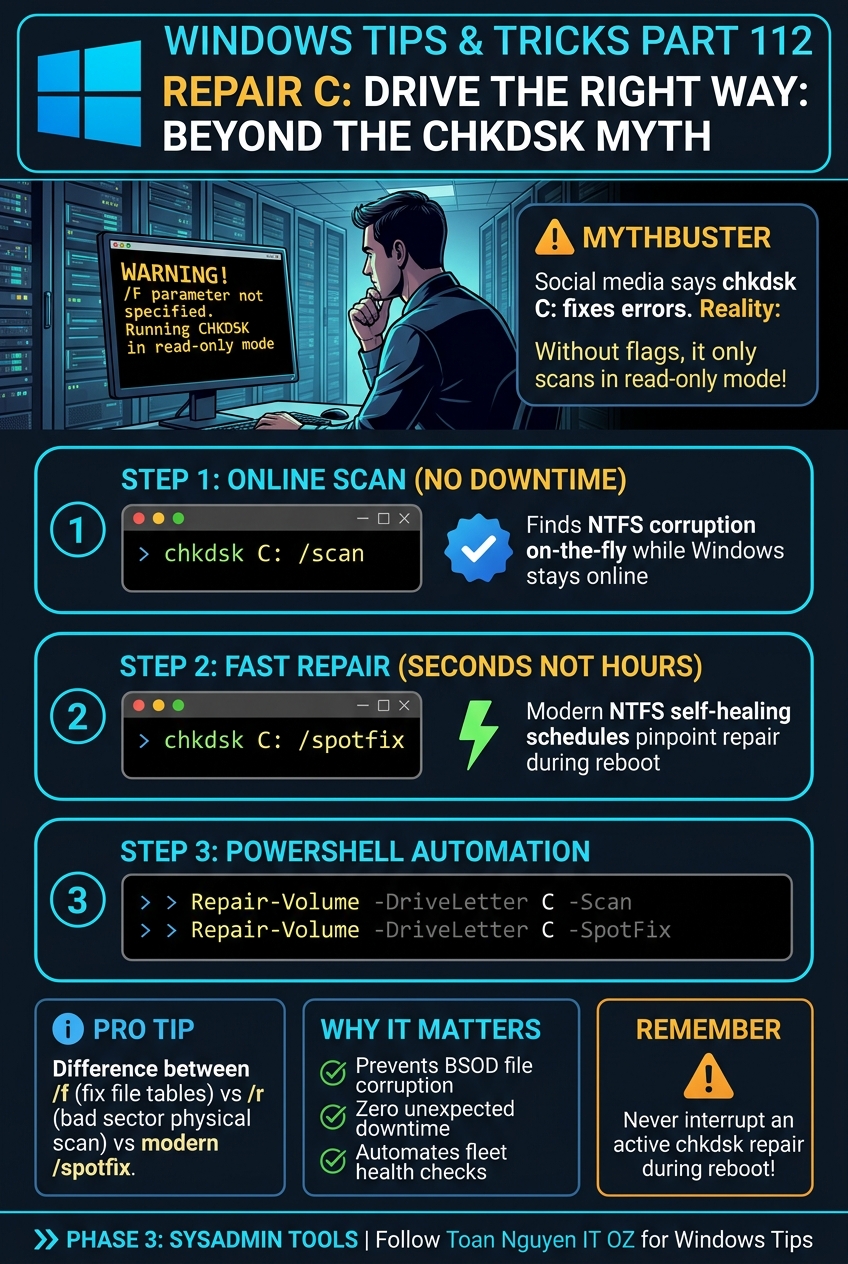
Windows Tips & Tricks – Part 112: The Truth About CHKDSK – Repair C: Drive the Right Way
Social media claims running 'chkdsk C:' magically fixes all drive errors. But did you see the read-only warning? Learn how to audit and f...
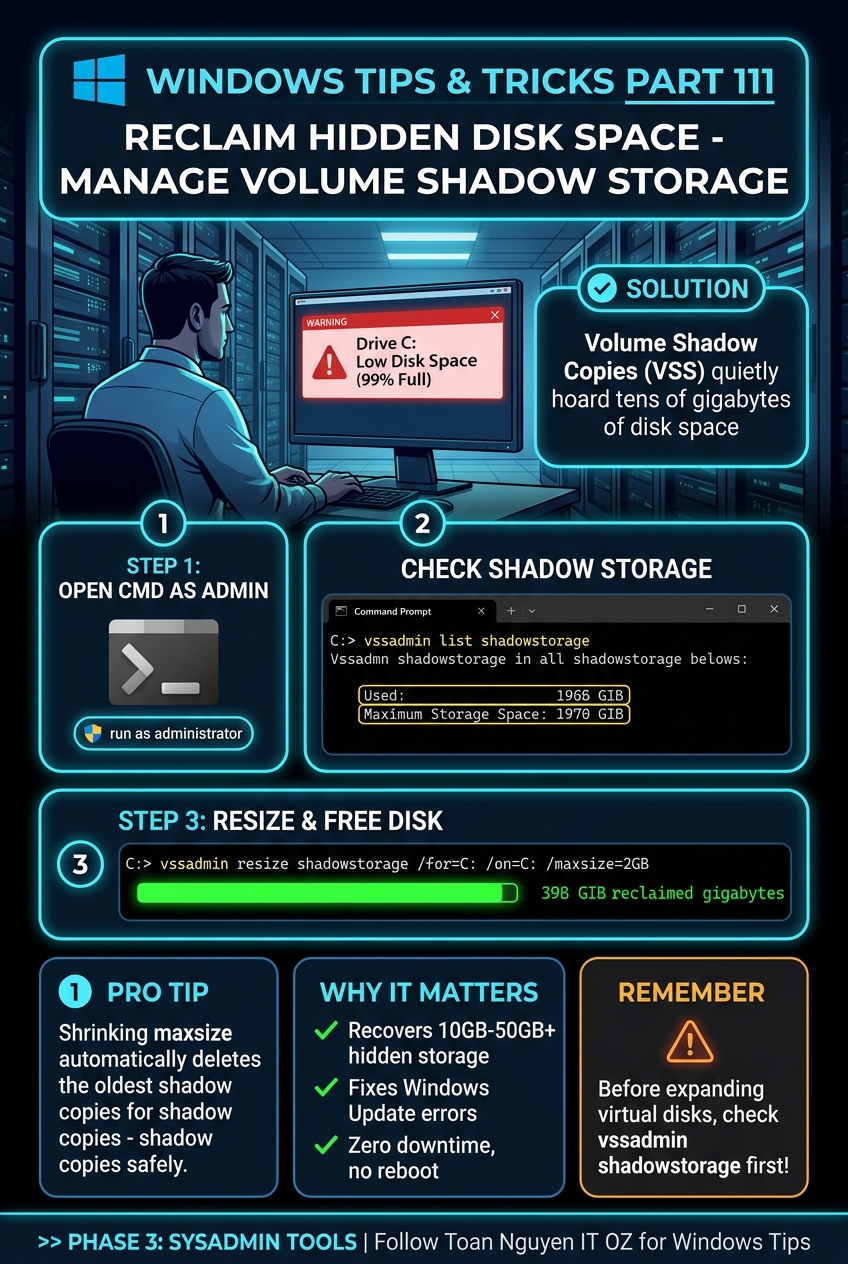
Windows Tips & Tricks – Part 111: Reclaim Hidden Disk Space – Manage Volume Shadow Storage
Is your C: drive mysteriously full even after running Disk Cleanup? Discover how to inspect and resize hidden Volume Shadow Copy storage ...
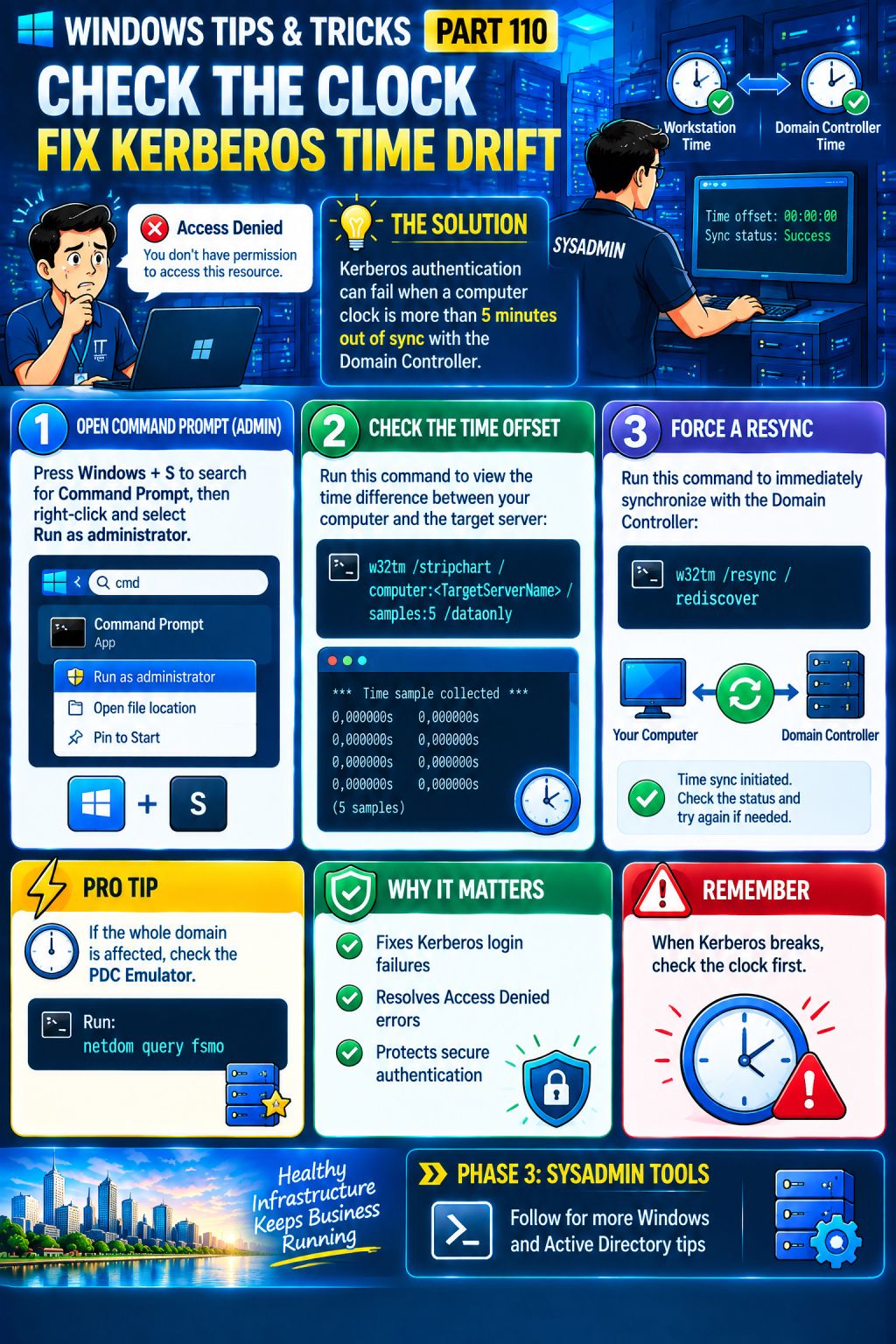
Windows Tips & Tricks – Part 110: Check the Clock – Fix Kerberos Time Drift
Users suddenly cannot log in or access network shares, and Event Viewer is flooded with Kerberos errors. Before restarting servers, check...
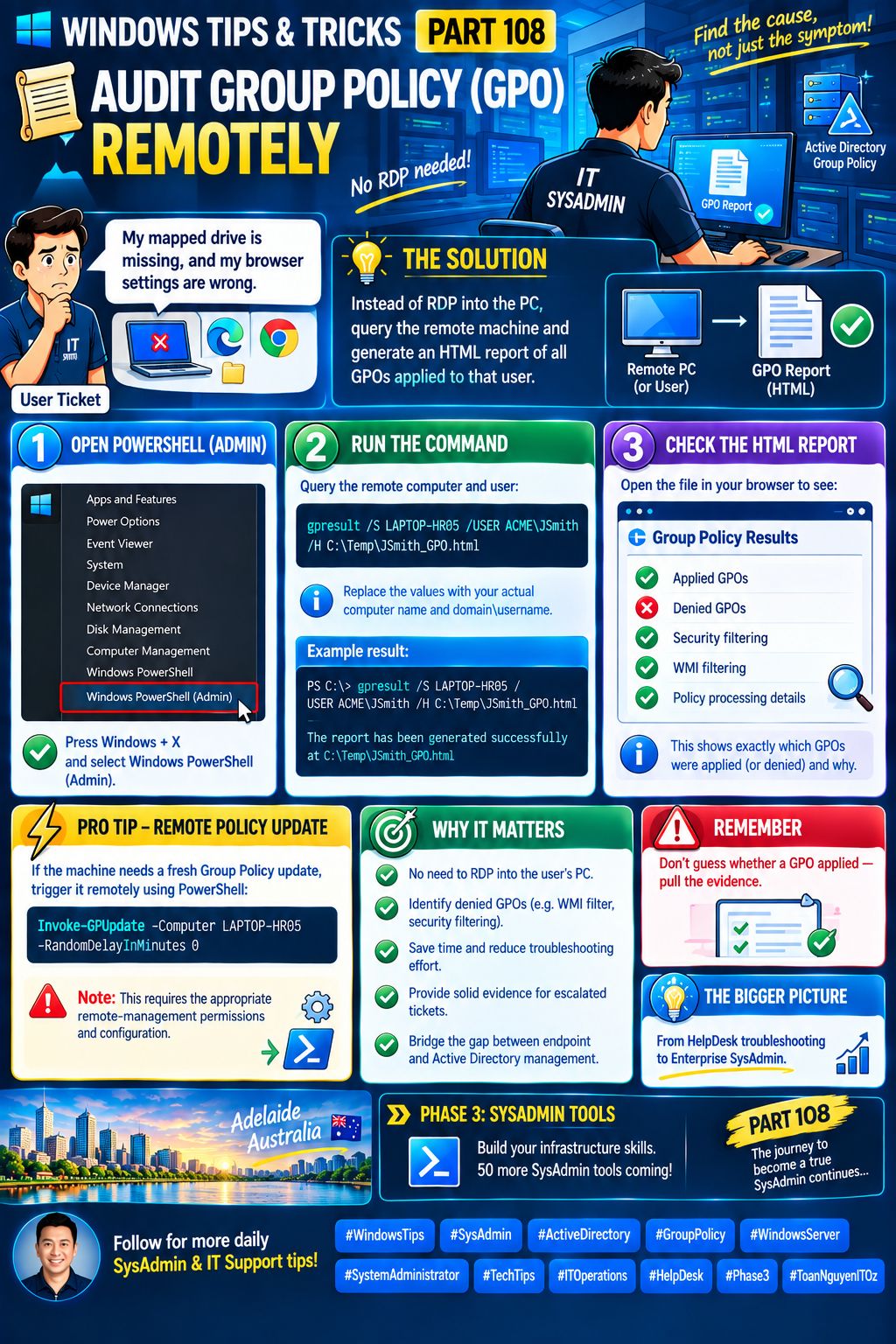
Windows Tips & Tricks – Part 108: Audit Group Policy (GPO) Remotely
User says: 'My mapped drive is missing, and my browser settings are wrong.' Don't RDP into the PC. Audit applied and denied GPOs remotely...
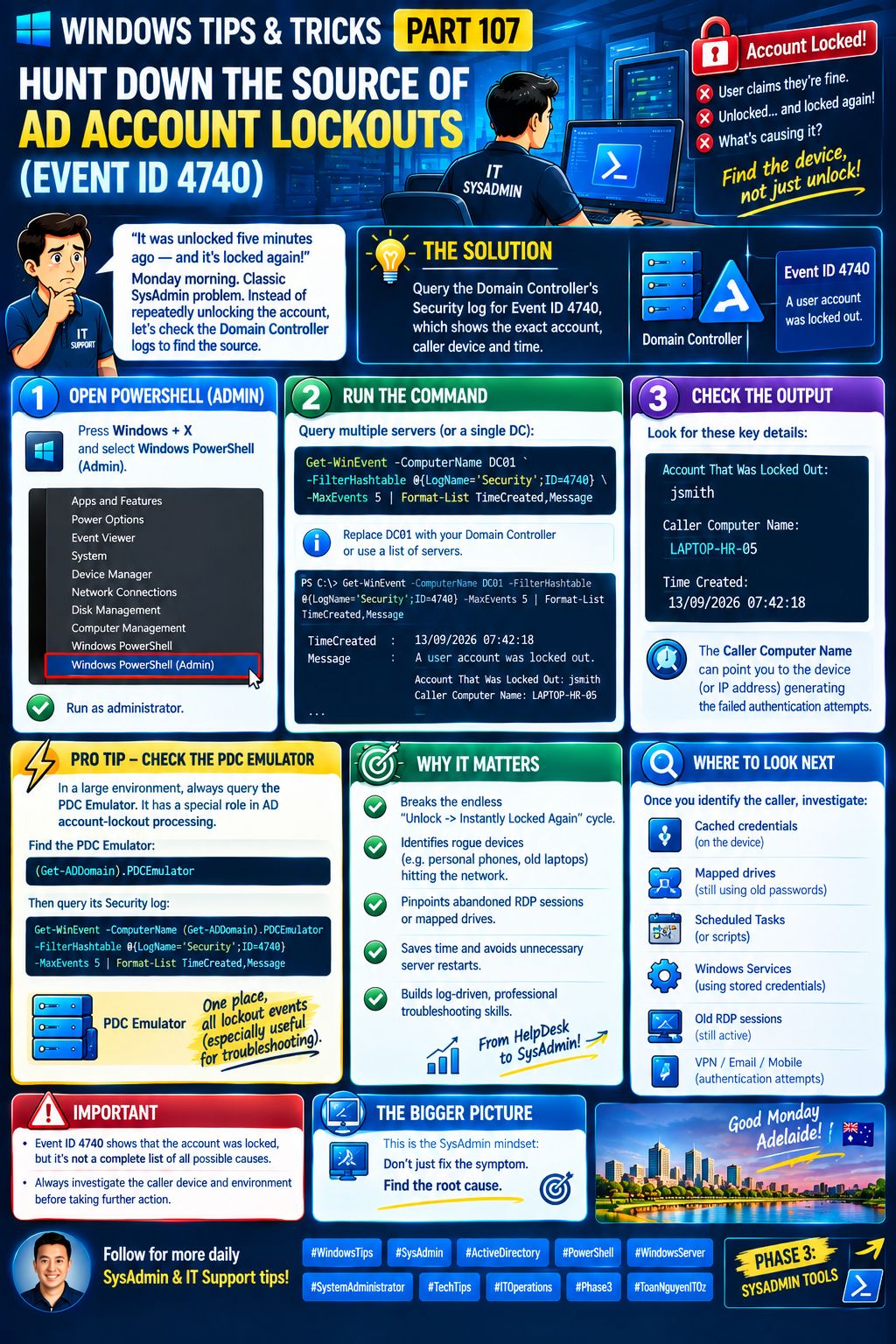
Windows Tips & Tricks – Part 107: Hunt Down the Source of AD Account Lockouts
It was unlocked five minutes ago — and it's locked again! Monday morning classic SysAdmin problem. Trace the Caller Computer Name with Ev...
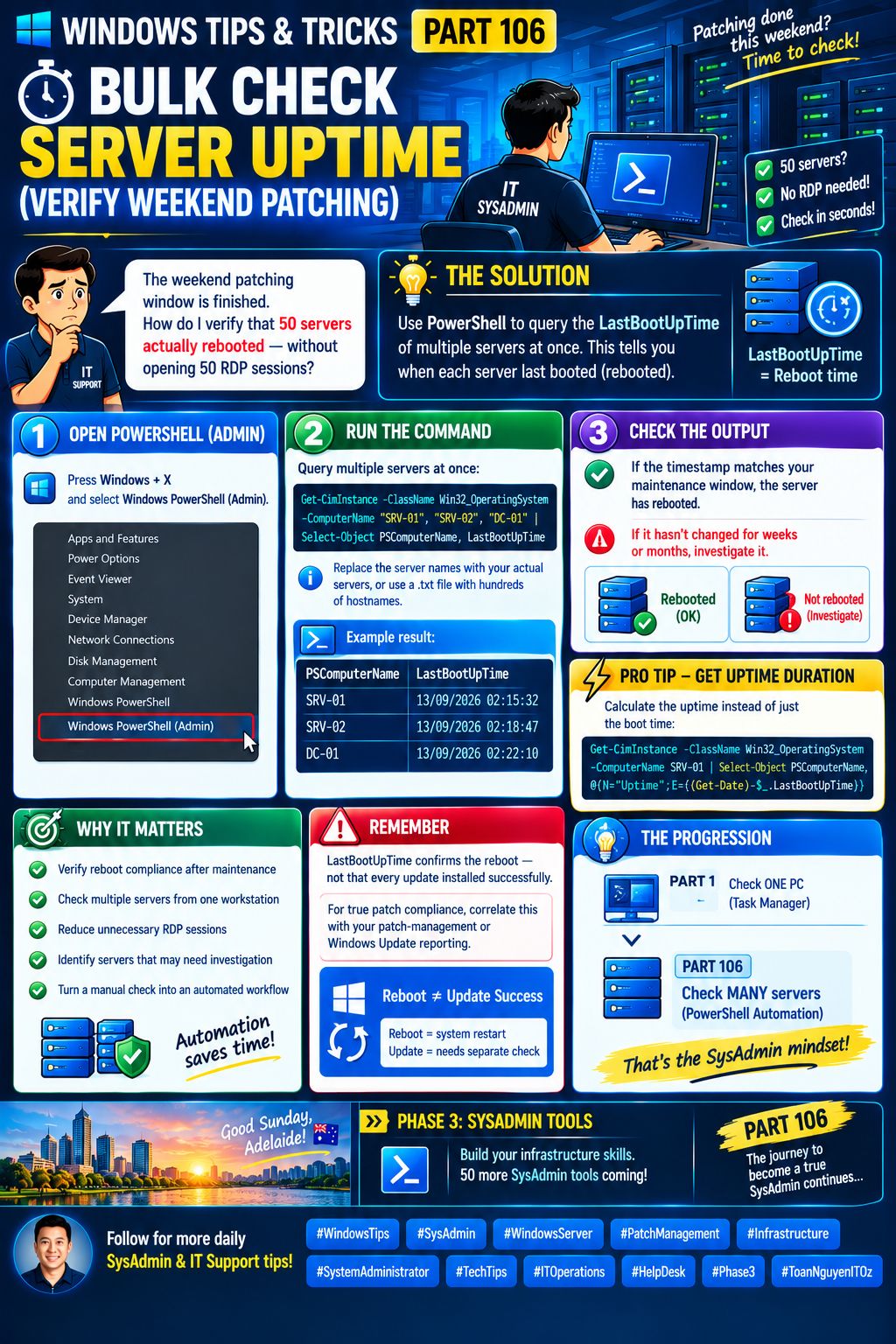
Windows Tips & Tricks – Part 106: Bulk Check Server Uptime
The weekend patching window is finished. How do you verify that 50 servers actually rebooted without opening 50 RDP sessions? Query LastB...
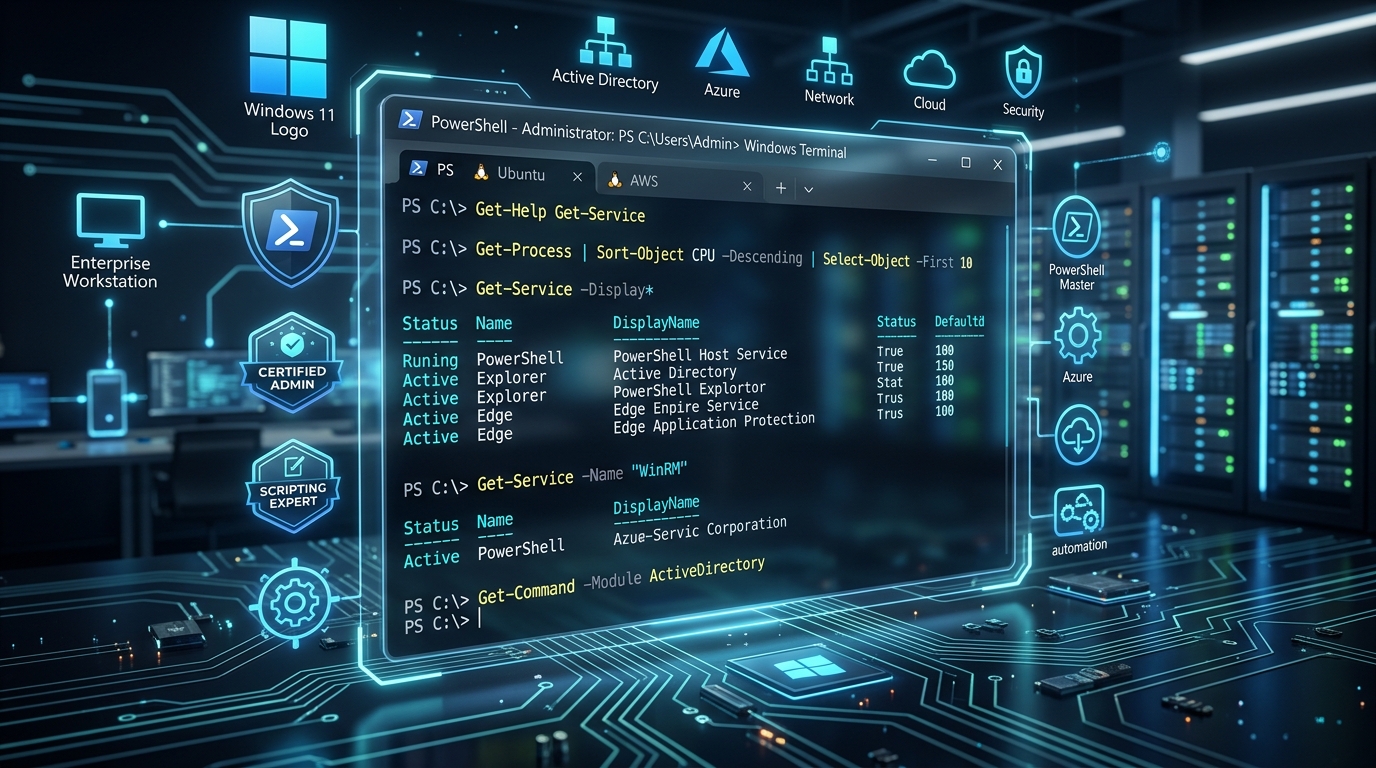
Mastering Windows 11 Terminal: 7 Essential PowerShell Commands for Every Power User
Unlock the true power of Windows 11 using PowerShell. Master 7 foundational cmdlets from Get-Help and Get-Process to service and file man...
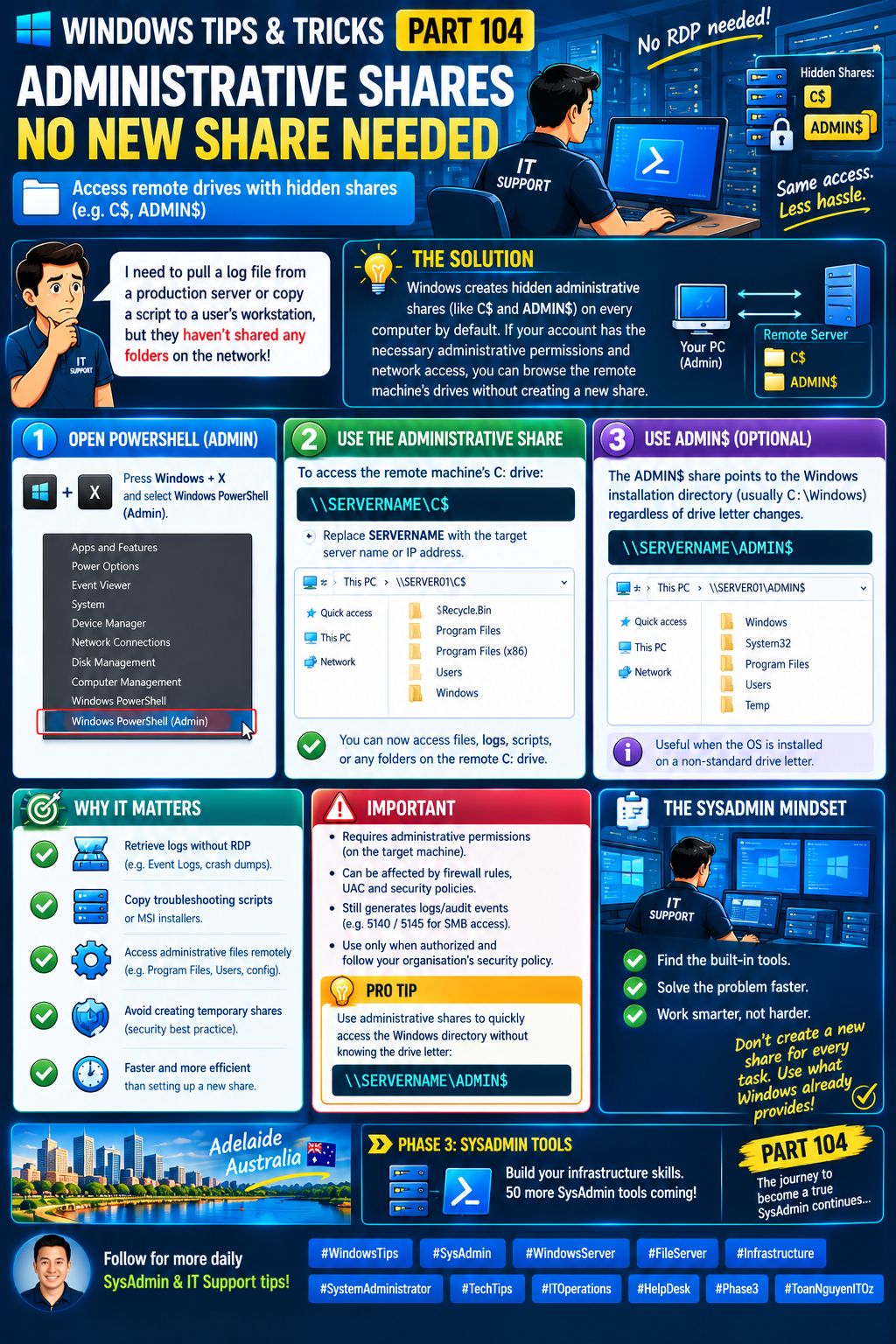
Windows Tips & Tricks – Part 104: Administrative Shares — No New Share Needed
Someone needs a log file from a remote PC, but there’s no shared folder. Do I really need to create one? Access hidden administrative sha...
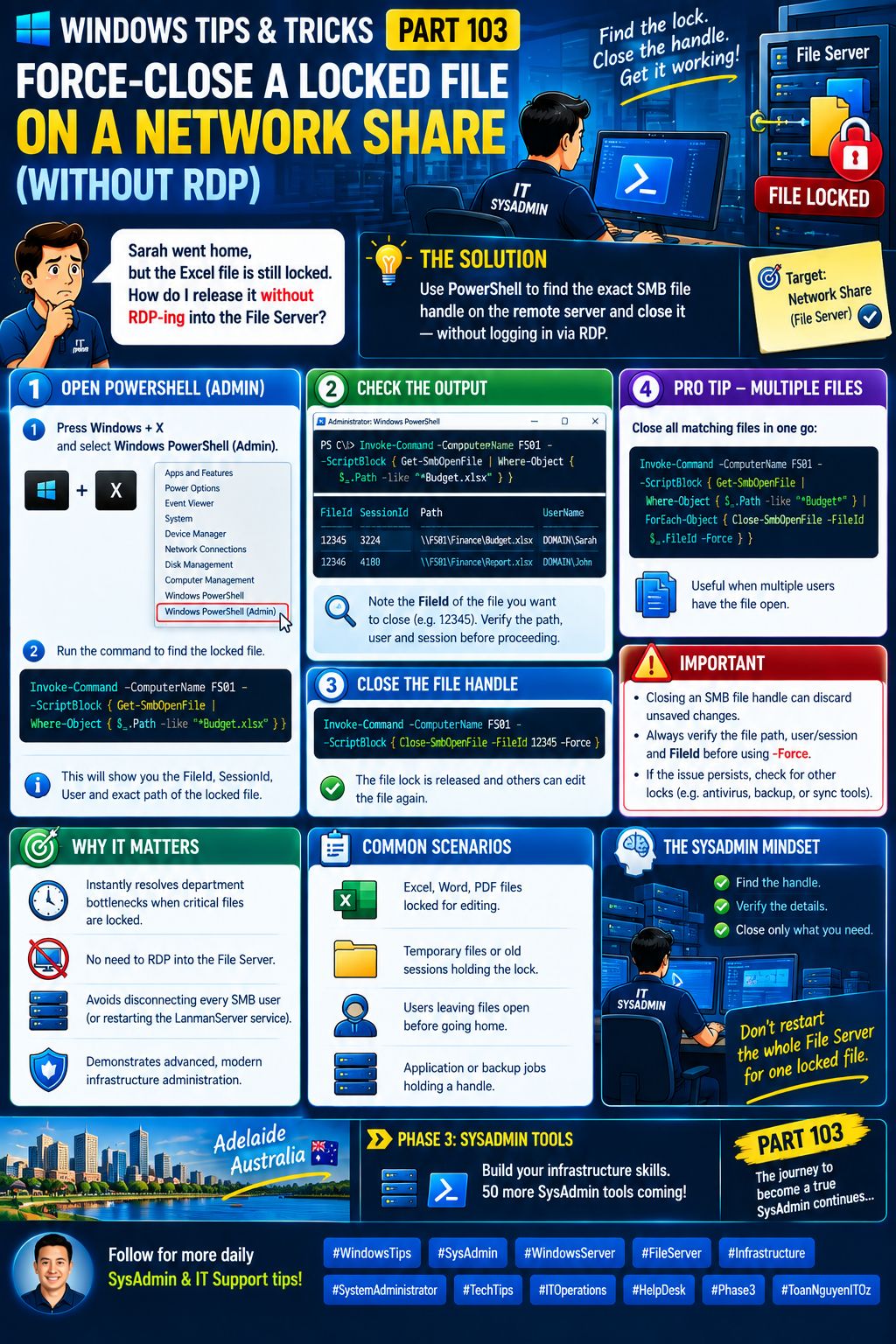
Windows Tips & Tricks – Part 103: Force-Close a Locked File on a Network Share
Sarah went home, but the Excel file is still locked. How do I release it without RDP-ing into the File Server?
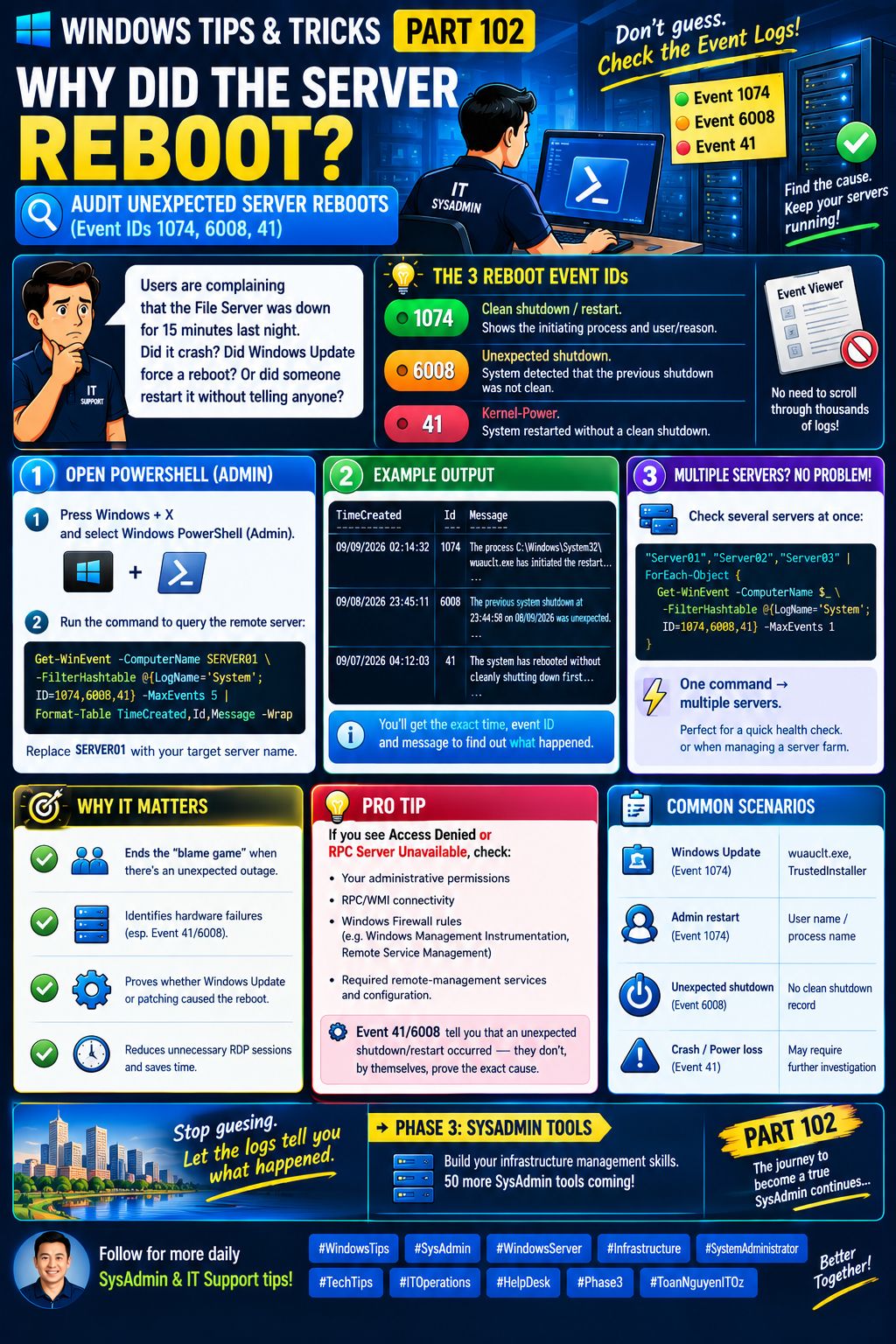
Windows Tips & Tricks – Part 102: Why Did the Server Reboot?
Why did the server reboot? Troubleshoot unexpected server reboots without opening RDP sessions using PowerShell and Windows Event IDs 107...
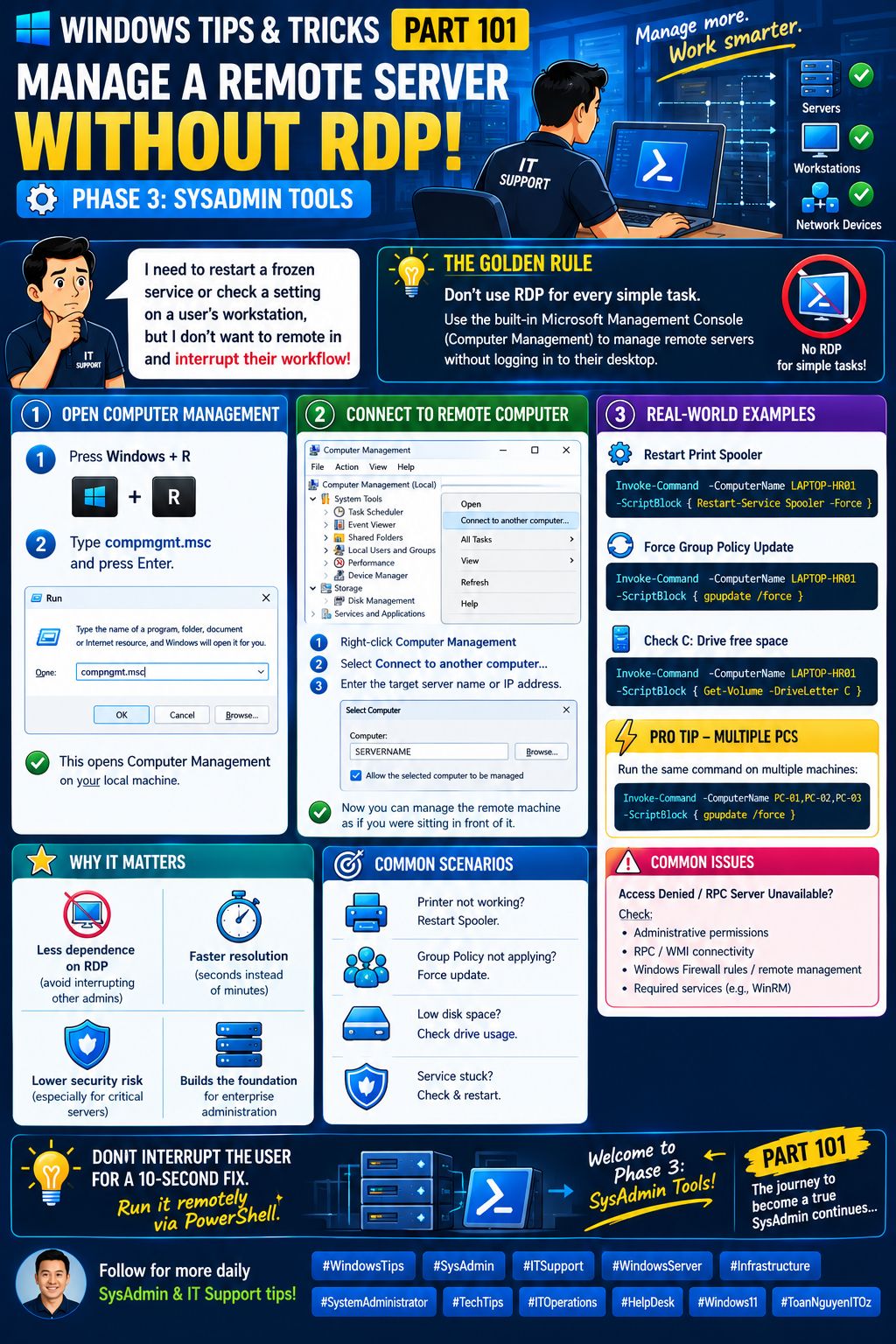
Windows Tips & Tricks – Part 101: Manage a Remote Server Without RDP!
Don't RDP into a server for every simple task. Use the built-in Computer Management console to manage remote servers right from your work...
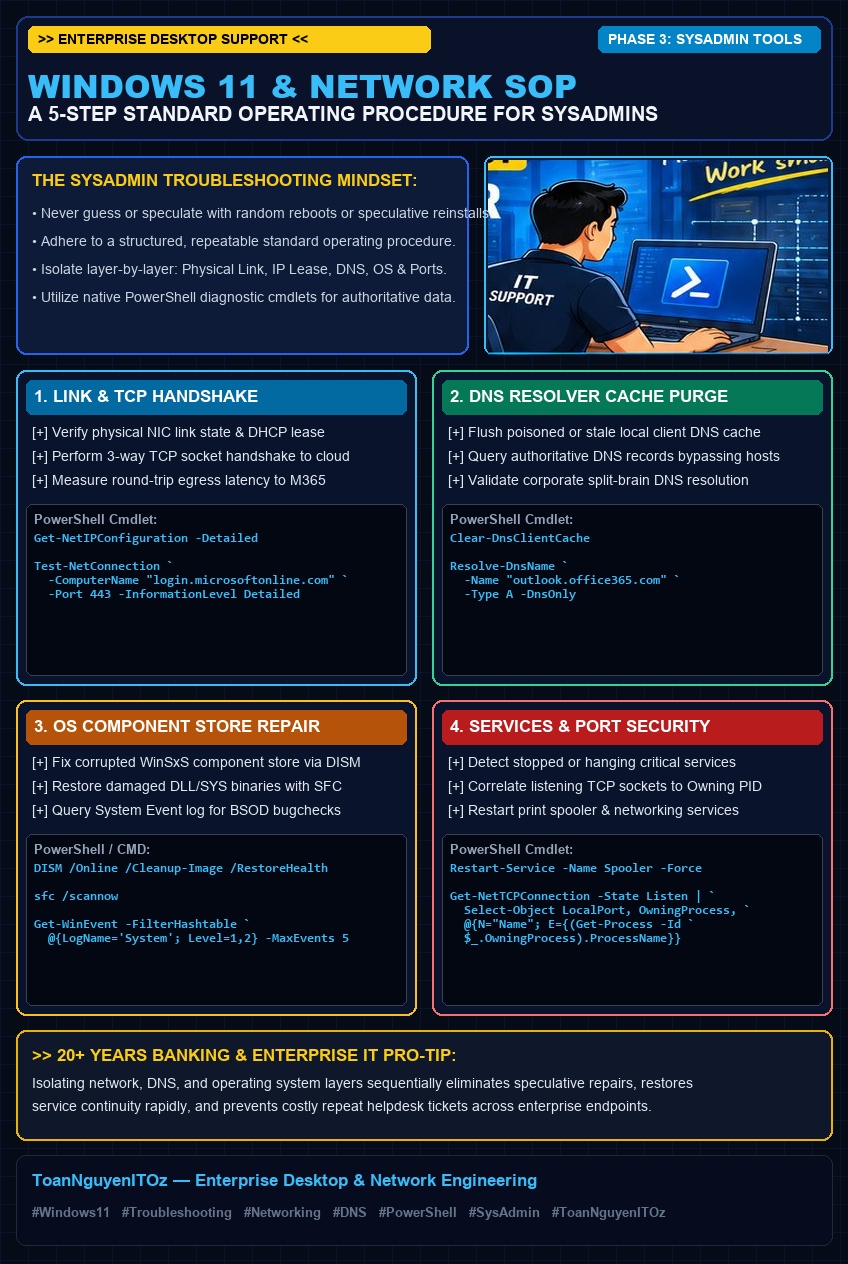
Enterprise Windows 11 & Network Troubleshooting: A 5-Step SOP for SysAdmins
A battle-tested 5-step Standard Operating Procedure (SOP) for enterprise IT support and systems administrators to diagnose network discon...
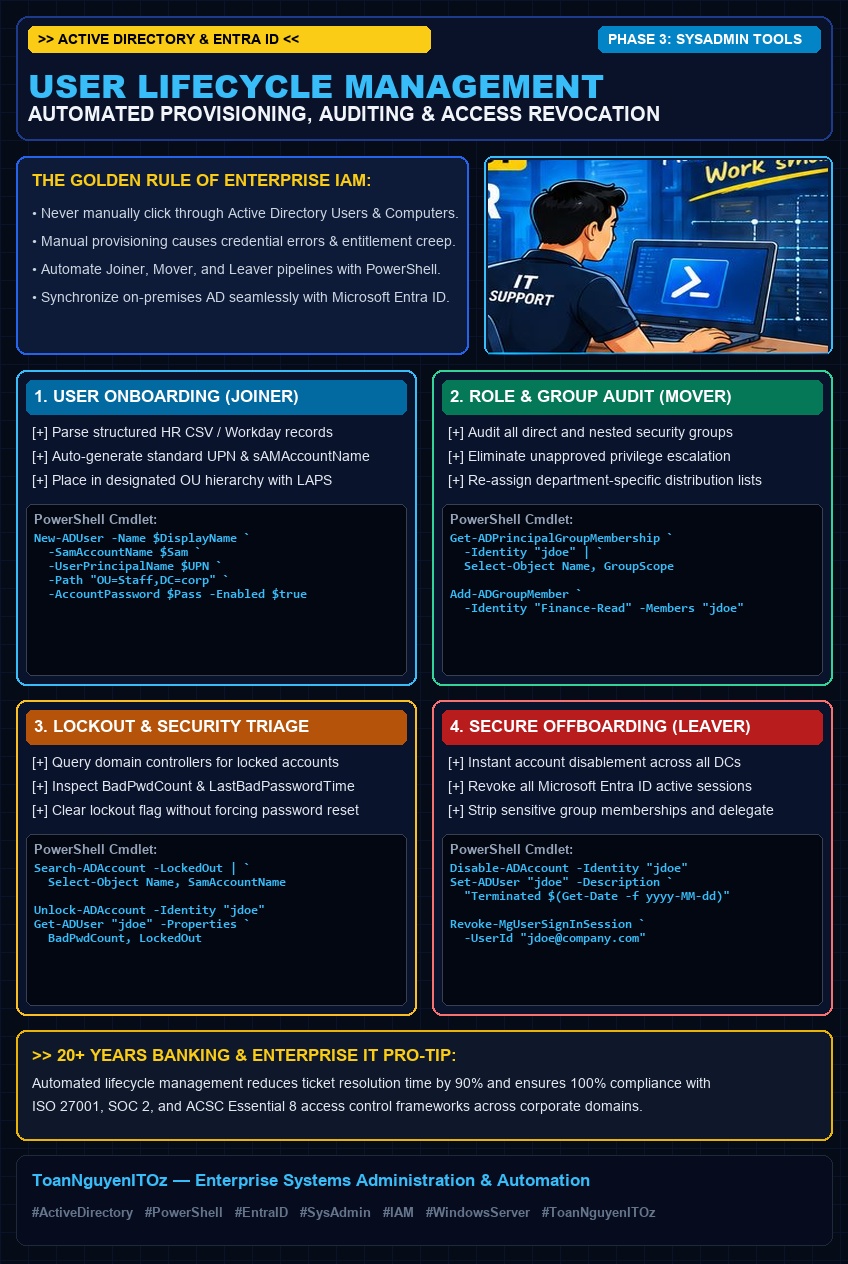
Active Directory & Entra ID User Lifecycle Management with PowerShell Automation
Mastering user onboarding, group entitlement audits, account lockouts, and secure offboarding across On-Premises Active Directory and Mic...
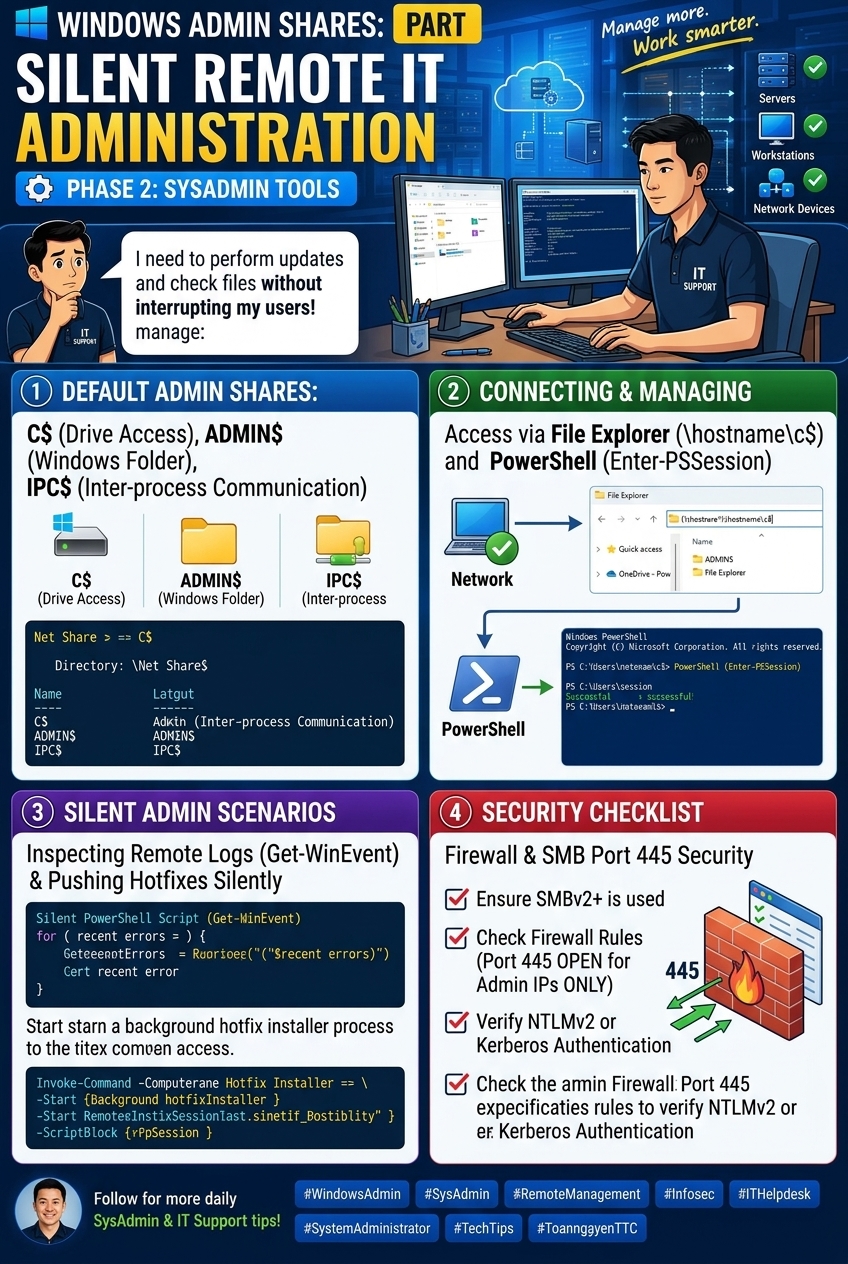
Mastering Windows Admin Shares (C$, ADMIN$) for Silent Remote IT Administration
How enterprise systems administrators inspect logs, push hotfixes, and retrieve diagnostic bundles over hidden administrative network sha...
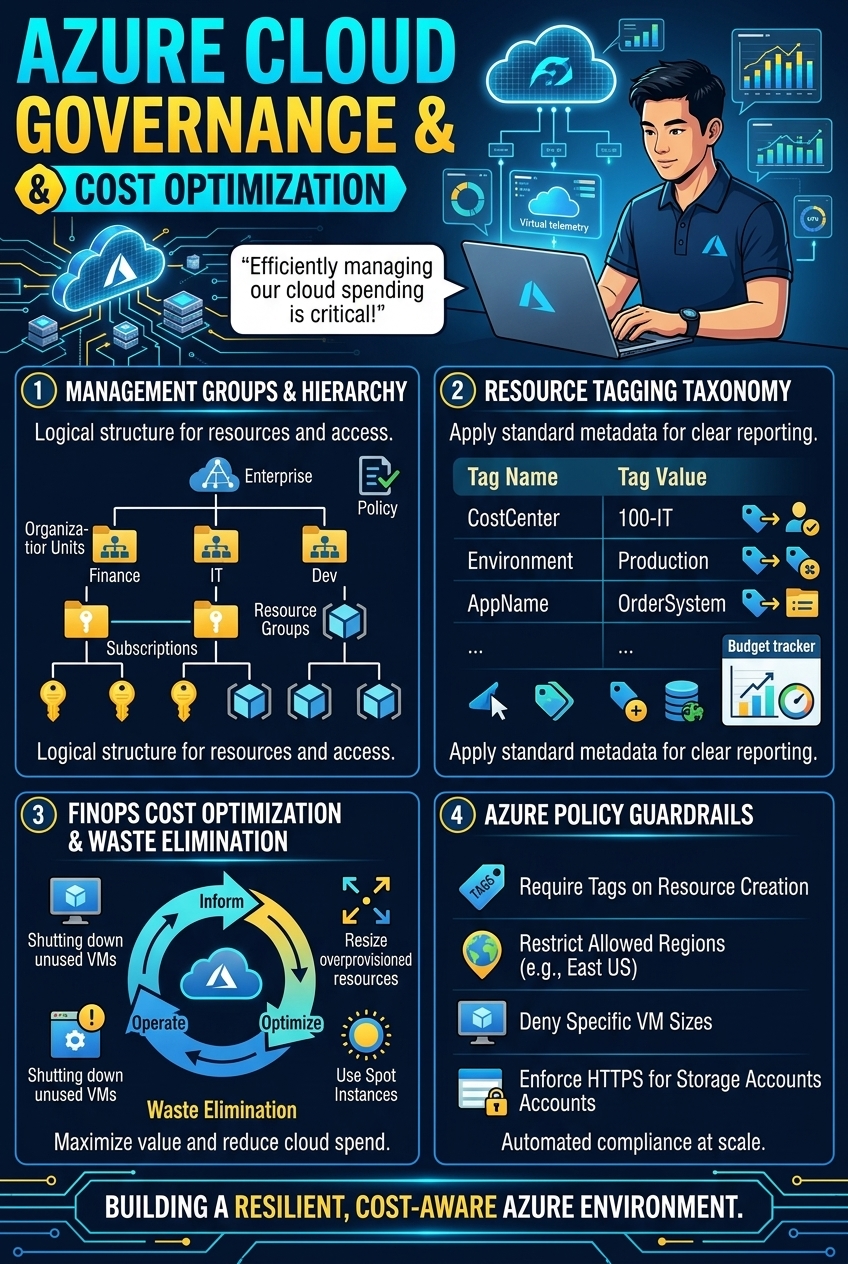
Enterprise Azure Governance, Resource Tagging & Cost Optimization Best Practices
How enterprise infrastructure engineers establish hierarchical Azure governance, enforce strict tagging taxonomies via Azure Policy, and ...
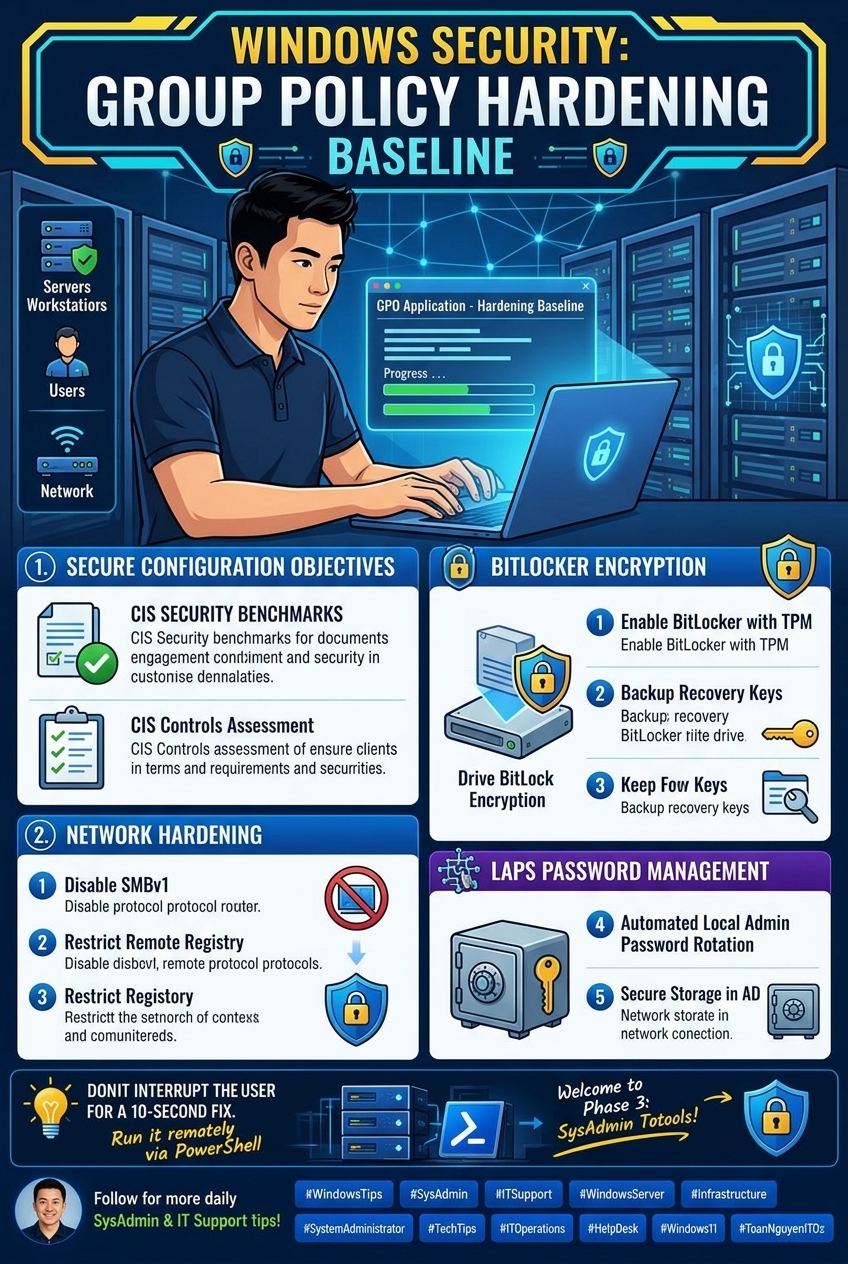
Hardening Enterprise Windows Workstations with Essential Group Policy Objects (GPOs)
A practical baseline implementing enterprise security standards and ACSC Essential 8 strategies across domain-joined Windows 11 endpoints...
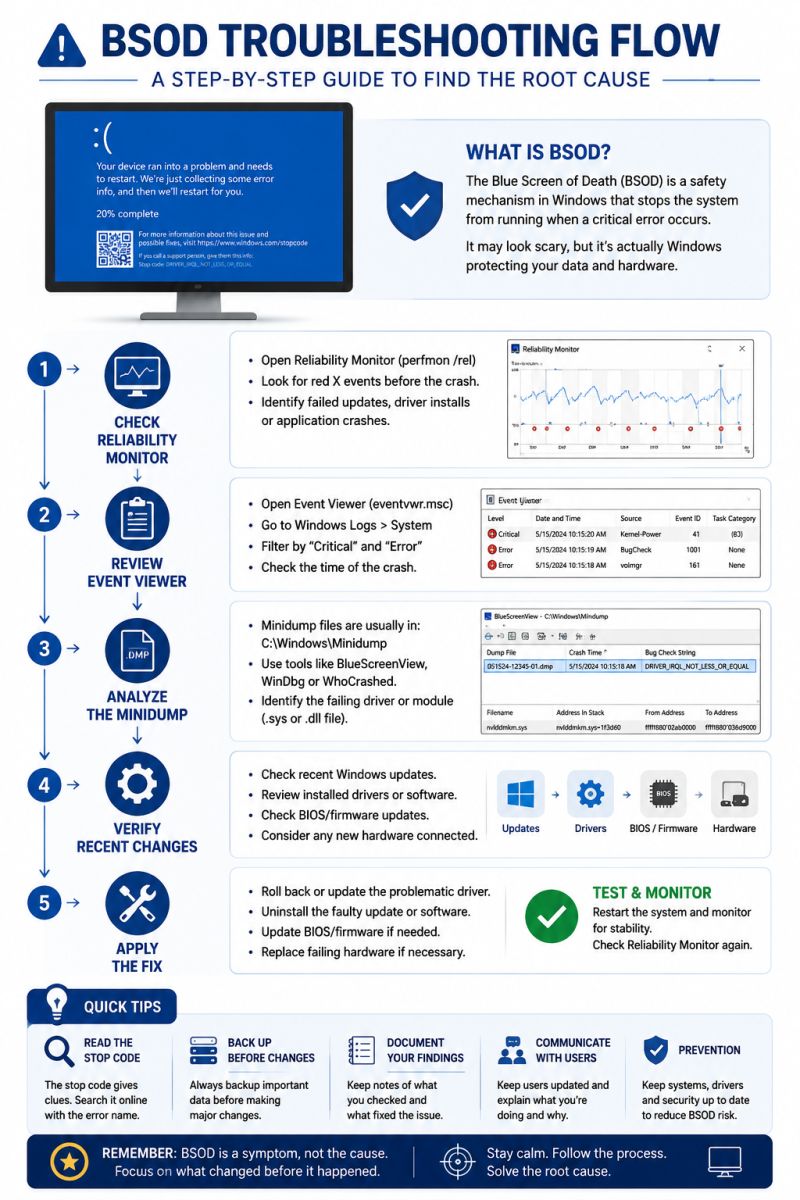
BSOD After a Windows Update? Heres My Troubleshooting Process
BSOD After a Windows Update? Heres My Troubleshooting Process
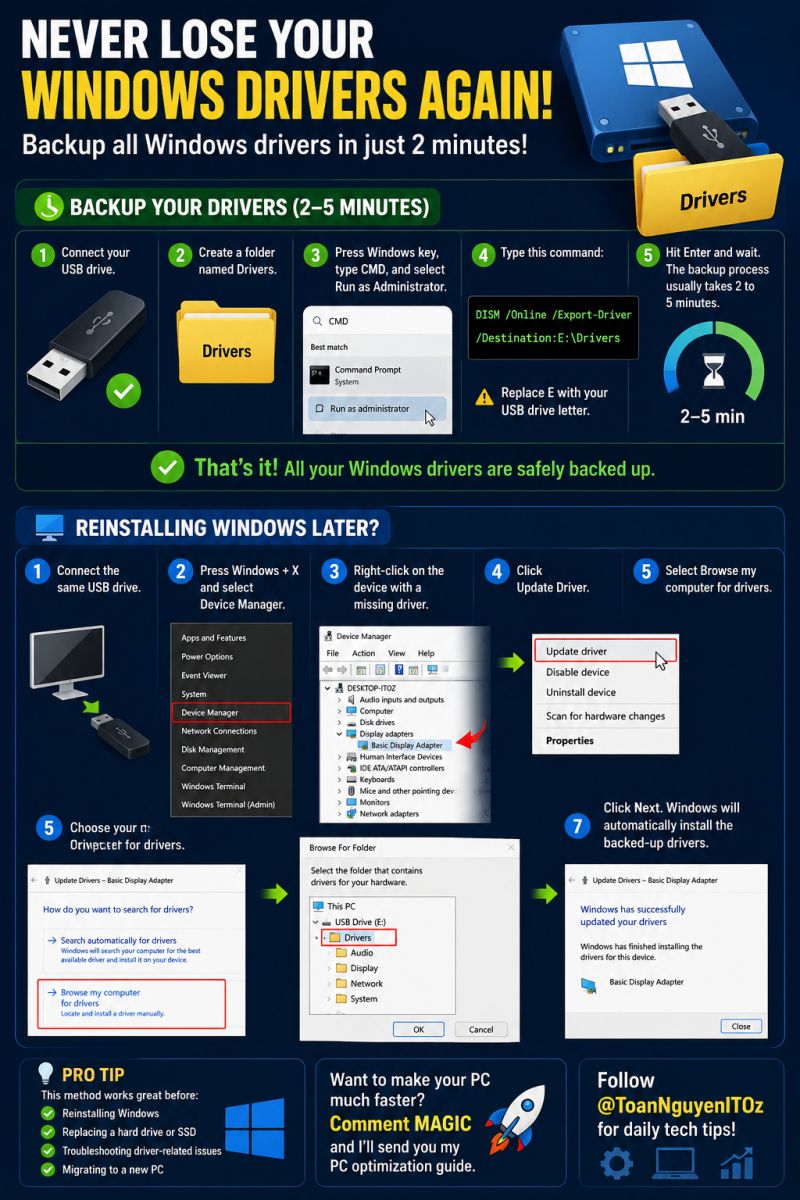
Never Lose Your Windows Drivers Again
Never Lose Your Windows Drivers Again
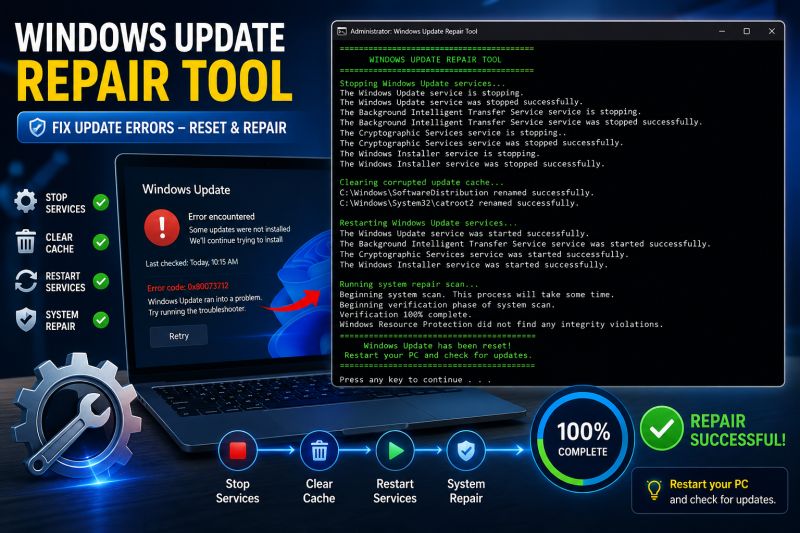
Windows Update Keeps Failing? Fix It with One Simple Script
Windows Update Keeps Failing? Fix It with One Simple Script
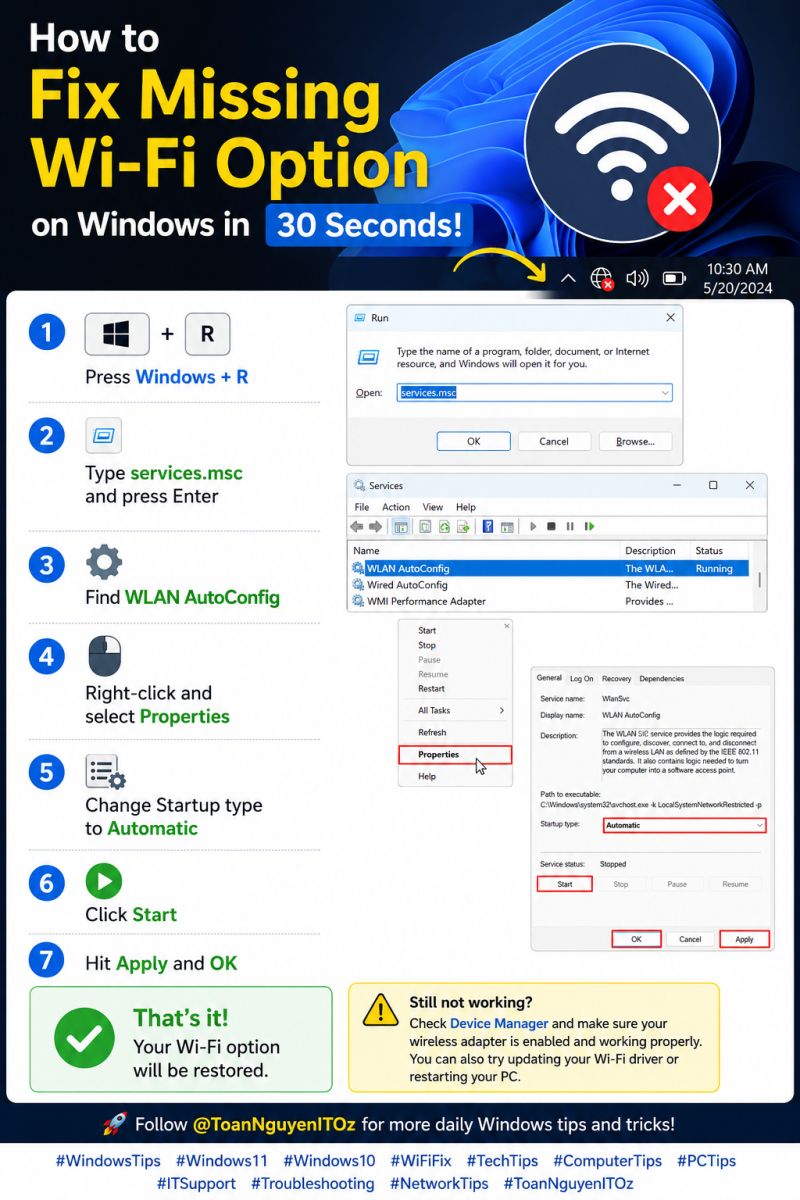
How to Fix Missing Wi-Fi Option on Windows in 30 Seconds
How to Fix Missing Wi-Fi Option on Windows in 30 Seconds If your Wi-Fi button suddenly disappears from your Windows PC, try this quick fi...
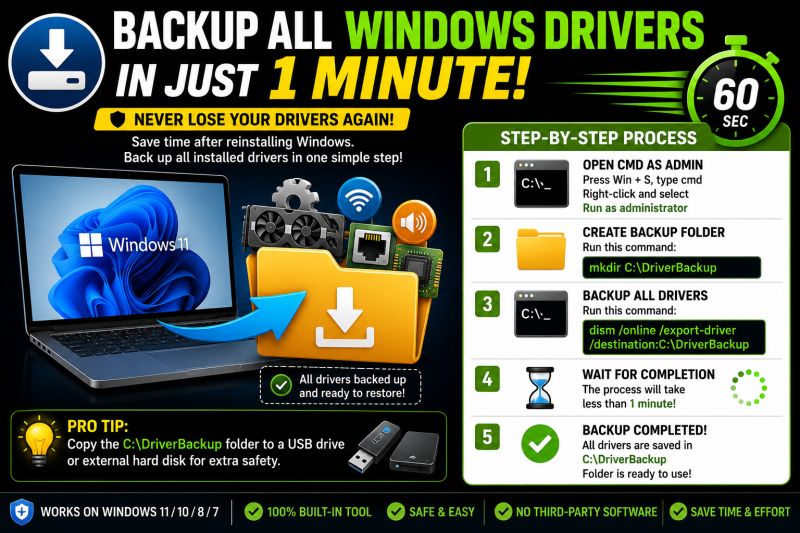
Backup All Your Windows Drivers in Just 1 Minute
Backup All Your Windows Drivers in Just 1 Minute Reinstalling Windows soon? Dont waste hours hunting for drivers afterward. Back up all y...
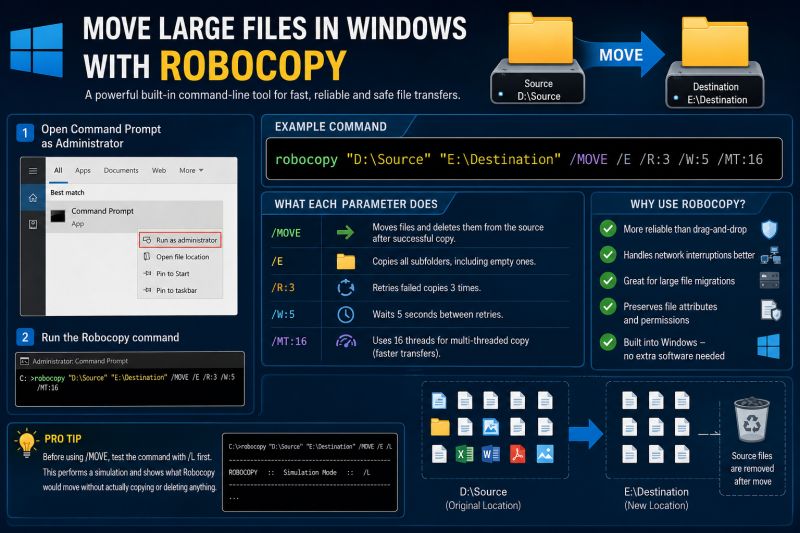
Move Large Files Faster and Safer with Robocopy
Move Large Files Faster and Safer with Robocopy
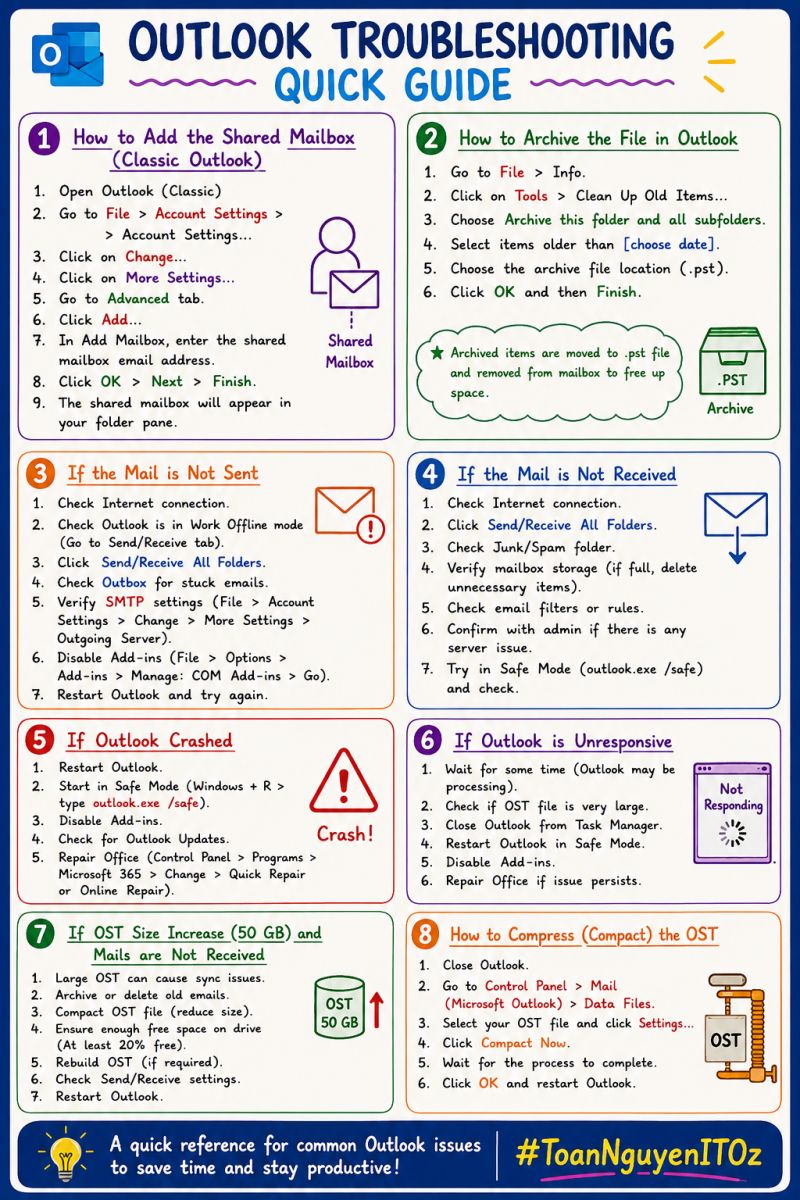
Outlook Troubleshooting – Quick Reference Guide
Outlook Troubleshooting – Quick Reference Guide
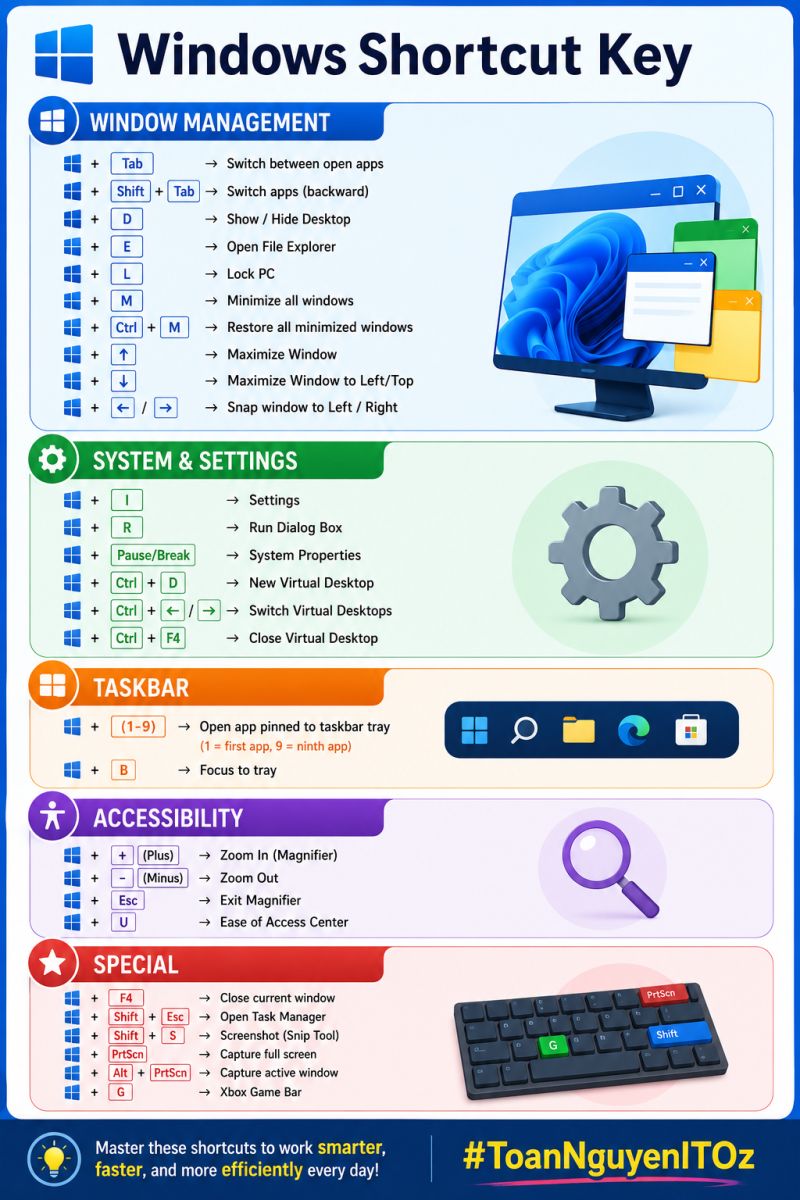
Work Smarter with Windows Keyboard Shortcuts
Work Smarter with Windows Keyboard Shortcuts
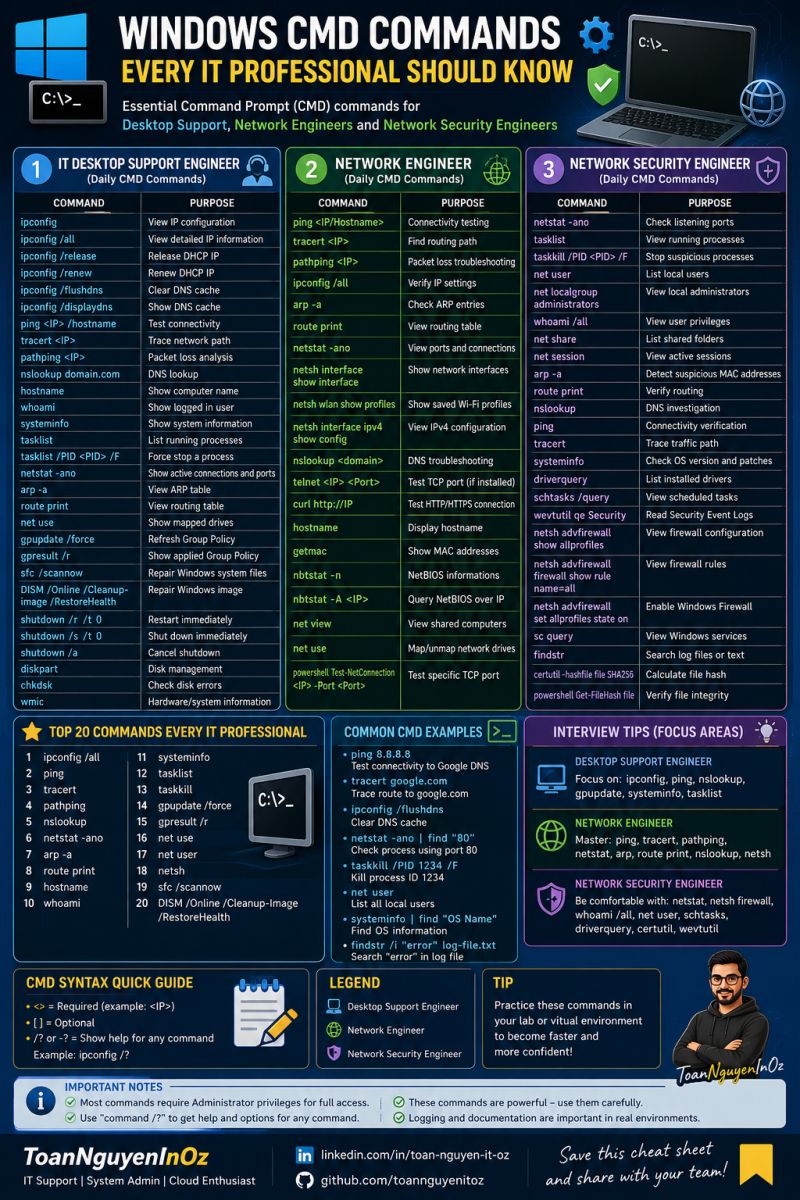
Windows CMD Commands Every IT Professional Should Know
The Command Prompt (CMD) is still one of the most powerful troubleshooting tools in Windows.
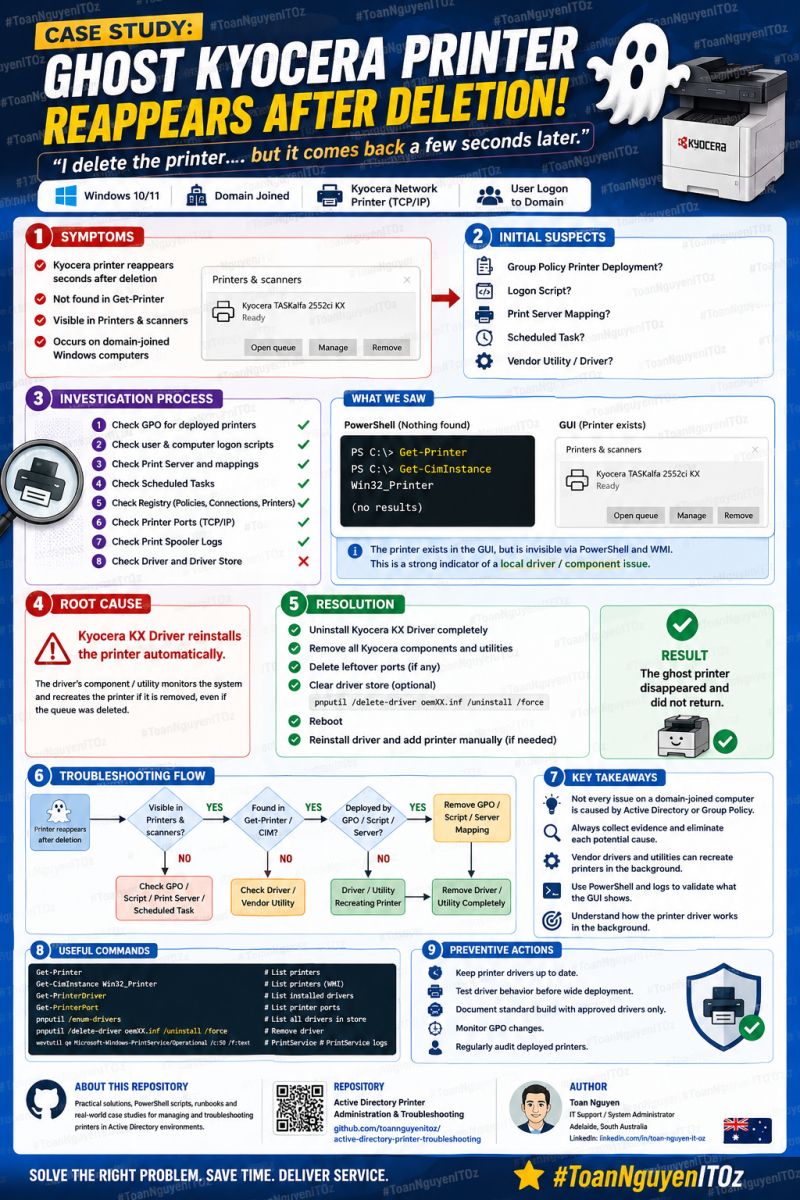
Ghost Printer? Deleted... but it keeps coming back
Ghost Printer? Deleted... but it keeps coming back
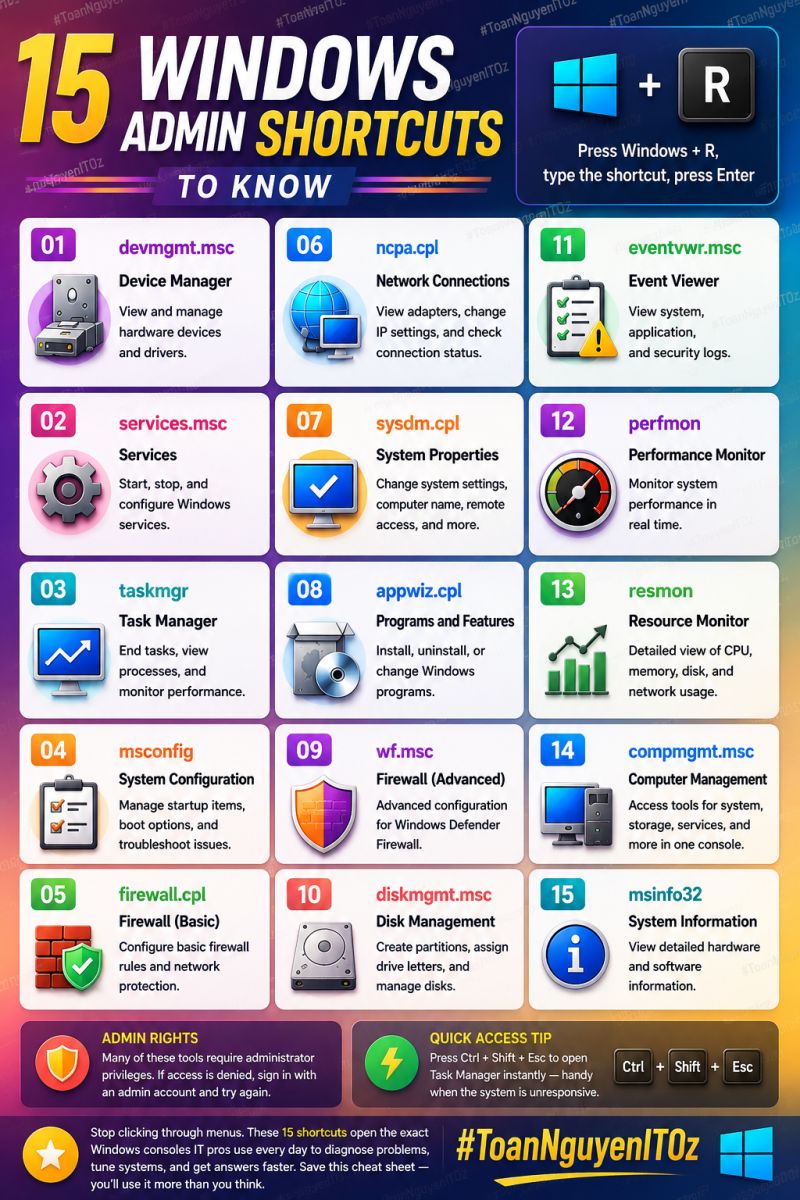
15 Windows Admin Shortcuts Every IT Professional Should Know
15 Windows Admin Shortcuts Every IT Professional Should Know
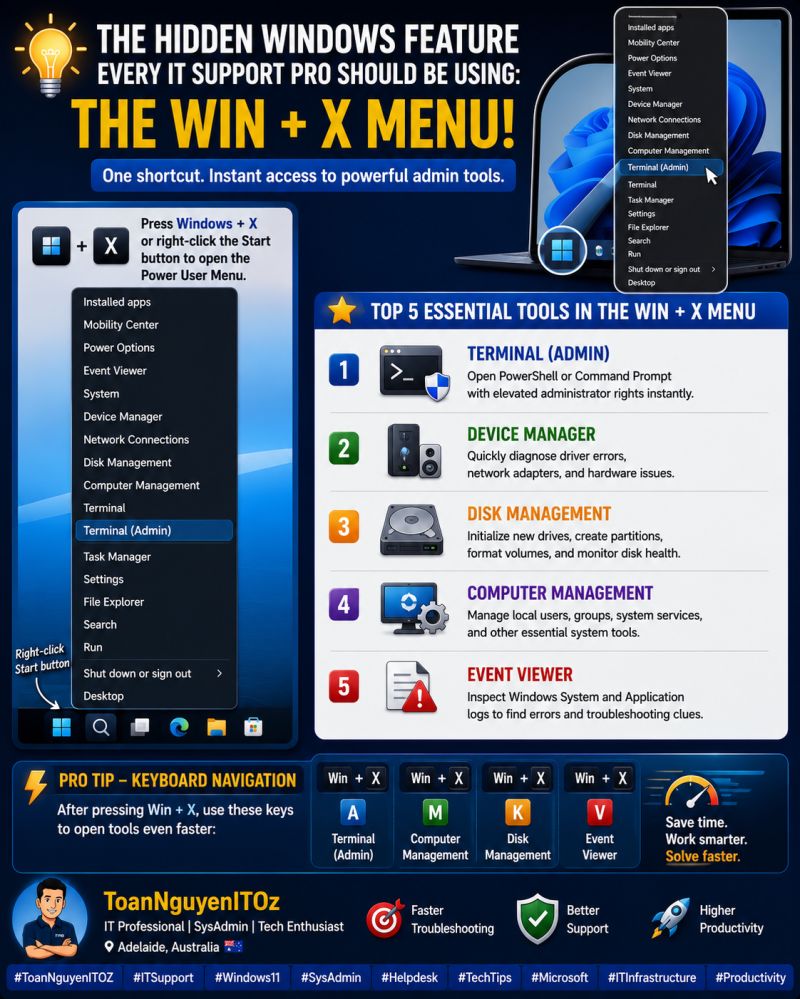
The Win X Menu Every IT Support Pro Should Know
Windows Tip: The Win X Menu Every IT Support Pro Should Know Working in IT Support, speed matters. When troubleshooting a users Windows 1...
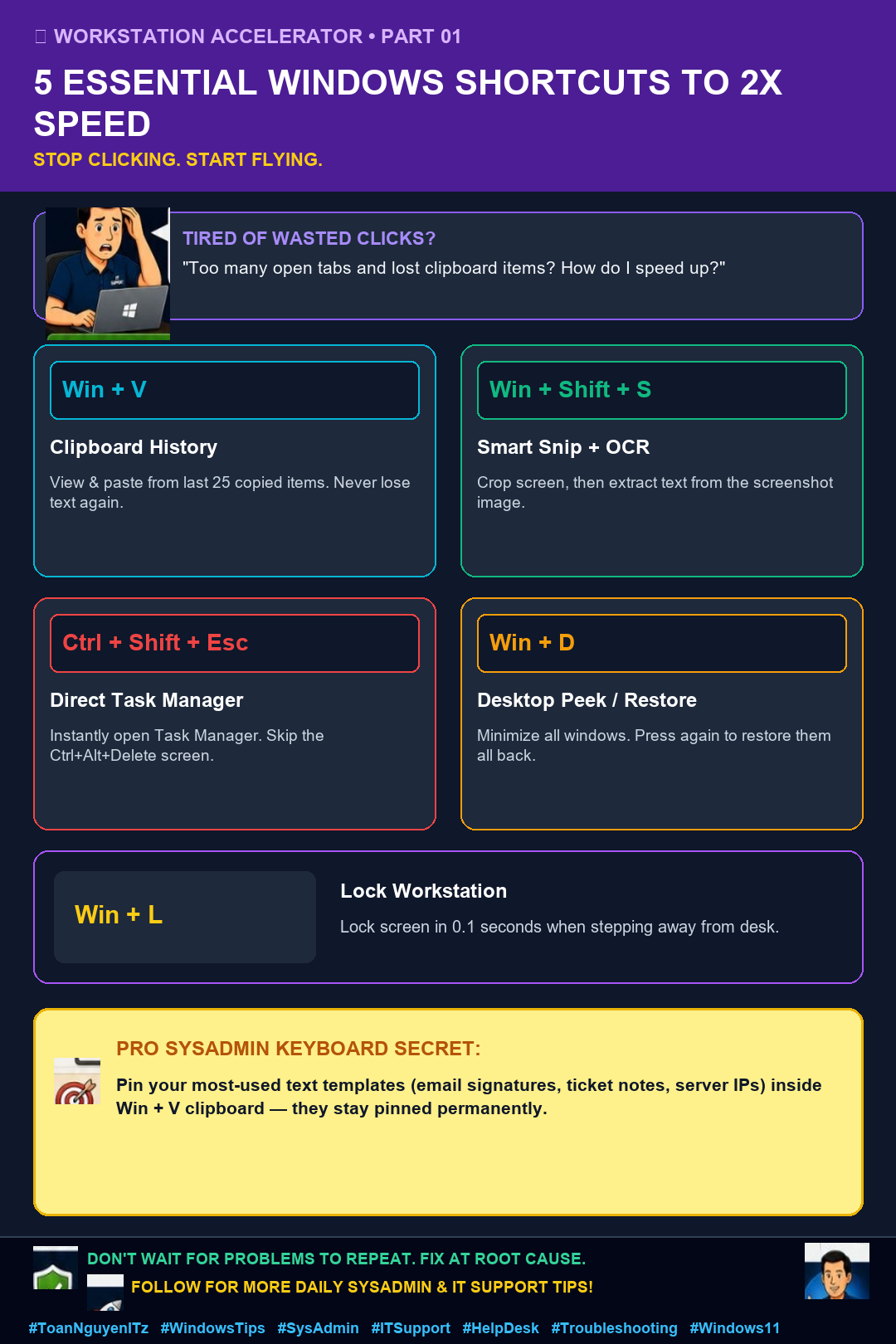
Stop Clicking Through Menus: 15 Windows Admin Shortcuts Every IT Pro Needs
Stop Clicking Through Menus: 15 Windows Admin Shortcuts Every IT Pro Needs
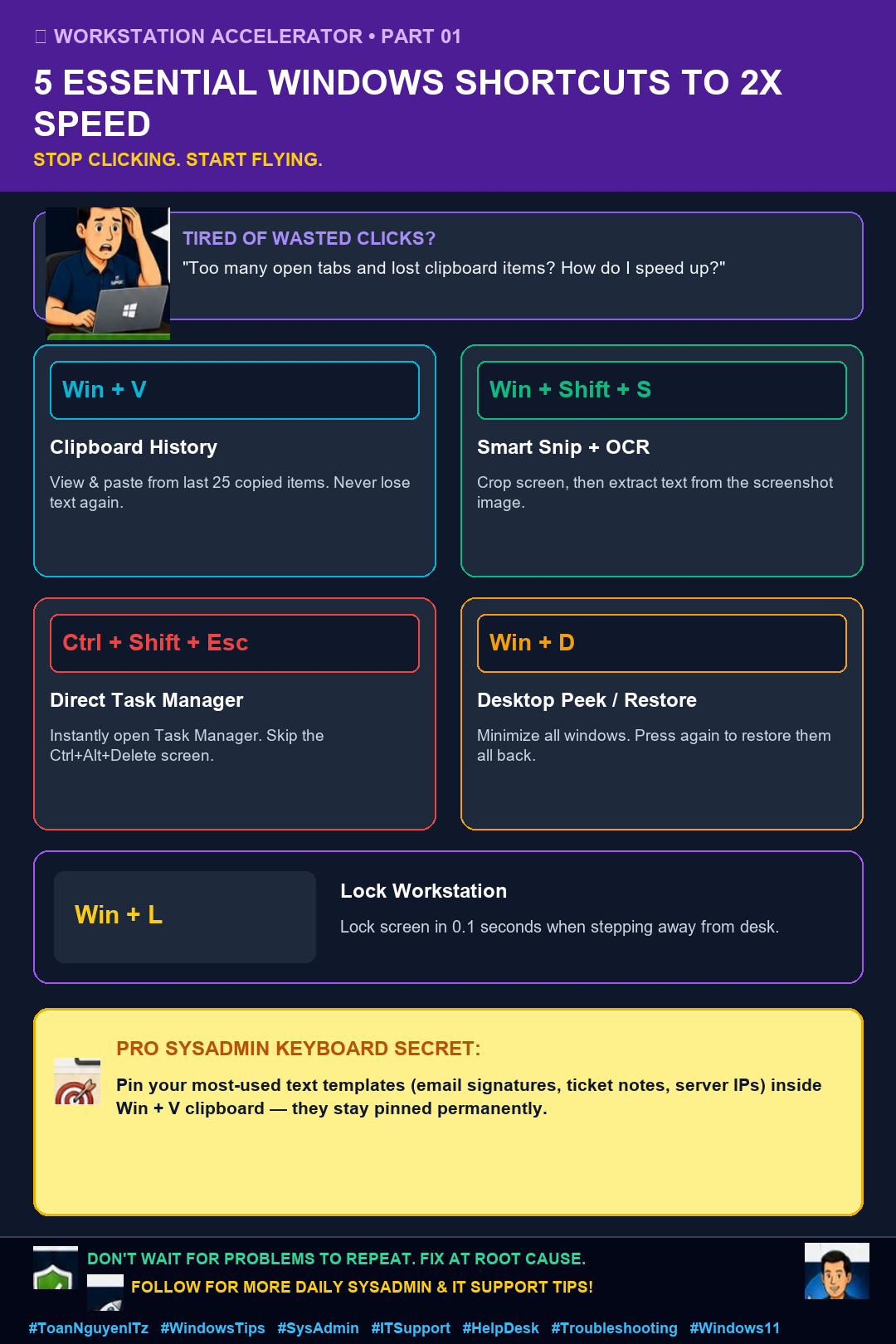
Work Smarter, Not Harder: 10 Hidden Windows Shortcuts That Save Hours
Work Smarter, Not Harder: 10 Hidden Windows Shortcuts That Save Hours
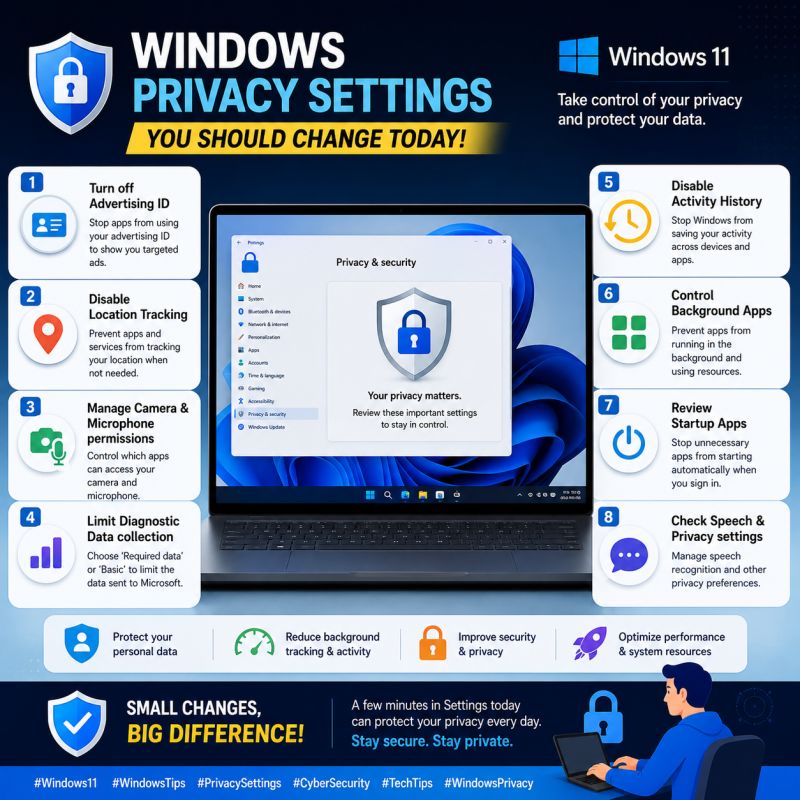
Windows Privacy Settings You Should Change Today
Windows Privacy Settings You Should Change Today
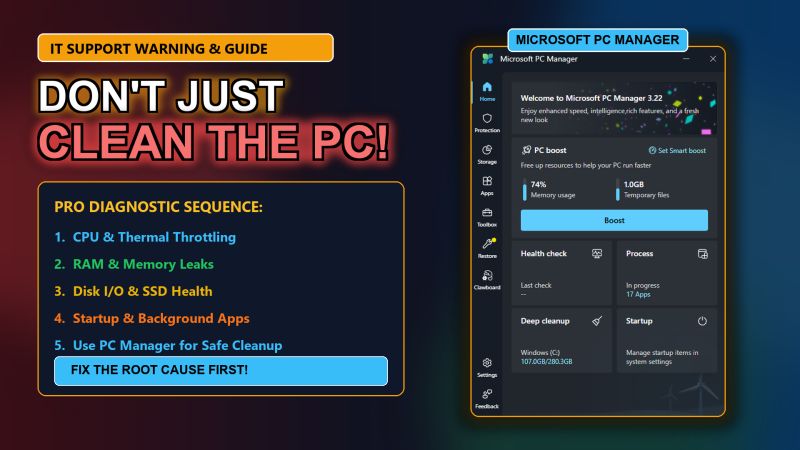
Microsoft PC Manager: A Free Windows Tool Worth Knowing — And How to Use It Effectively
Microsoft PC Manager: A Free Windows Tool Worth Knowing — And How to Use It Effectively
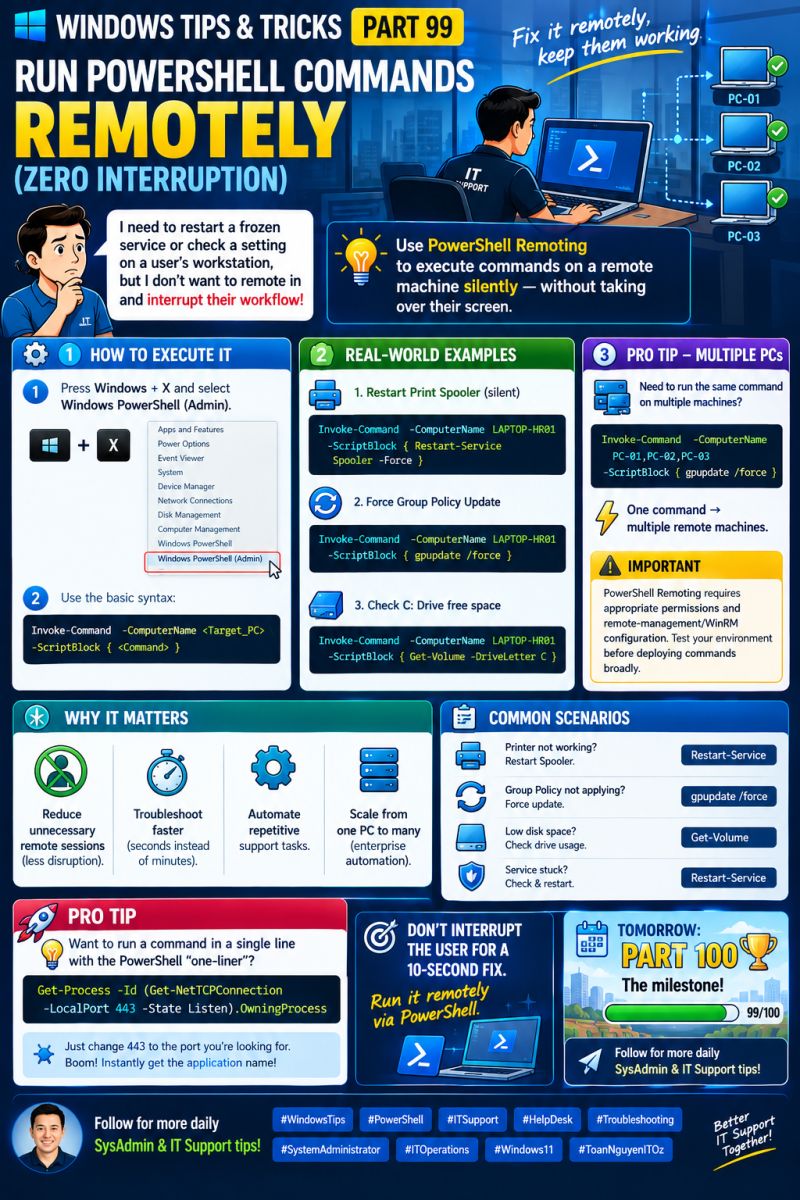
Windows Tips & Tricks – Part 99: Run PowerShell Commands Remotely
Need to fix something on a users PC without taking over their screen?
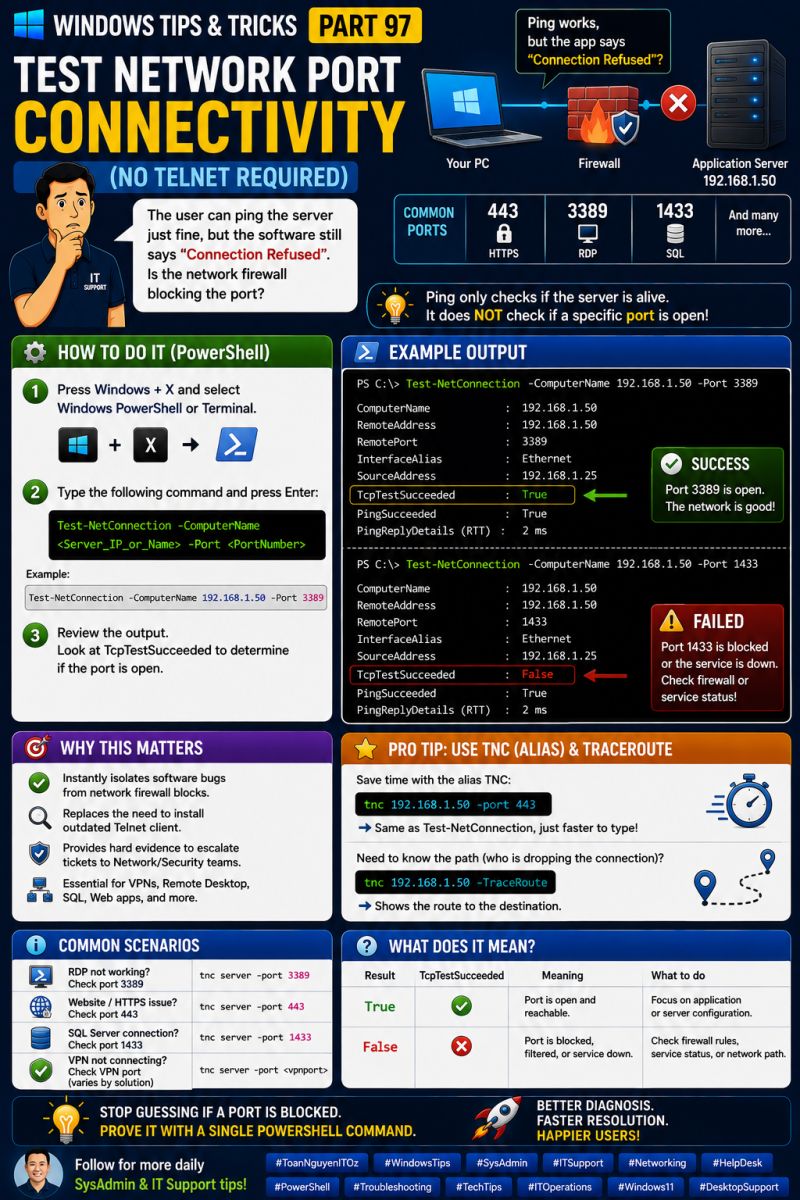
Windows Tips & Tricks – Part 97: Test Network Port Connectivity — No Telnet Required
Test Network Port Connectivity — No Telnet Required
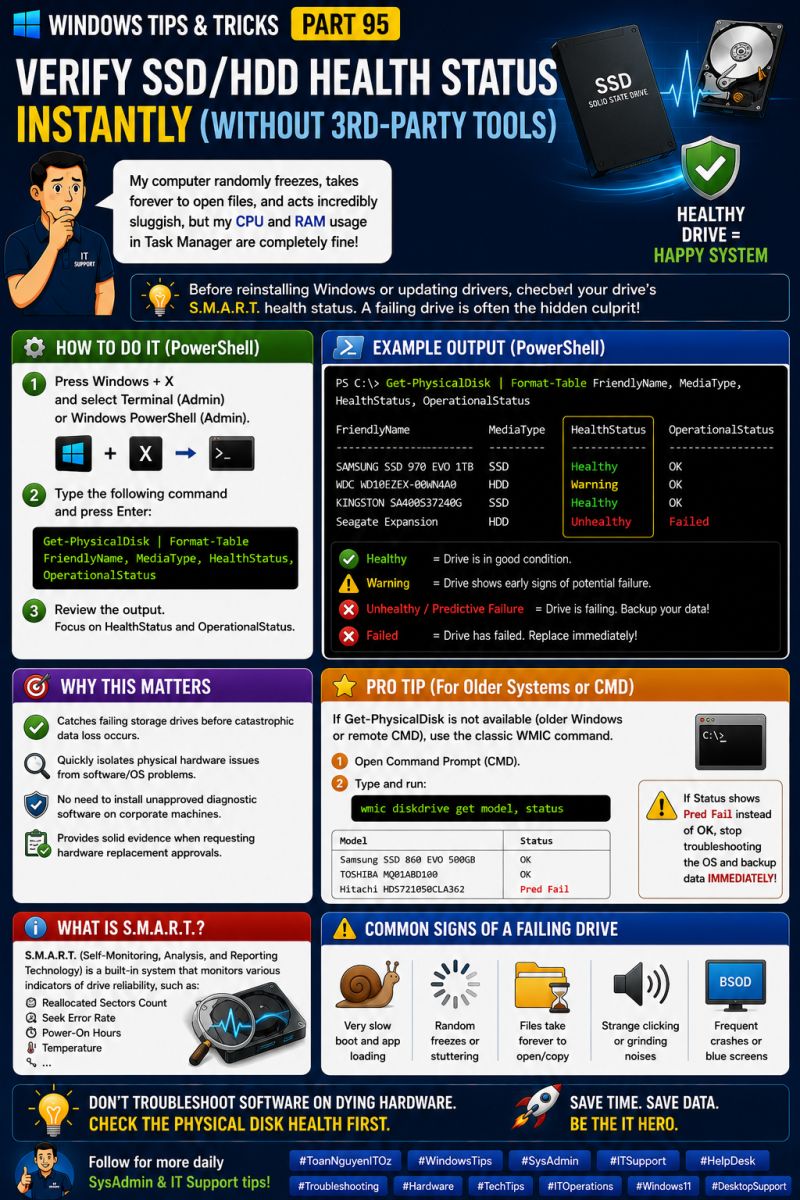
Windows Tips & Tricks – Part 95: Check SSD/HDD Health Instantly
Check SSD/HDD Health Instantly
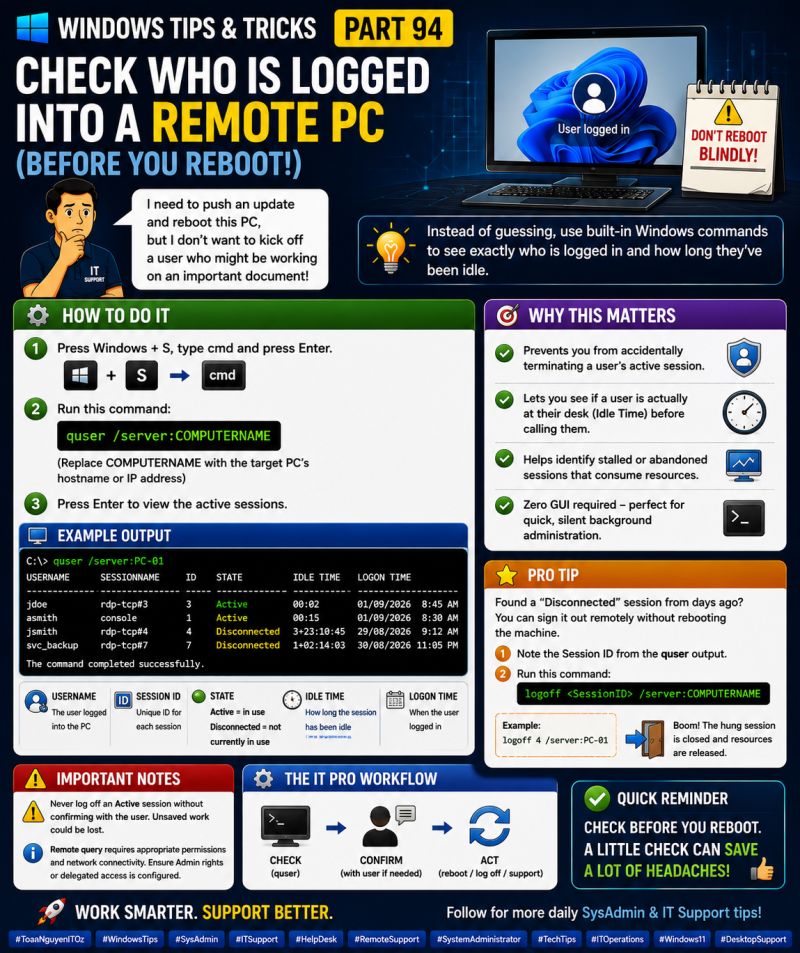
Windows Tips & Tricks – Part 94: Check Who Is Logged Into a Remote PC
I need to reboot a remote PC, but is someone still working on it?
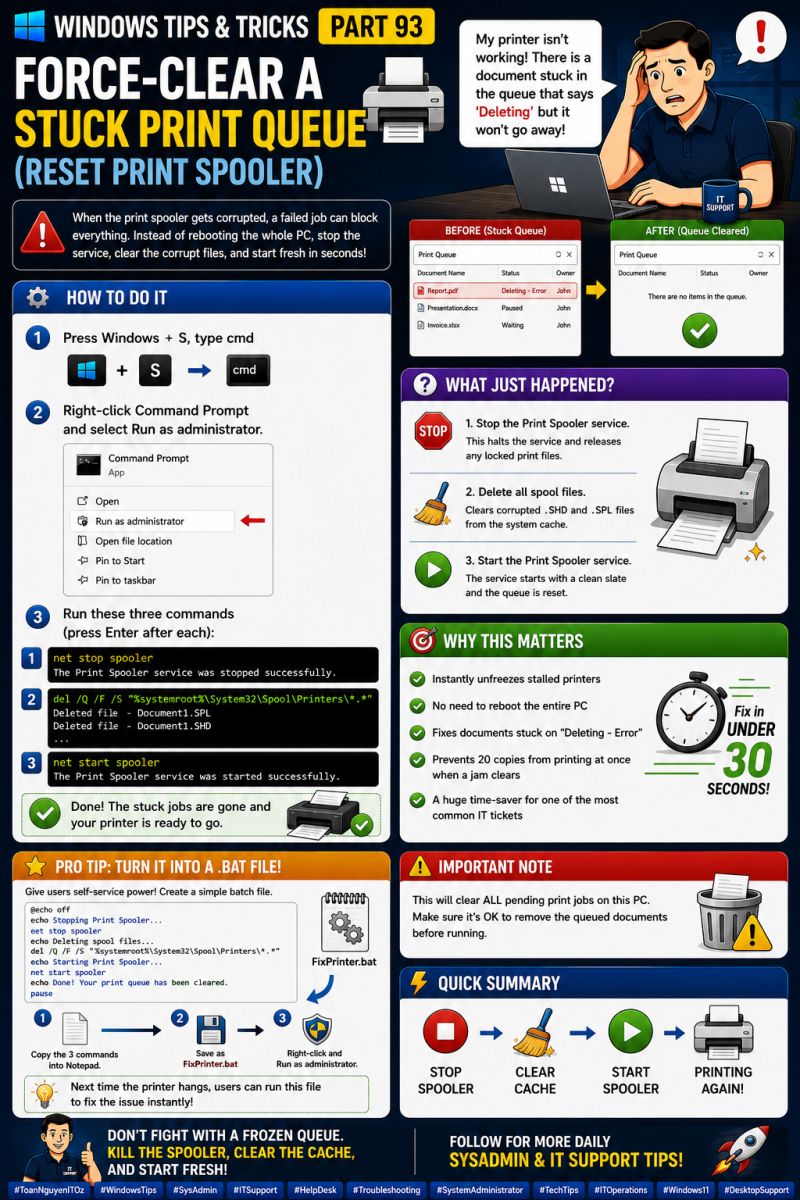
Windows Tips & Tricks – Part 93: Fix a Stuck Print Queue in Seconds
My document has been stuck on Deleting and now nothing else will print
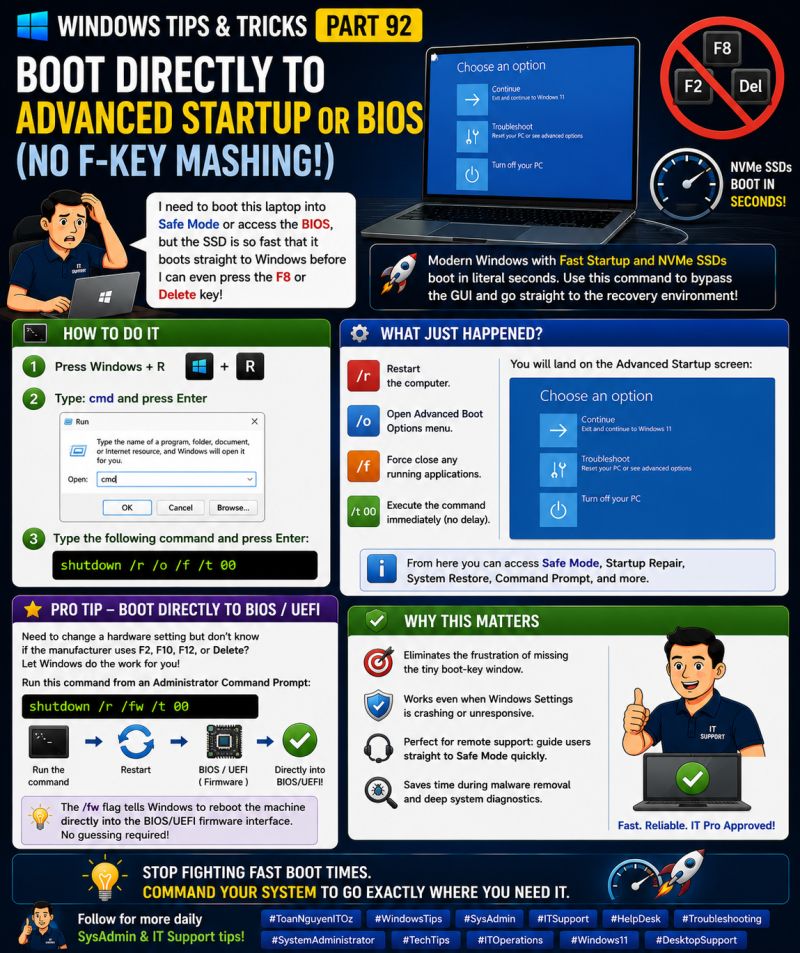
Windows Tips & Tricks – Part 92: Boot Directly to Advanced Startup or BIOS
I need Safe Mode, but this laptop boots too fast to catch the F8 or Delete key

Ever spent hours troubleshooting a fresh WSUS installation on Windows Server 2022 ...
If youve recently deployed WSUS, youve probably run into these notorious blockers:
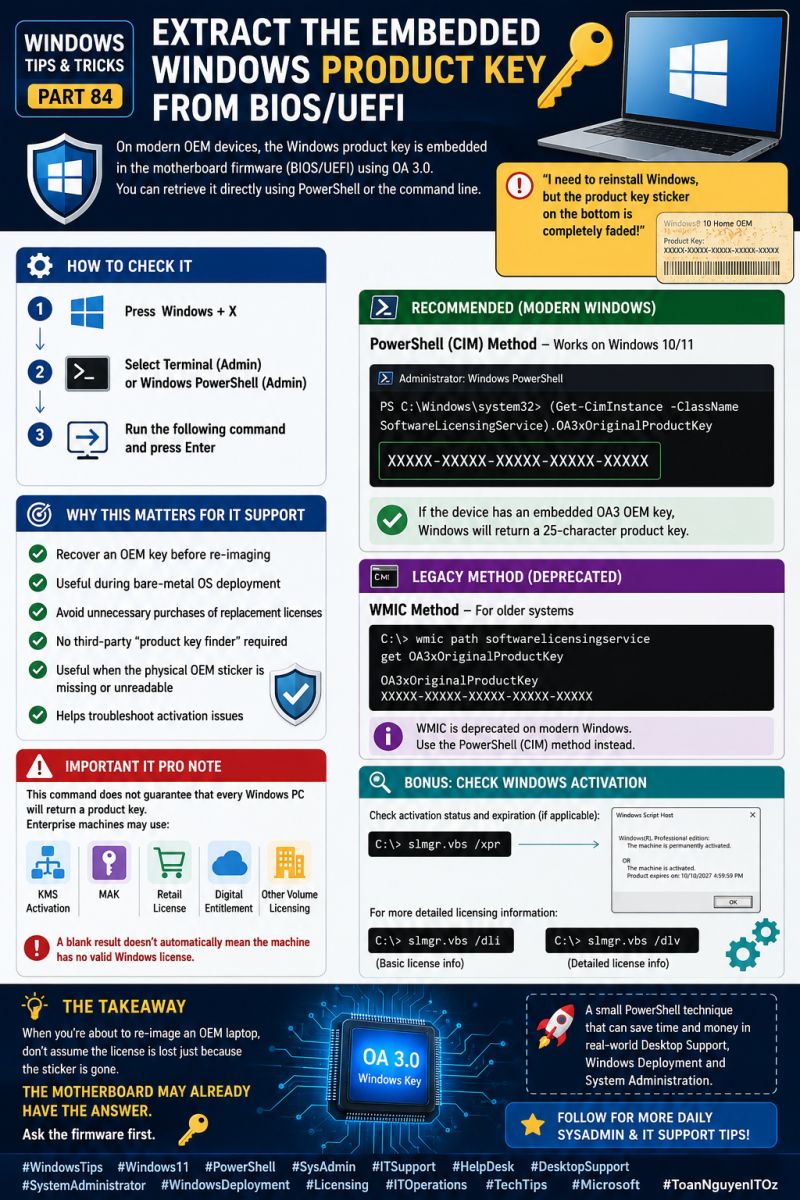
Windows Tips & Tricks – Part 84: Find the Windows Product Key Hidden in BIOS/UEFI
Find the Windows Product Key Hidden in BIOS/UEFI
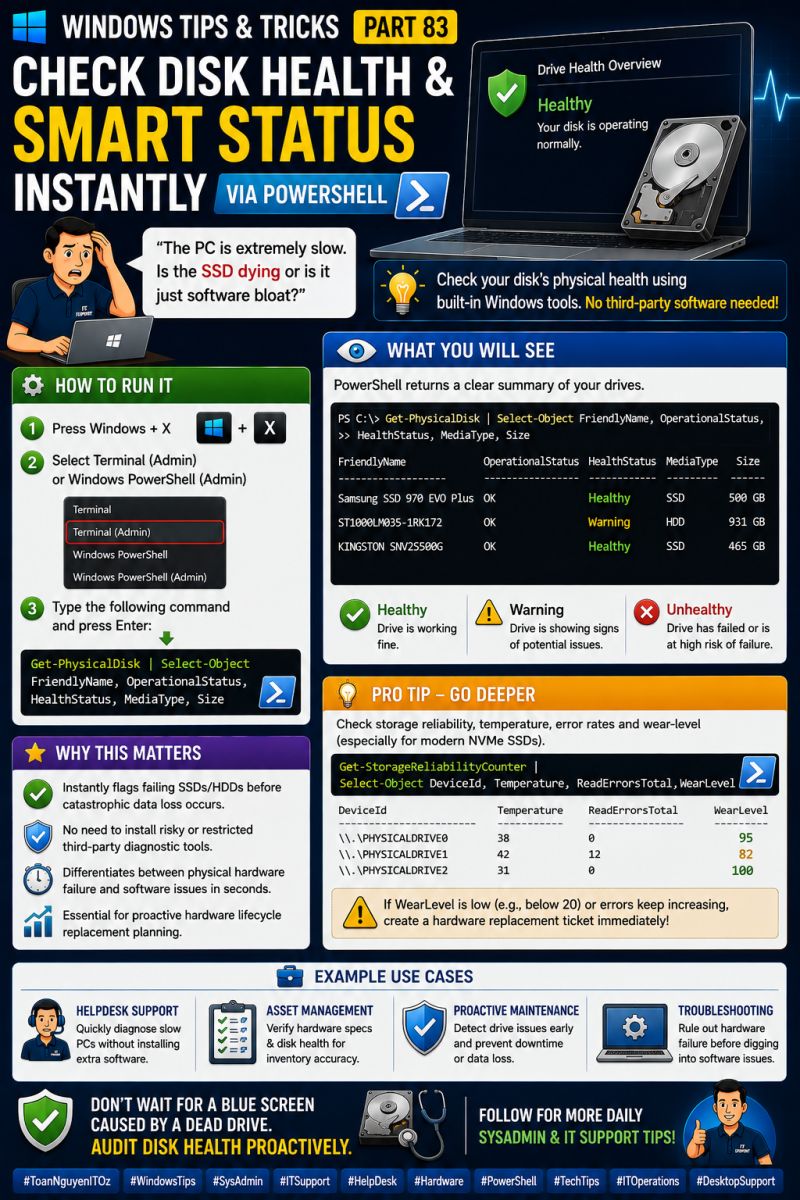
Windows Tips & Tricks – Part 83: Check Disk Health Instantly with PowerShell
The PC is extremely slow. Is the SSD dying?

How often do you step away from your desk without locking your screen? ⏳
In enterprise IT and cyber security, unattended screens represent one of the easiest attack vectors for physical data leaks, unauthorized...
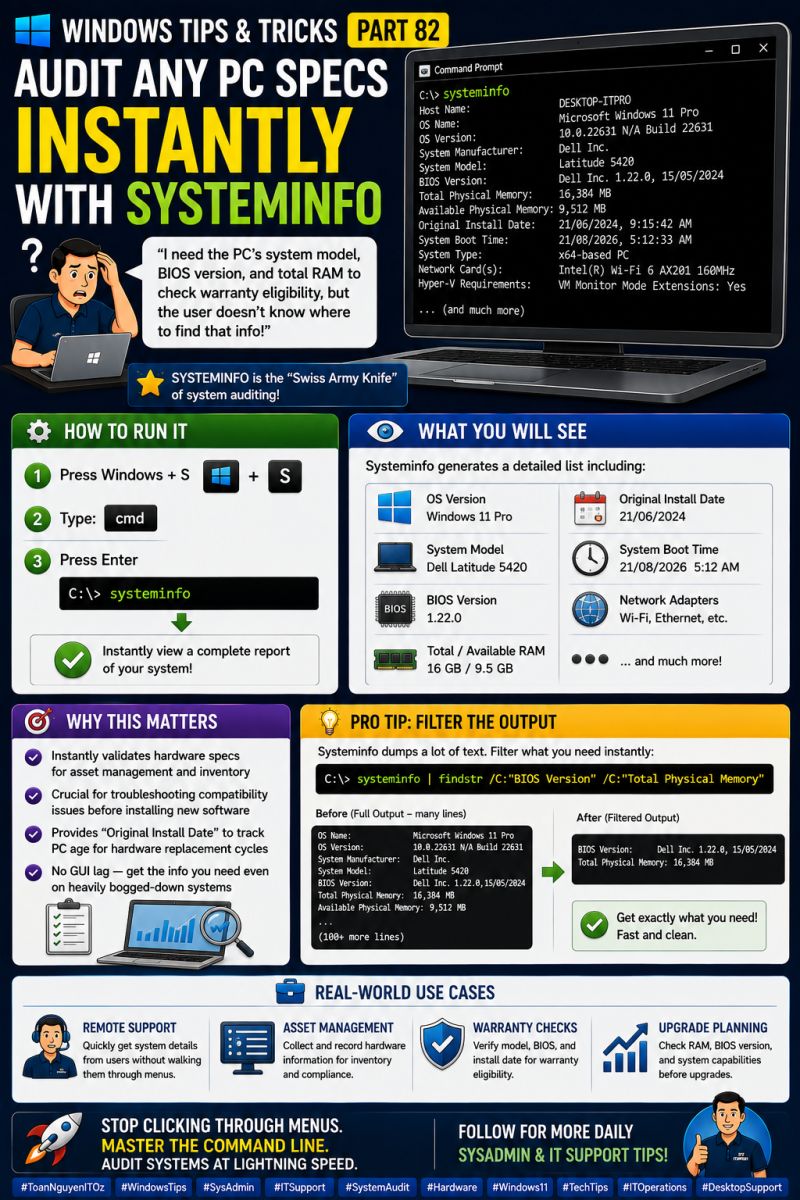
Windows Tips & Tricks – Part 82: Audit Any PC Specs Instantly with Systeminfo
What Windows version is this? What BIOS version? How much RAM does it have?
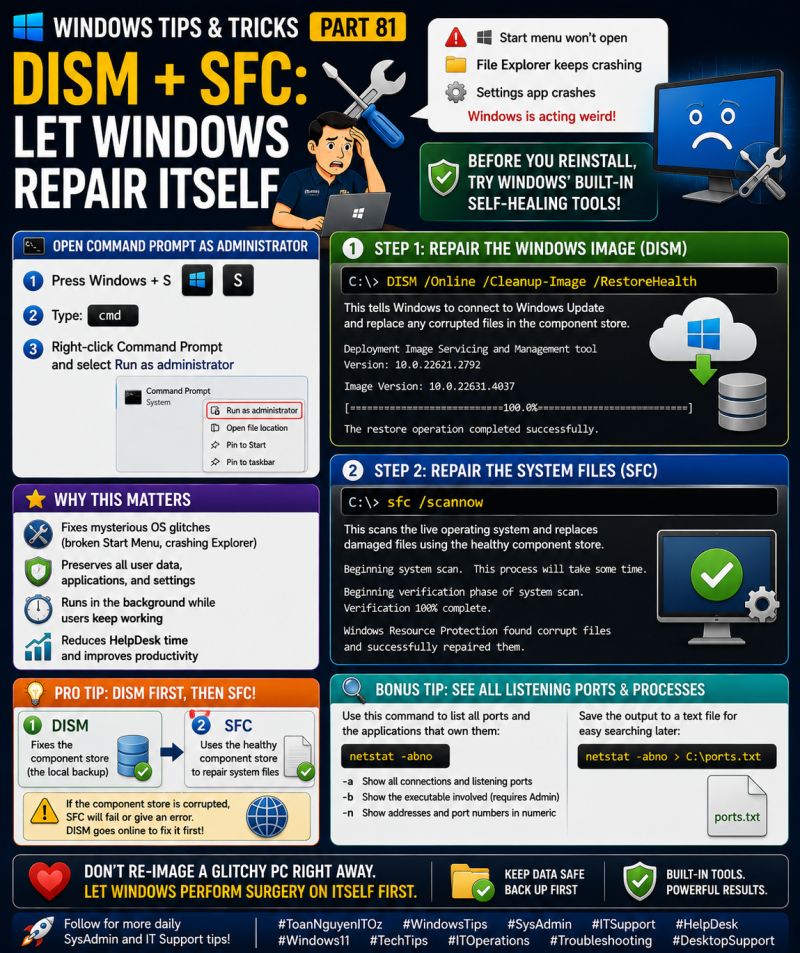
Windows Tips & Tricks – Part 81: DISM SFC: Let Windows Repair Itself
DISM SFC: Let Windows Repair Itself
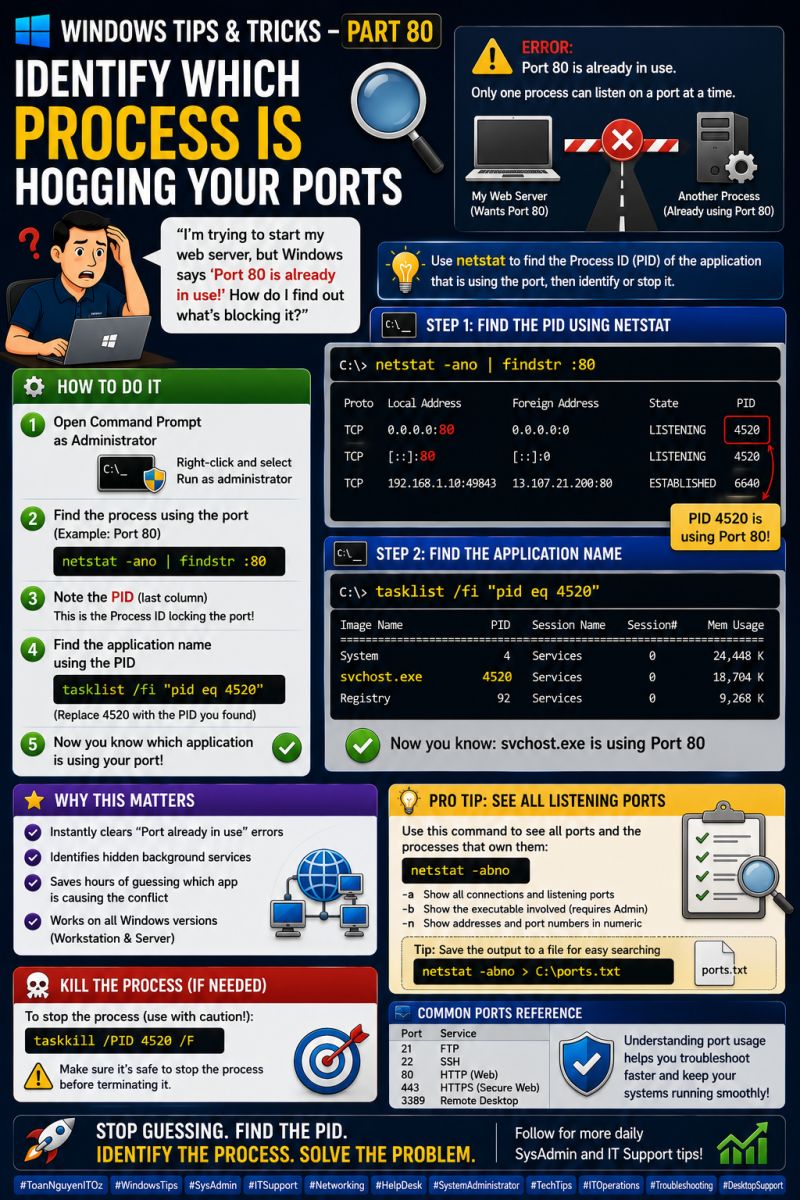
Windows Tips & Tricks – Part 80: Which Process Is Using My Port?
Ever tried starting a web server or application only to discover that another process has already claimed the port?

Ever had to retrieve a crash dump or deploy an urgent installer to a users PC whil...
Your first instinct might be to start a Remote Desktop (RDP) session.
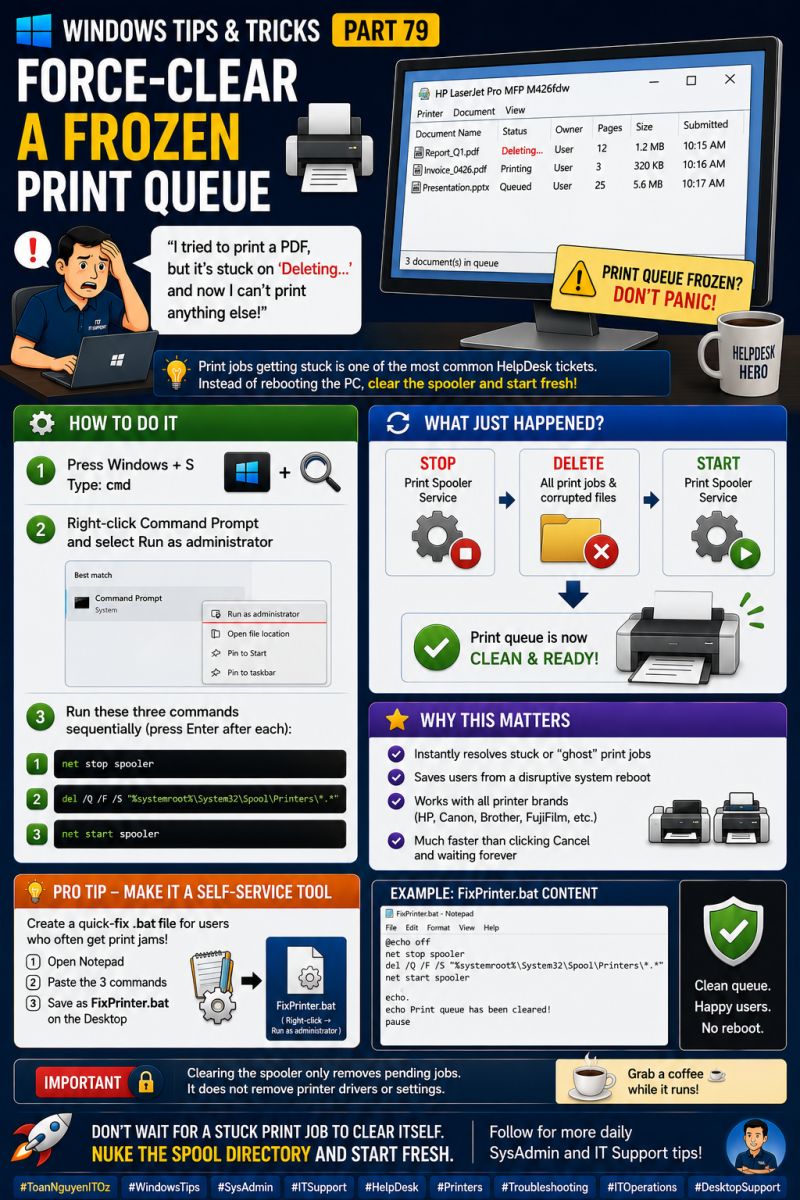
Windows Tips & Tricks – Part 79: Force-Clear a Frozen Print Queue
Force-Clear a Frozen Print Queue
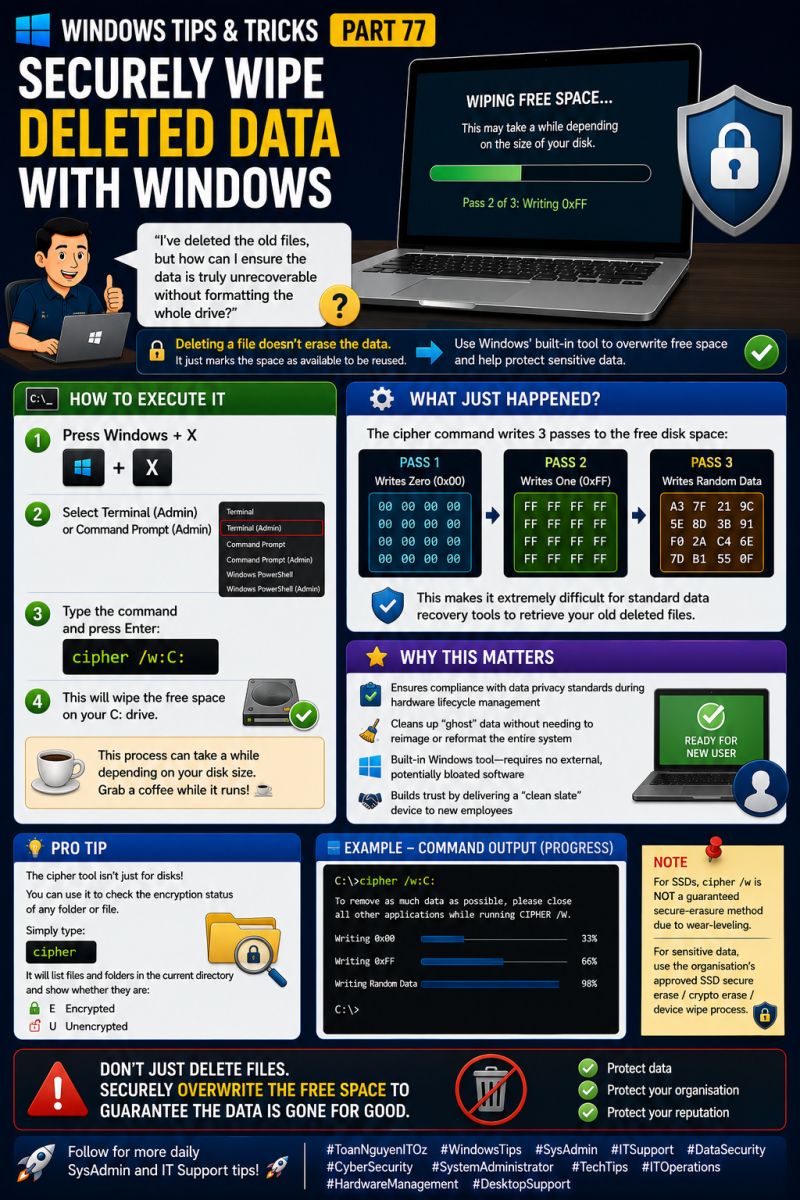
Windows Tips & Tricks – Part 77: Securely Wipe Deleted Data With Windows
I deleted the previous users files. Is the laptop really clean?
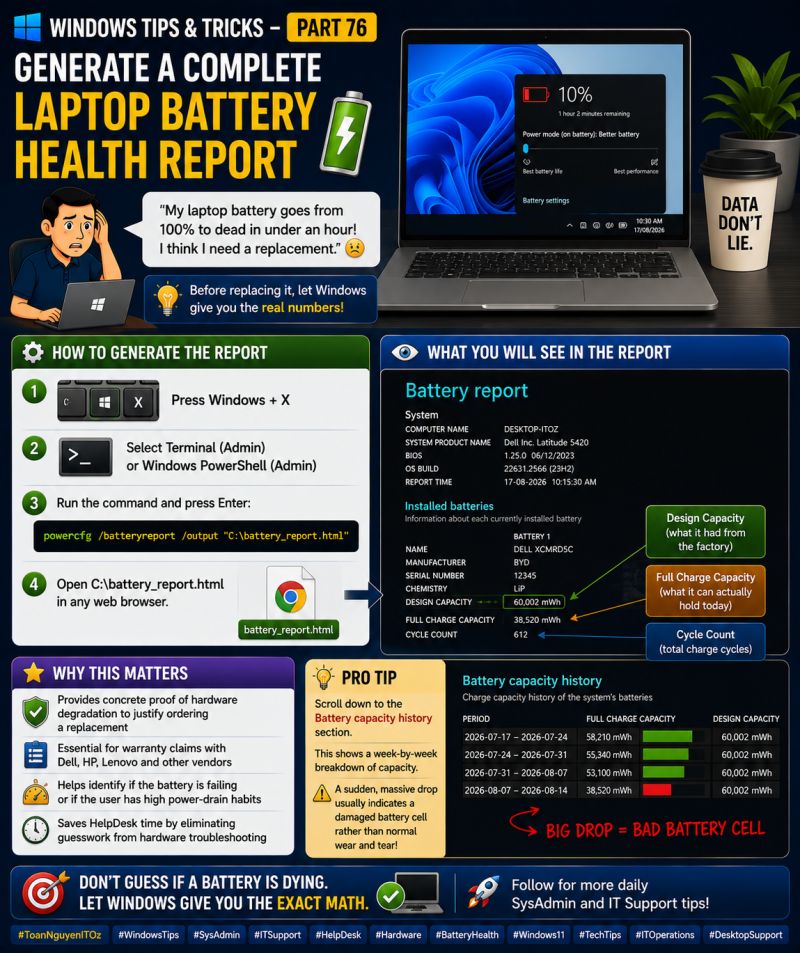
Windows Tips & Tricks – Part 76: Check Laptop Battery Health With One Command
My battery drops from 100 to dead in less than an hour. Do I need a new battery?
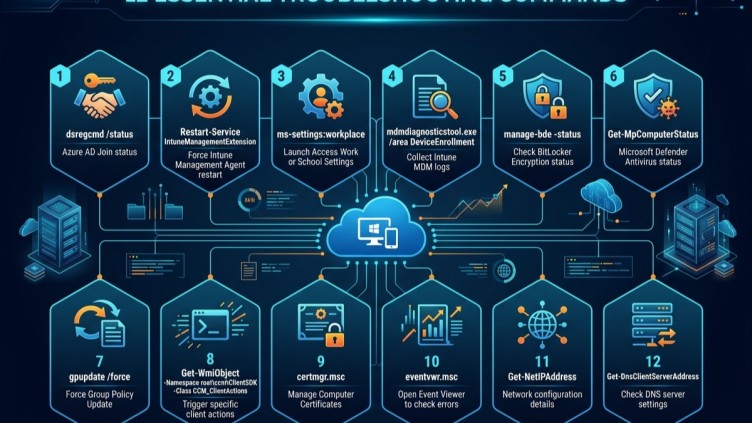
Microsoft Intune | My 5-Step Troubleshooting Framework 💻
When an Intune-managed device goes Non-Compliant, most engineers jump
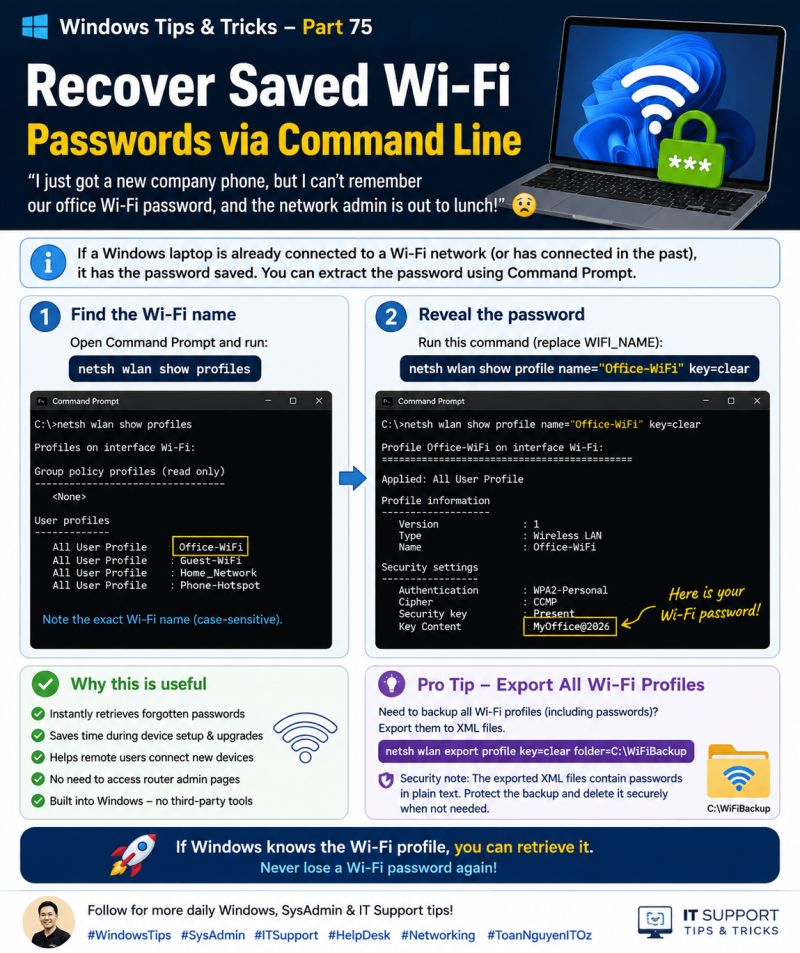
Windows Tips & Tricks – Part 75: Recover Saved Wi-Fi Passwords via Command Line
Recover Saved Wi-Fi Passwords via Command Line
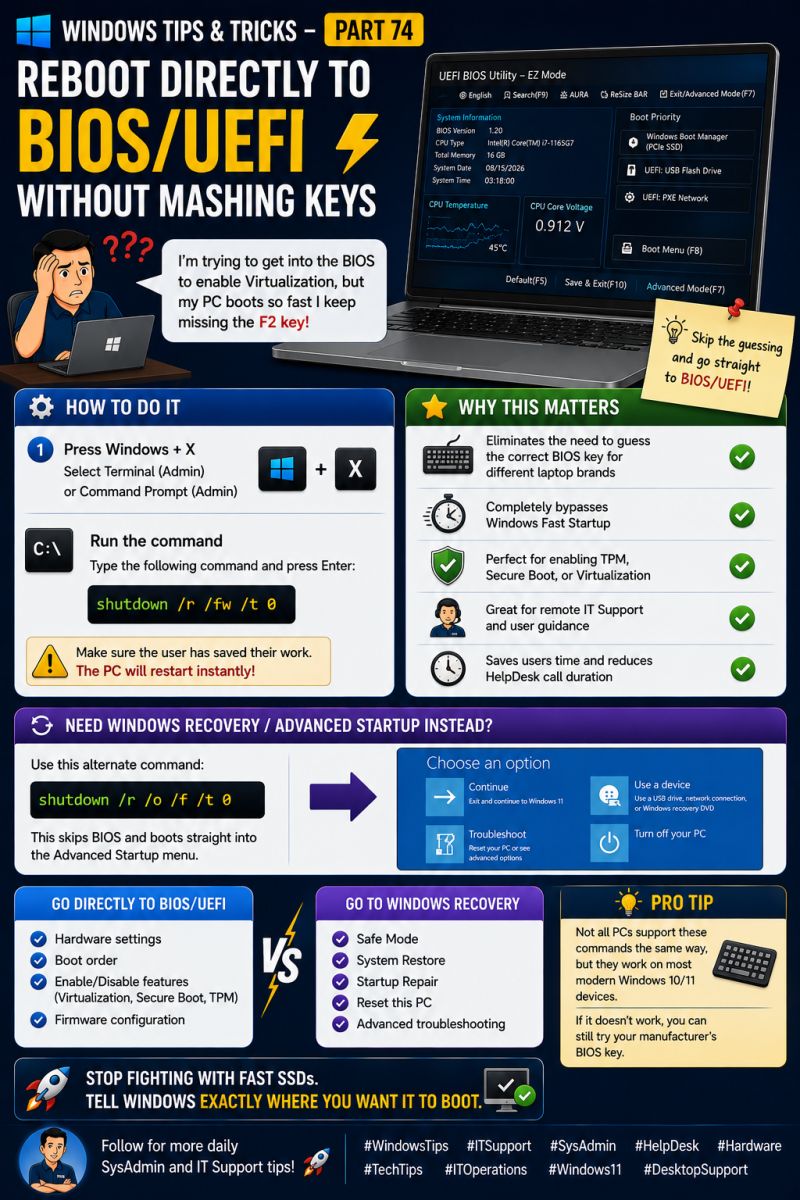
Windows Tips & Tricks – Part 74: Reboot Directly to BIOS/UEFI — No More Mashing F2
Reboot Directly to BIOS/UEFI — No More Mashing F2
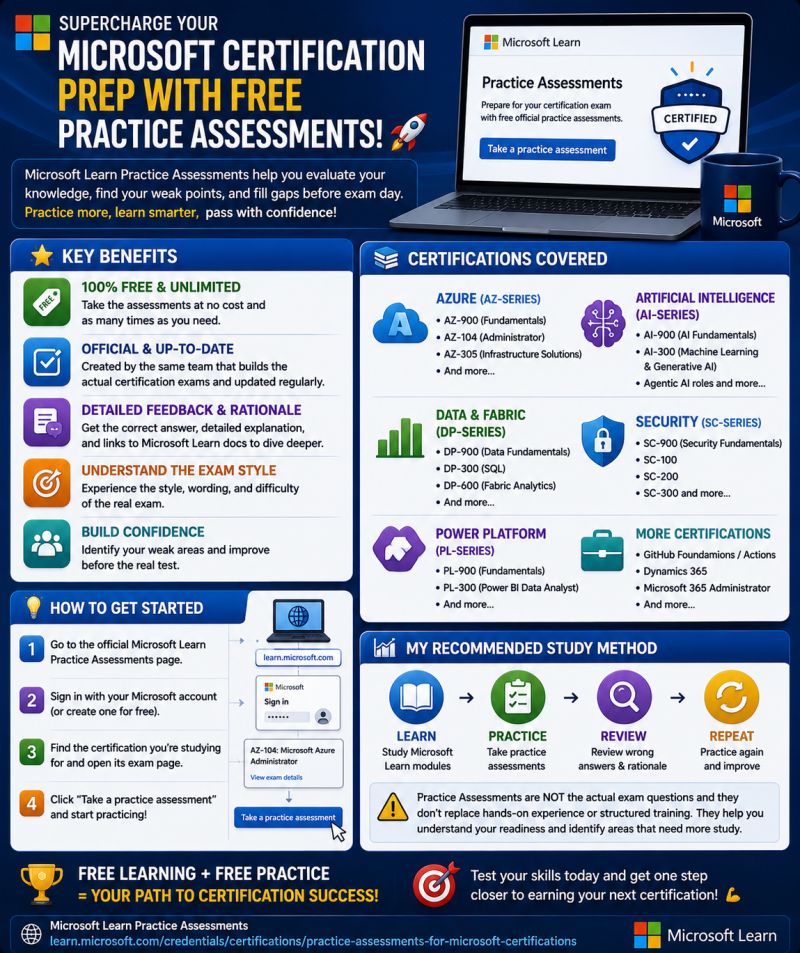
Preparing for a Microsoft Certification? Don’t skip this FREE resource!
If youre studying for AZ-900, AZ-104, MD-102, SC-900, PL-300, DP-900 or other Microsoft certifications, there’s an official resource on M...
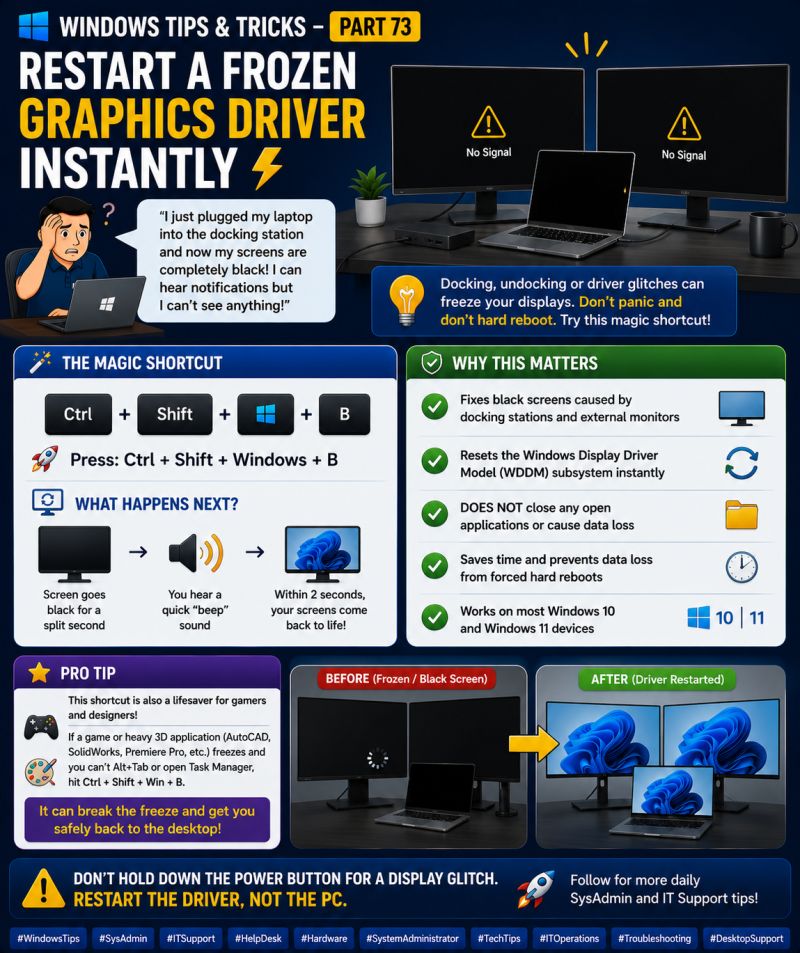
Windows Tips & Tricks – Part 73: Fix a Frozen Screen Without Rebooting
My laptop is running, but both external monitors are completely black
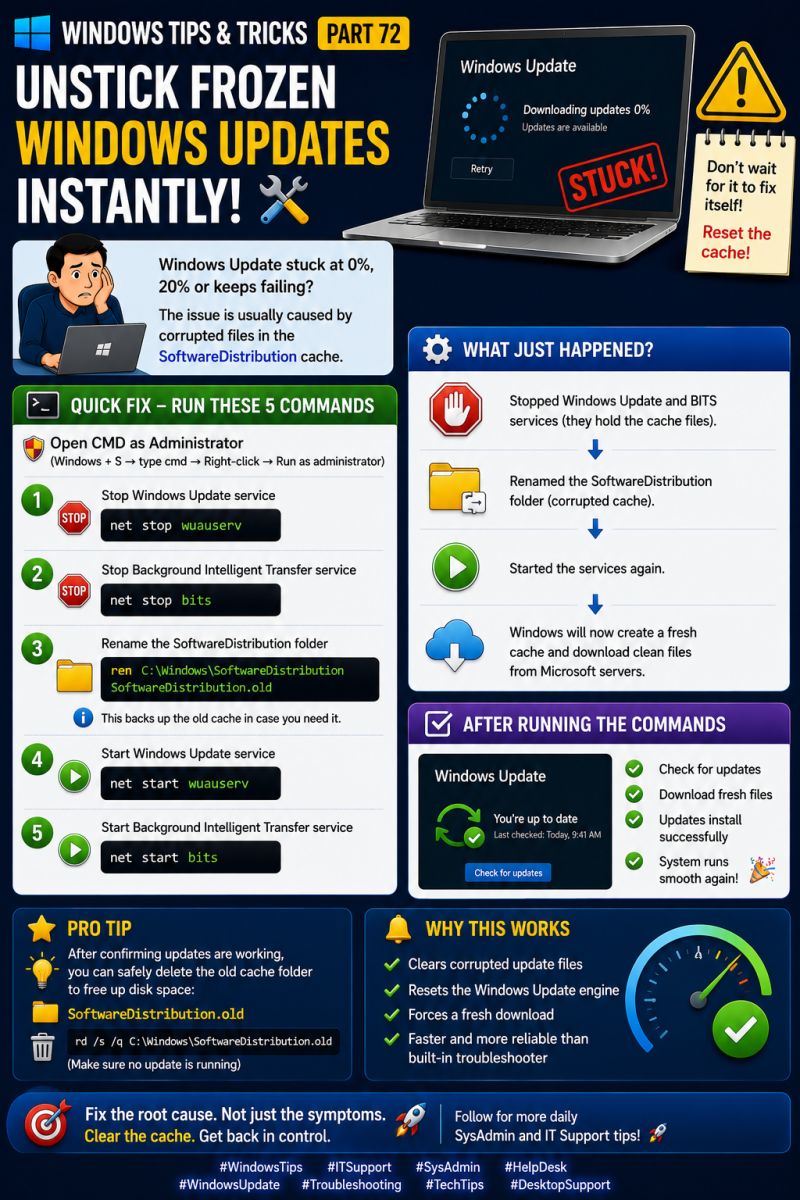
Windows Tips & Tricks – Part 72: Windows Update Stuck at 0? Fix It with CMD
Windows Update Stuck at 0? Fix It with CMD
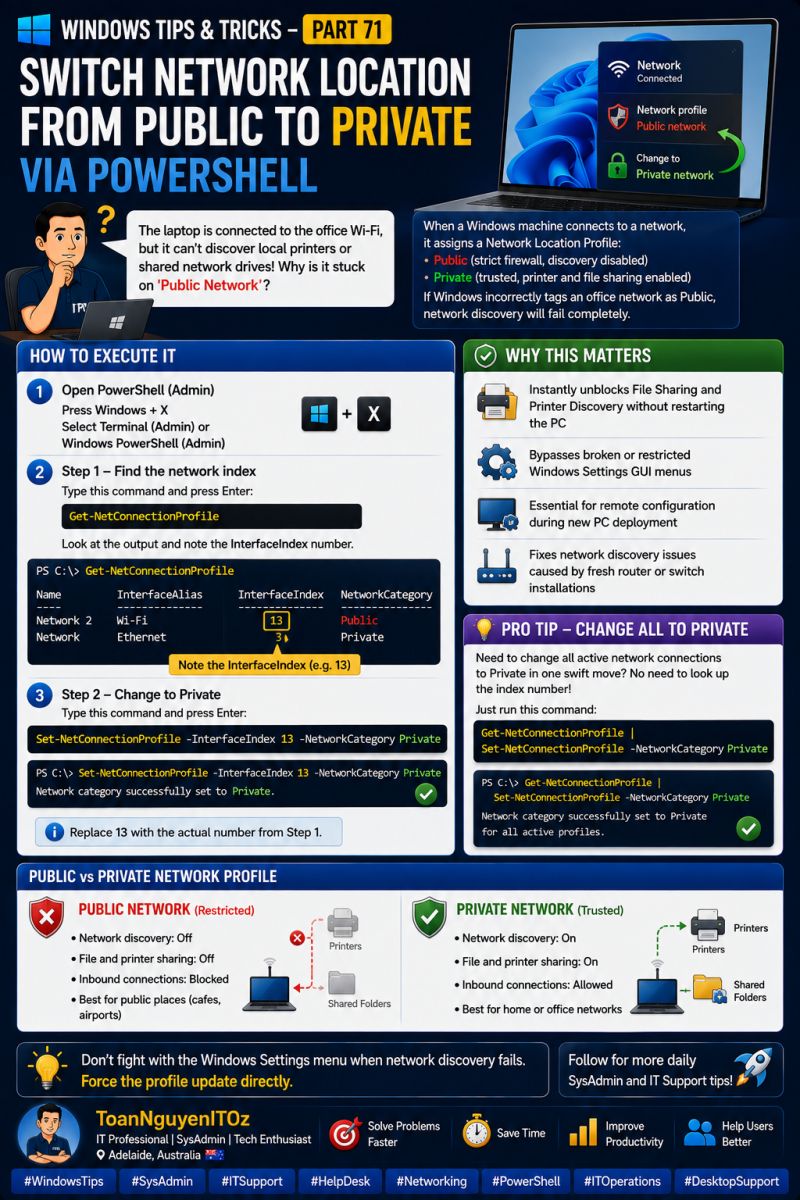
Windows Tips & Tricks – Part 71: Switch Public Network to Private via PowerShell
The PC has internet, but I cant access shared folders or network printers
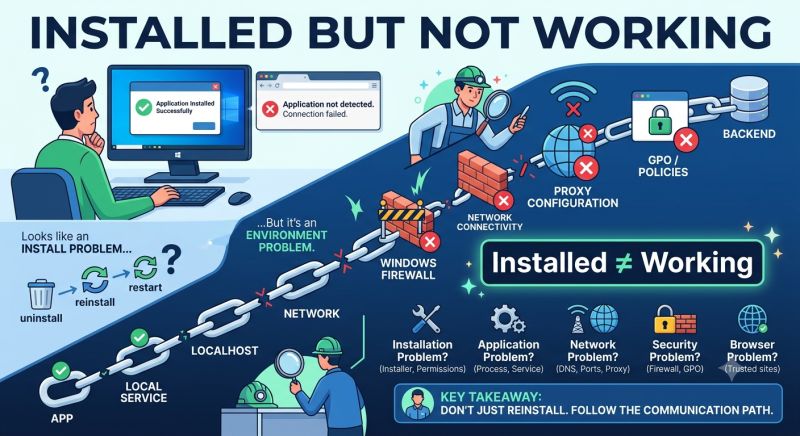
The app installed successfully, but it’s still not working.
If you work in IT Support, you’ve definitely heard this before.
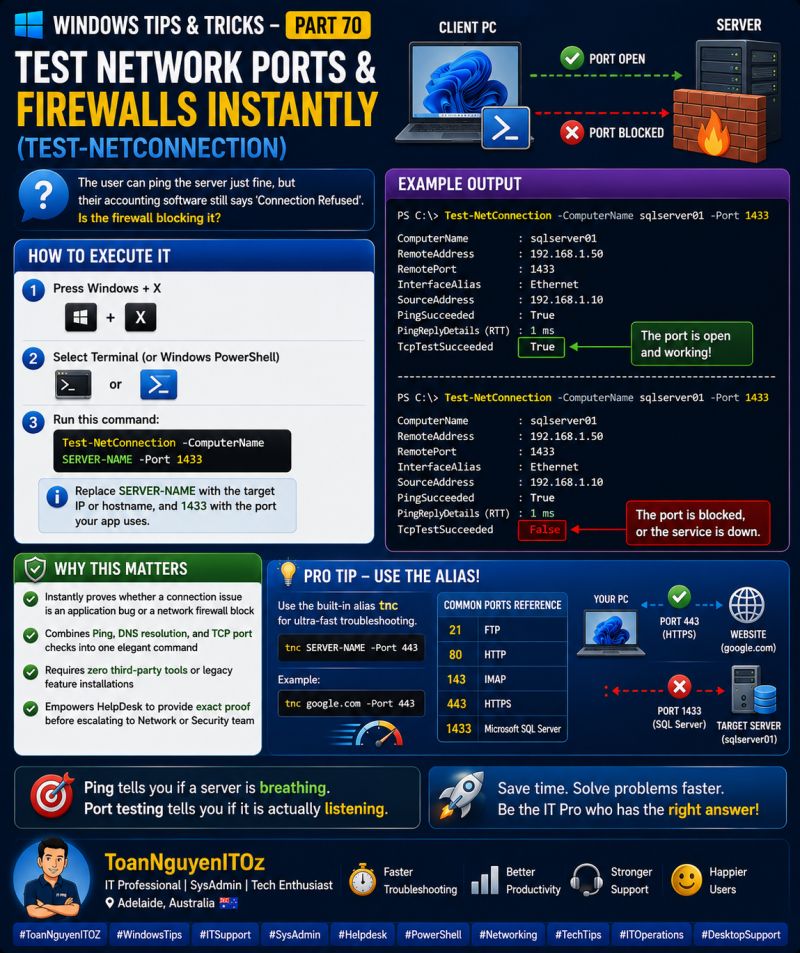
Windows Tips & Tricks – Part 70: Test Network Ports & Firewalls Instantly with PowerShell
Test Network Ports & Firewalls Instantly with PowerShell
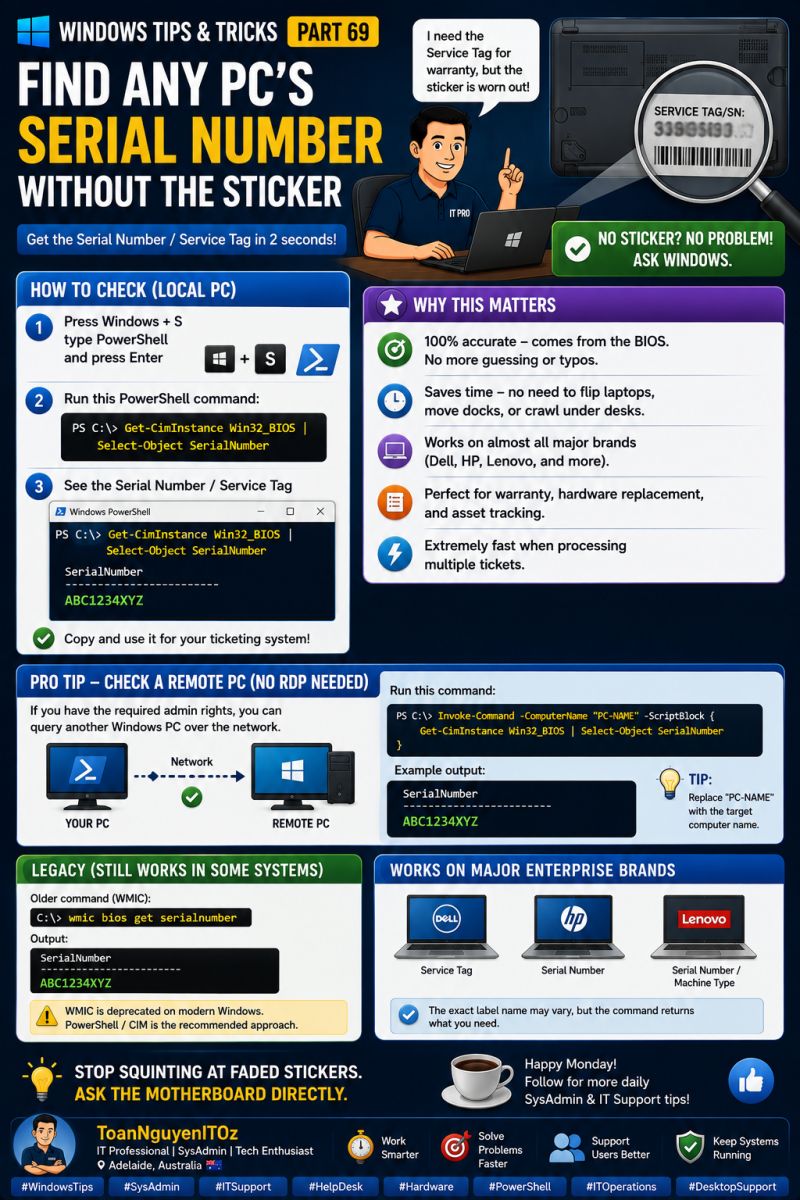
Windows Tips & Tricks – Part 69: Find Any PCs Serial Number Without the Sticker
I need the laptops Service Tag, but the sticker is completely worn out
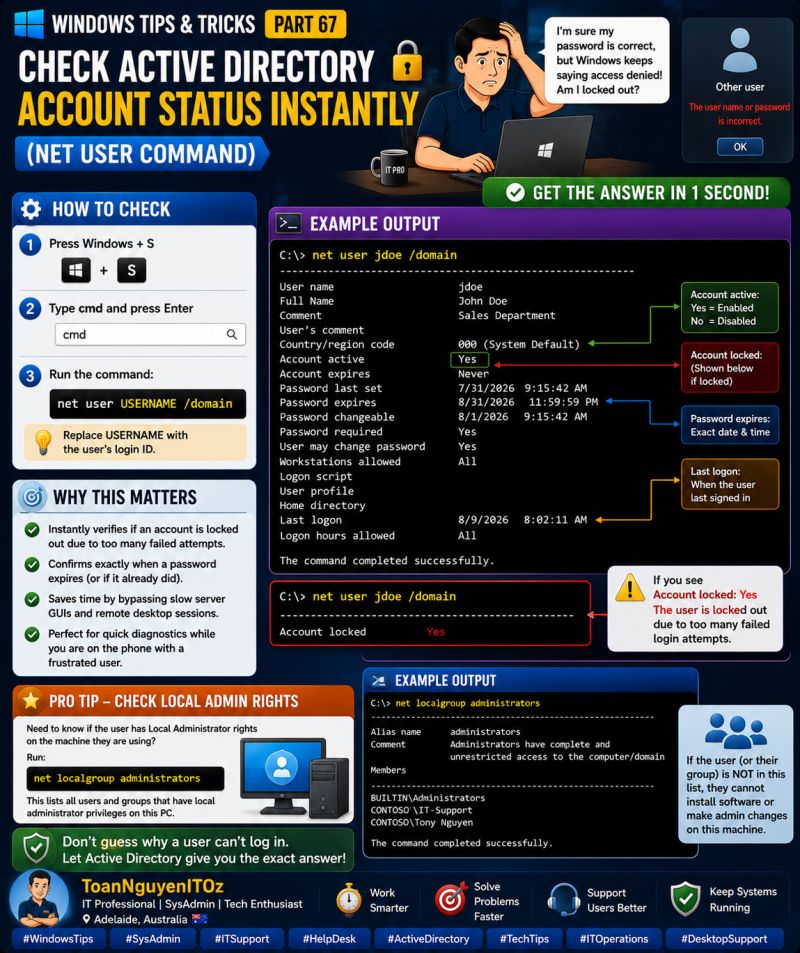
Windows Tips & Tricks – Part 67: Check Active Directory Account Status Instantly
Im sure my password is correct, but Windows keeps saying access denied. Am I locked out?
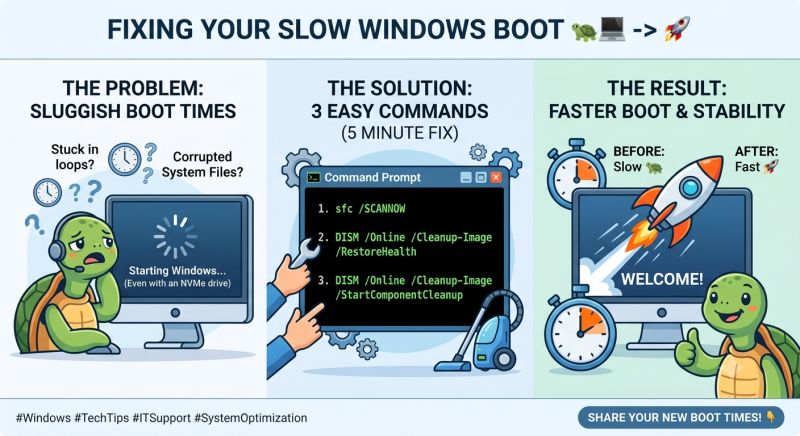
Using a high-end NVMe drive but your PC still boots at a snails pace? Dont rush to...
Sometimes, the real culprit behind a sluggish boot isnt background apps or Fast Startup. The root cause often lies in corrupted system fi...
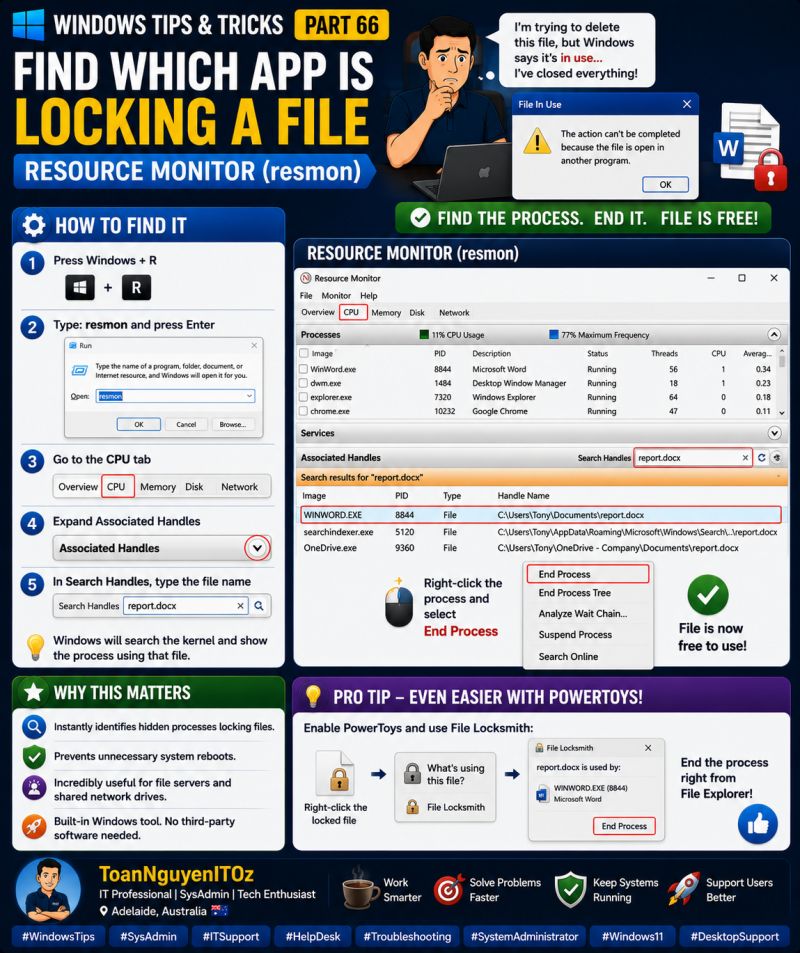
Windows Tips & Tricks – Part 66: Find Which App Is Locking a File – Resource Monitor
Find Which App Is Locking a File – Resource Monitor
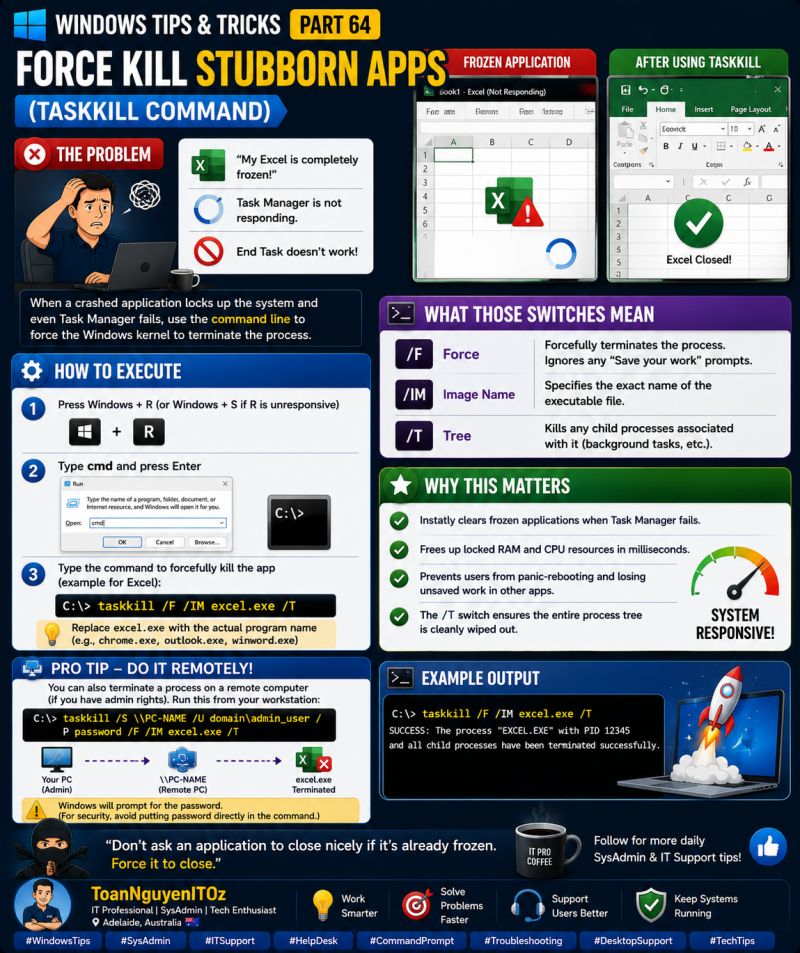
Windows Tips & Tricks – Part 64: Force Kill a Frozen Application with taskkill
Excel is completely frozen. Task Manager isnt responding either

A New Chapter in My IT Career!
I’m excited to share that I’ve started a new Remote Desktop Support Level 2 placement with DXC Technology in Adelaide.
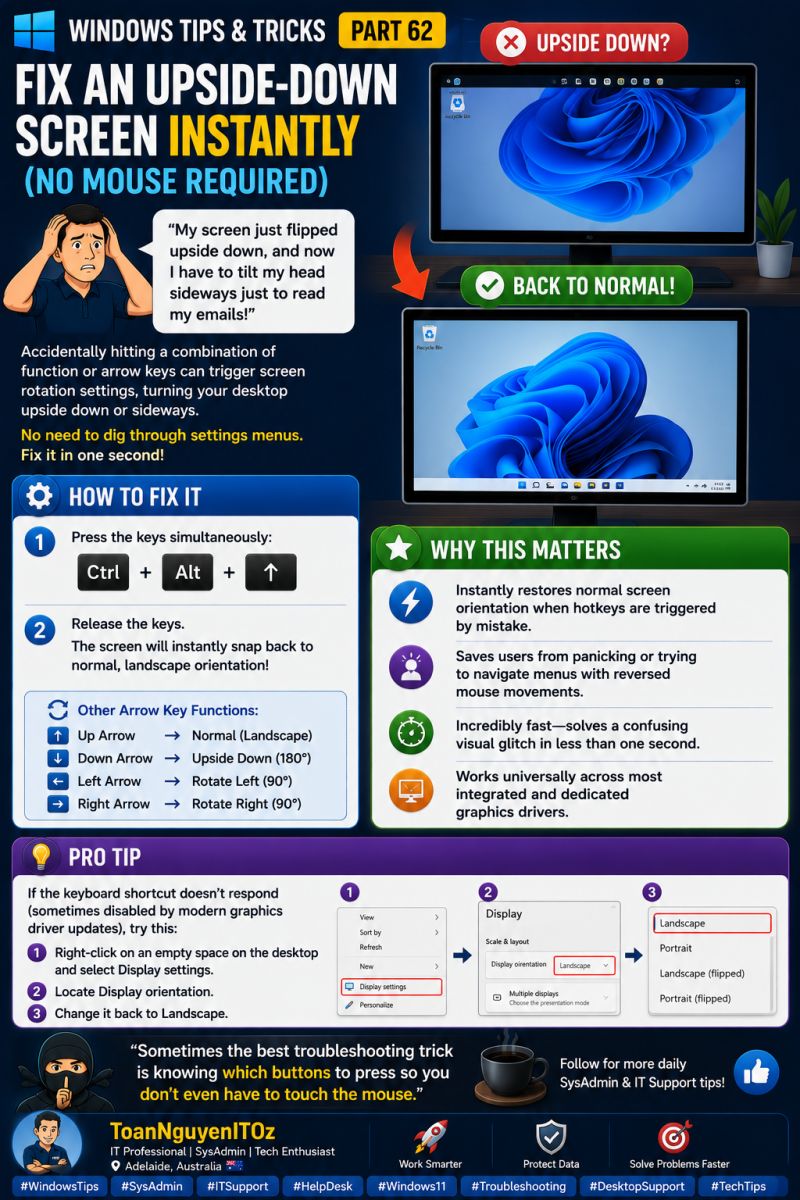
Windows Tips & Tricks – Part 62: Fix an Upside-Down Screen in Seconds
Fix an Upside-Down Screen in Seconds
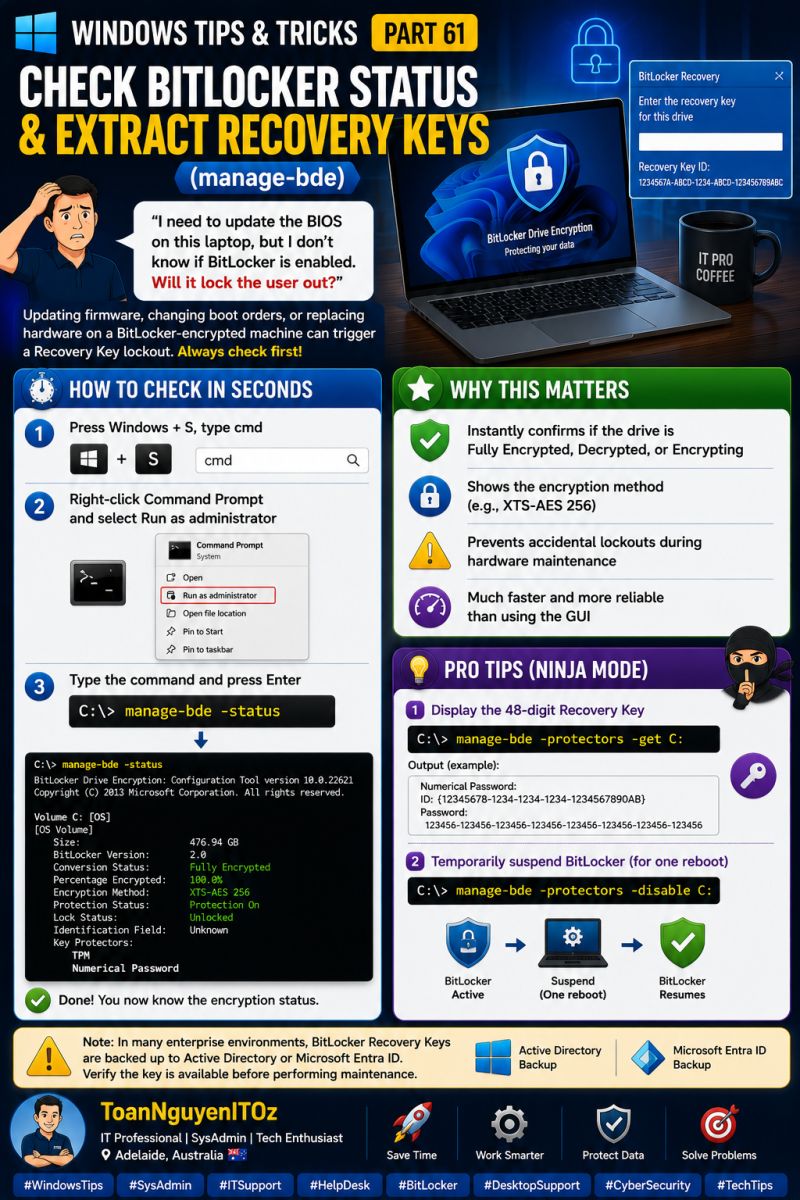
Windows Tips & Tricks – Part 61: Check BitLocker Status Before Making Hardware Changes
Need to update a BIOS, replace hardware, or troubleshoot a Windows device?
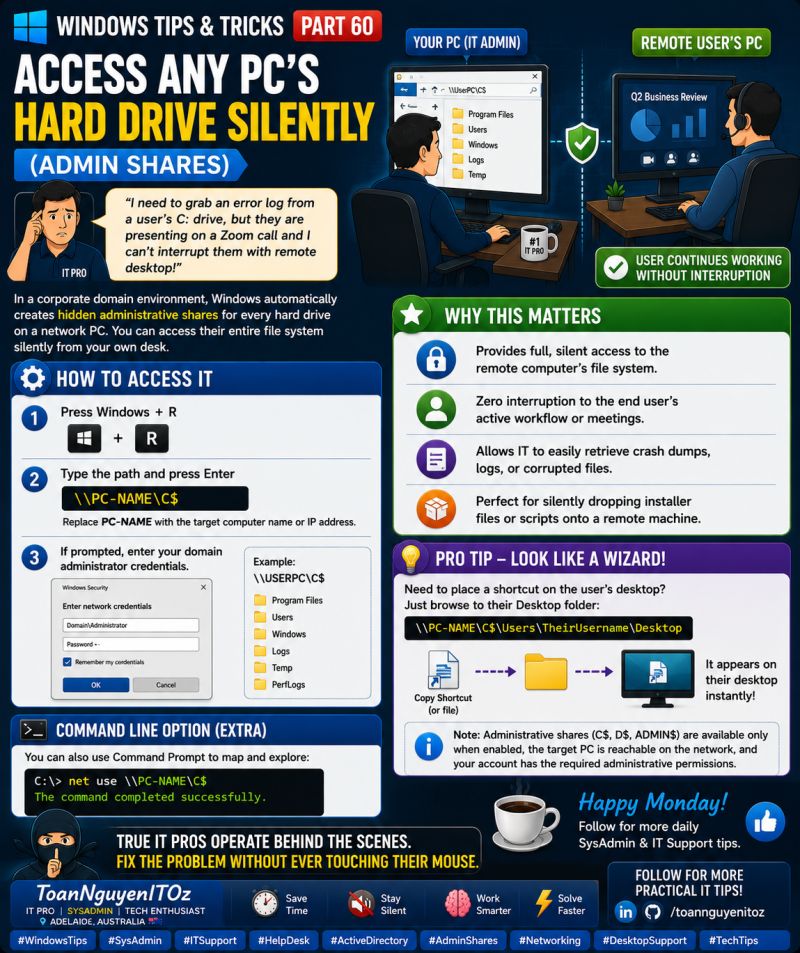
Windows Tips & Tricks – Part 60: Access Remote Files with Windows Administrative Shares (C)
Access Remote Files with Windows Administrative Shares (C)
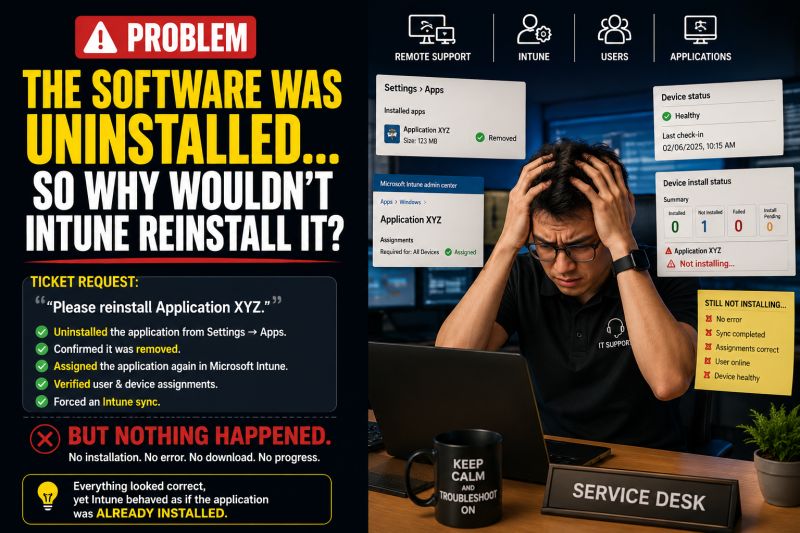
The software was uninstalled... so why wouldnt Intune reinstall it?
This week I came across an interesting Microsoft Intune support ticket.
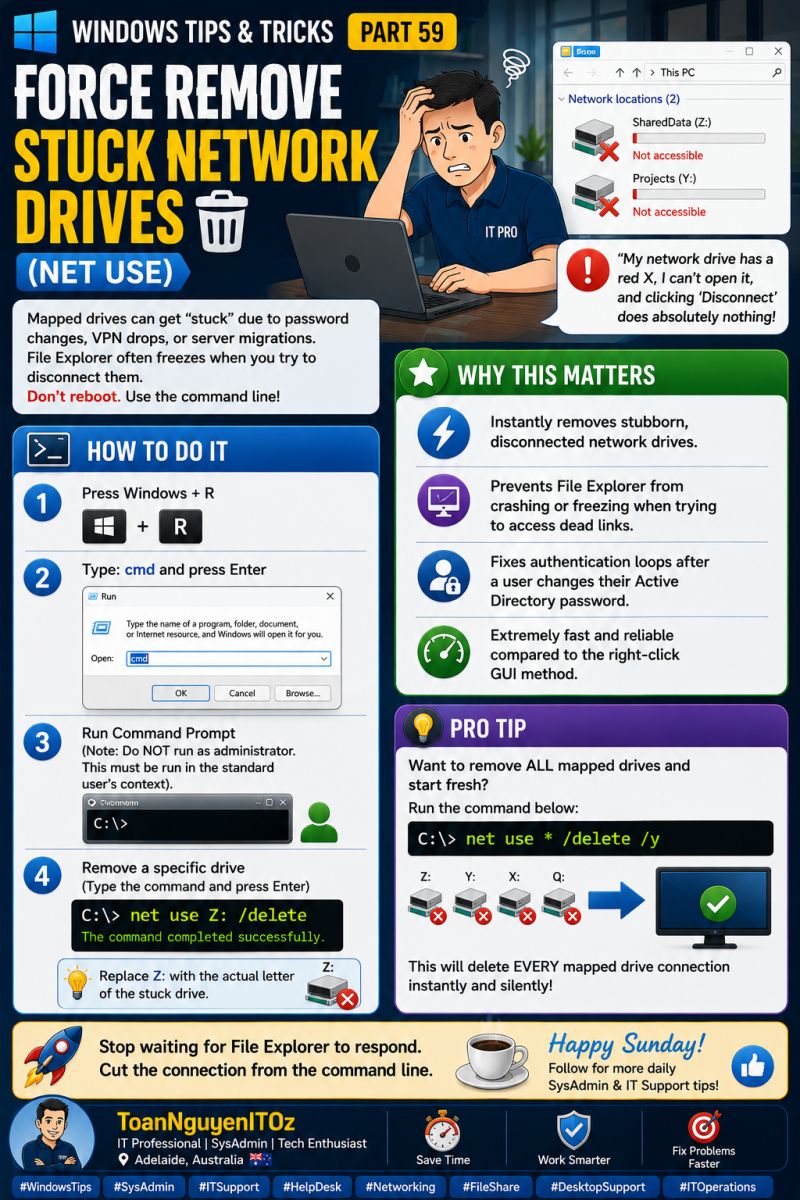
Windows Tips & Tricks – Part 59: Force Remove Stuck Network Drives (net use)
Force Remove Stuck Network Drives (net use)
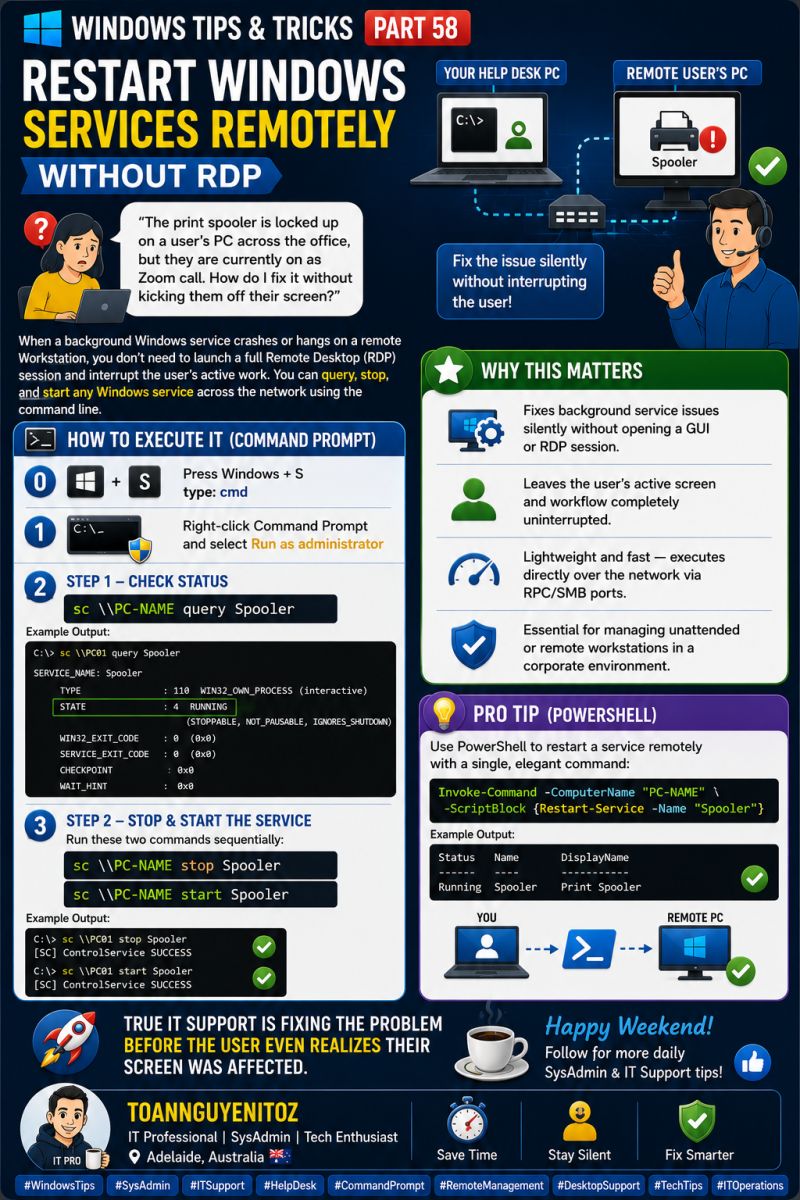
Windows Tips & Tricks – Part 58: Restart Windows Services Remotely (Without RDP)
Restart Windows Services Remotely (Without RDP)
Ever tried explaining how to double-click on My Computer over the phone? 🎧💥
We’ve all been there—either as the confused user trying their best or the frustrated tech guy completely losing his mind! 🤯
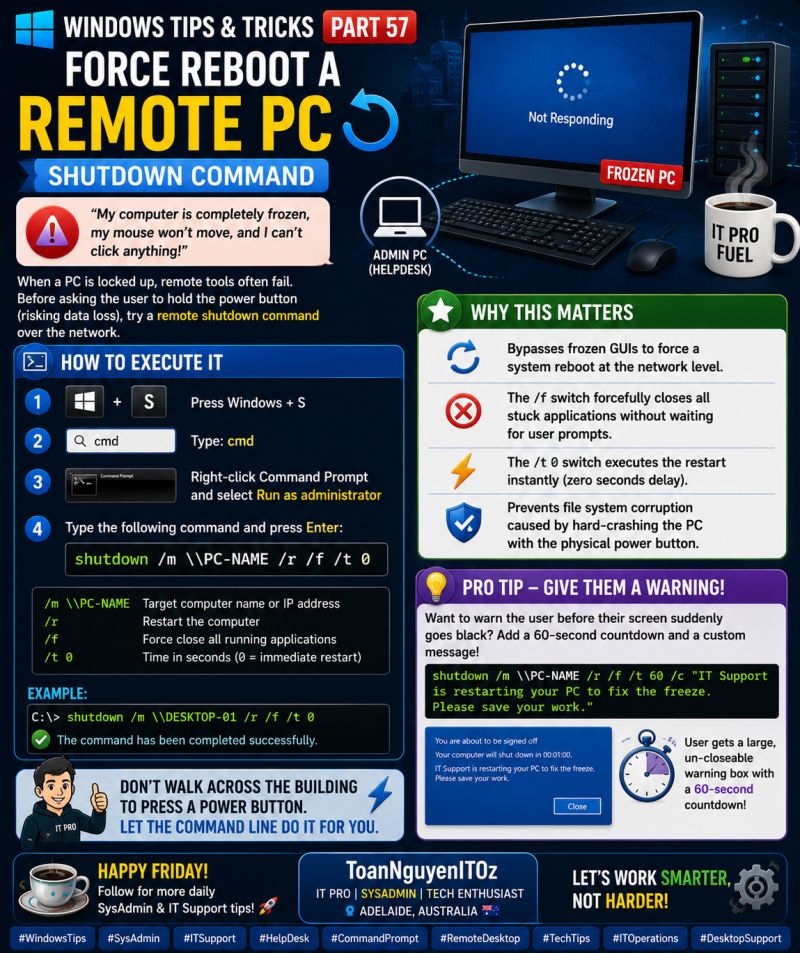
Windows Tips & Tricks – Part 57: Force Reboot a Remote PC with the Shutdown Command
A users PC is completely frozen.
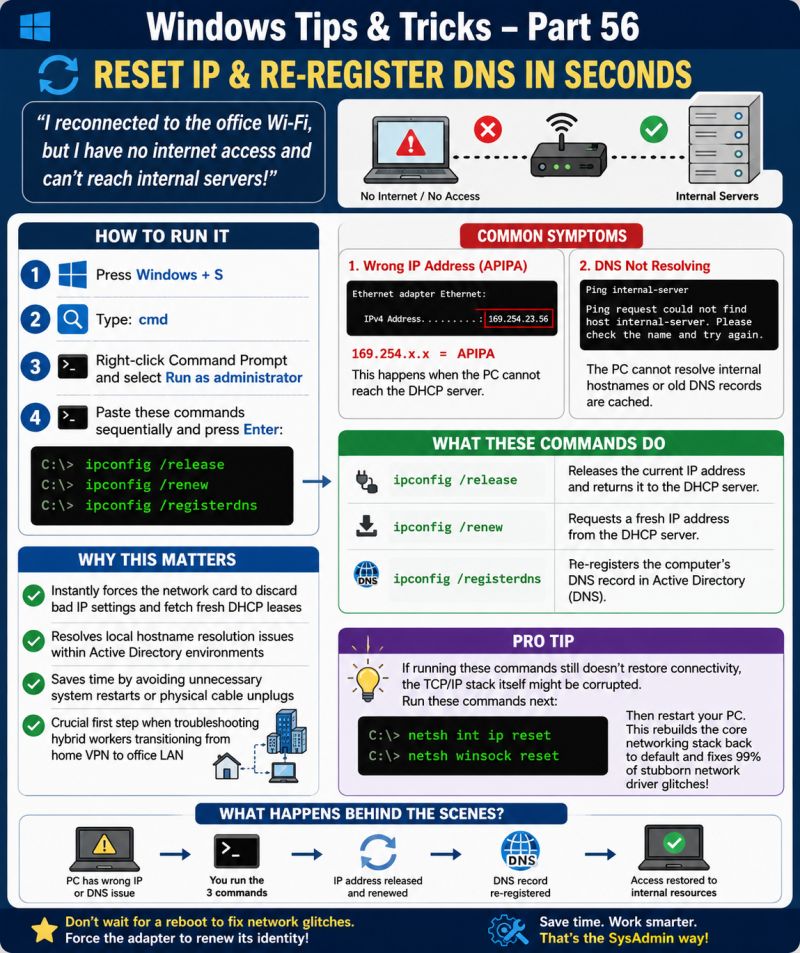
Windows Tips & Tricks – Part 56: Reset IP & Re-register DNS in Seconds
Reset IP & Re-register DNS in Seconds
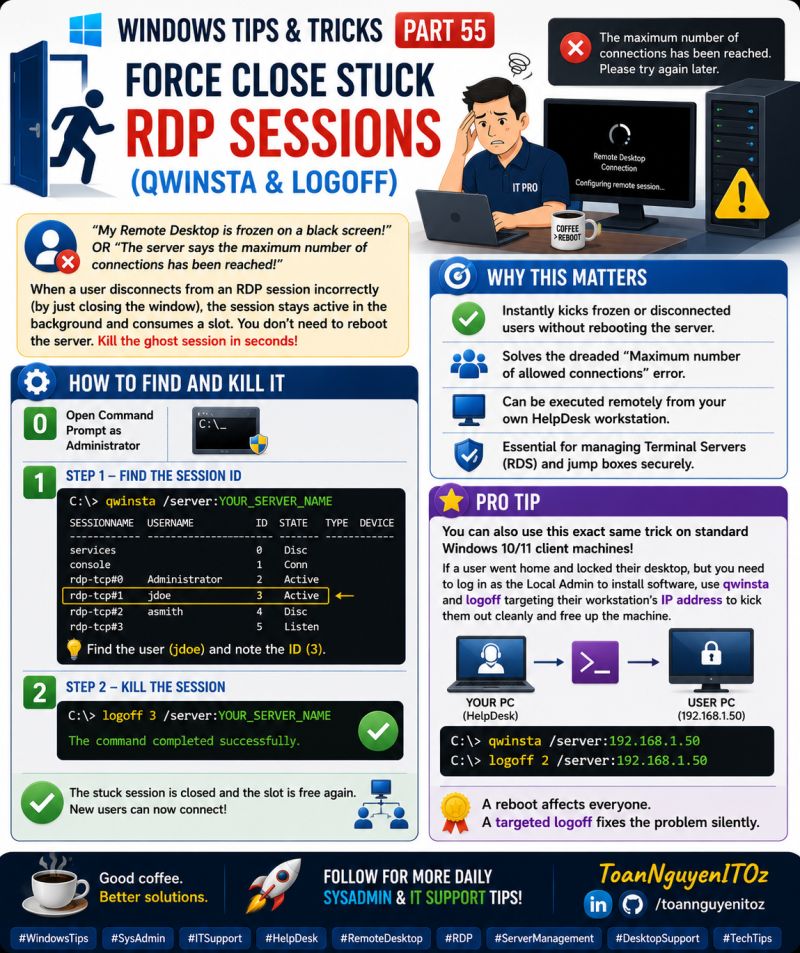
Windows Tips & Tricks – Part 55: Force Close Stuck Remote Desktop Sessions (qwinsta & logoff)
Force Close Stuck Remote Desktop Sessions (qwinsta & logoff)
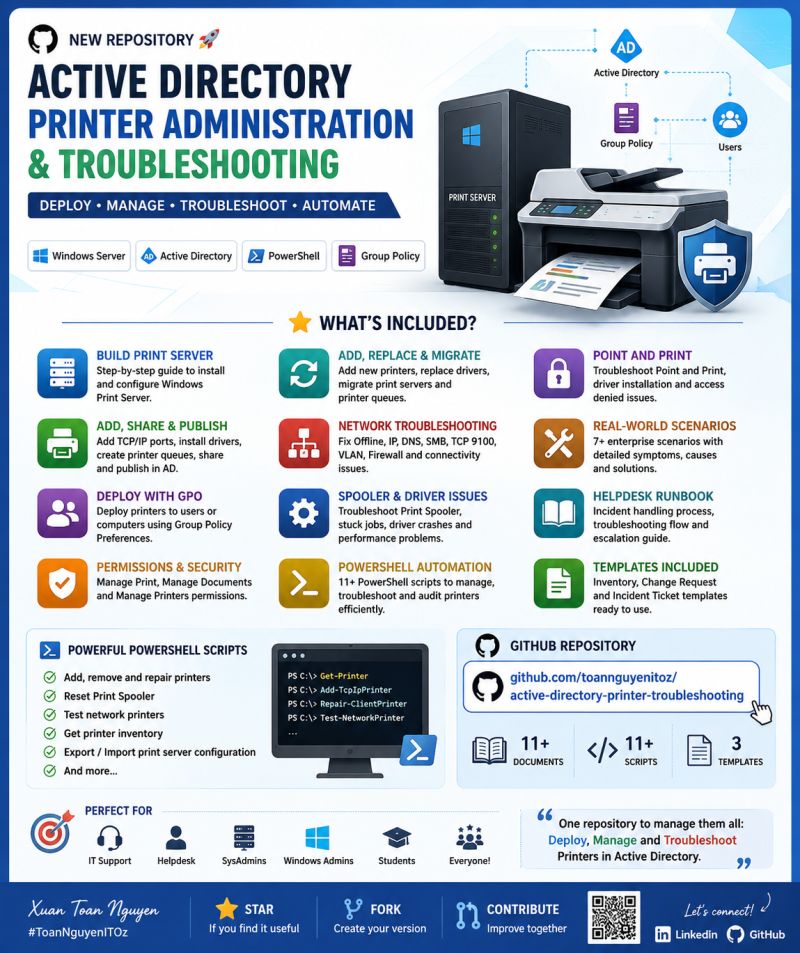
Active Directory Printer Administration & Troubleshooting
The printer is broken.
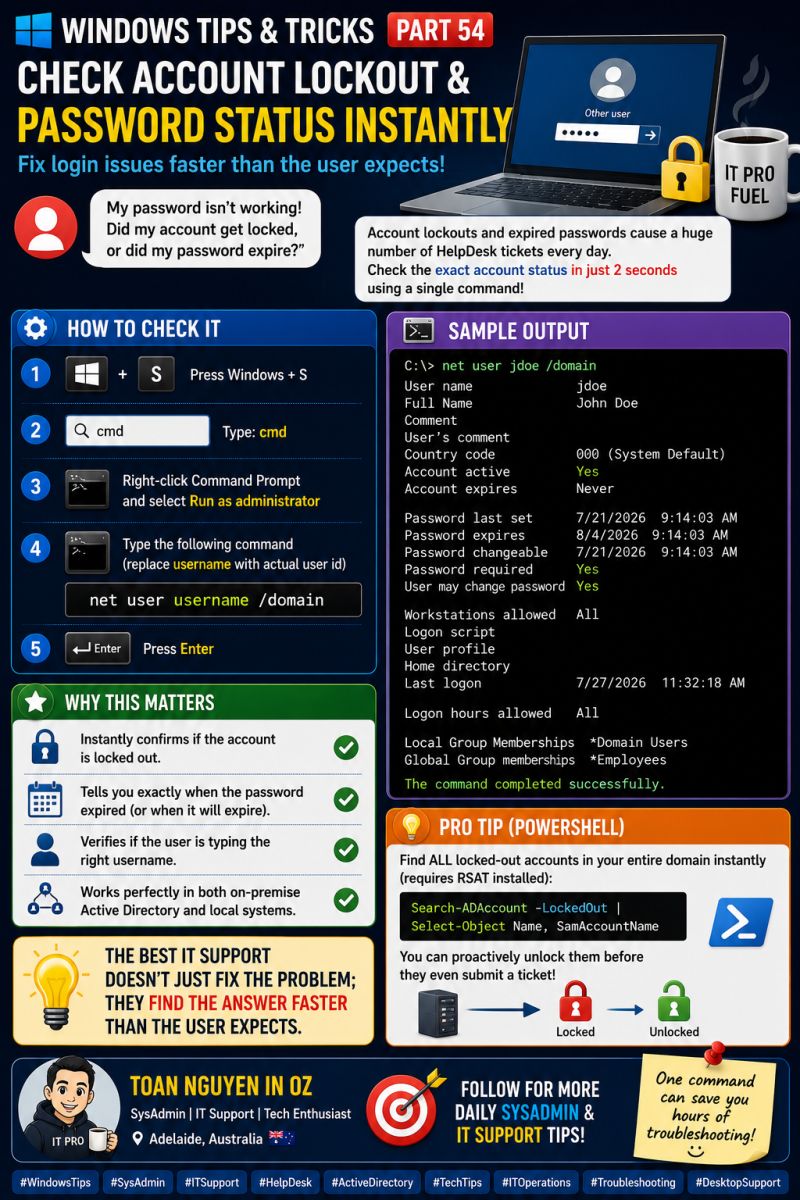
Windows Tips & Tricks – Part 54: Check Account Lockout & Password Status in Seconds
Check Account Lockout & Password Status in Seconds
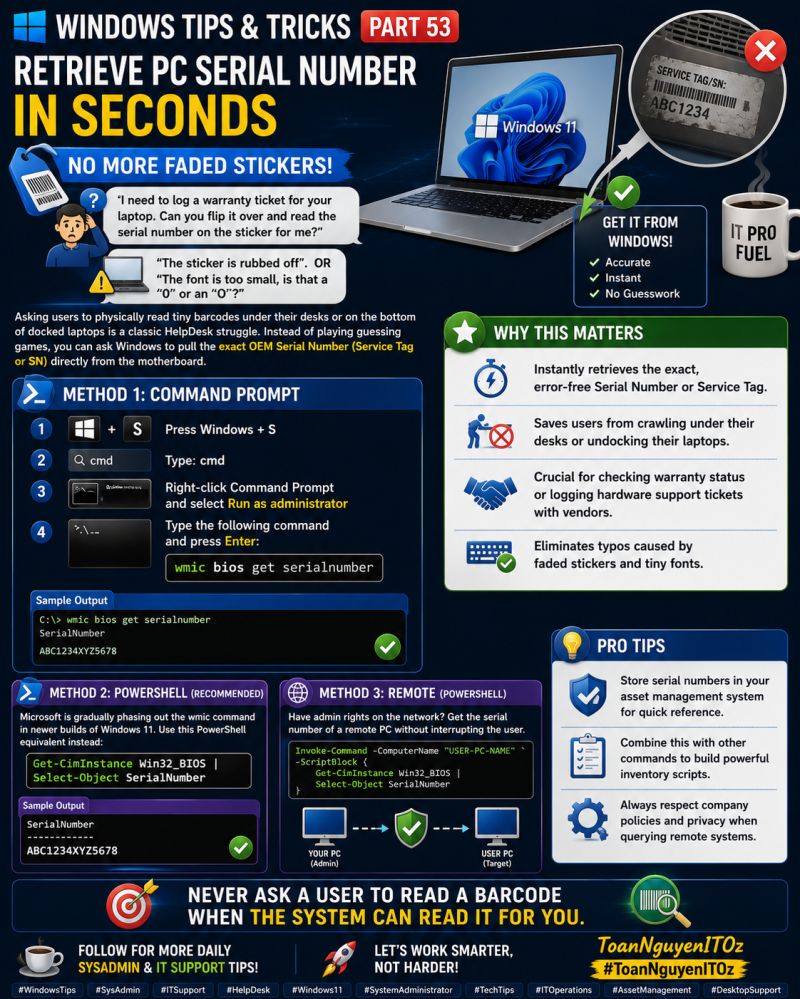
Windows Tips & Tricks – Part 53: Retrieve a PC Serial Number in Seconds
Need a laptops serial number for a warranty claim or hardware support ticket?
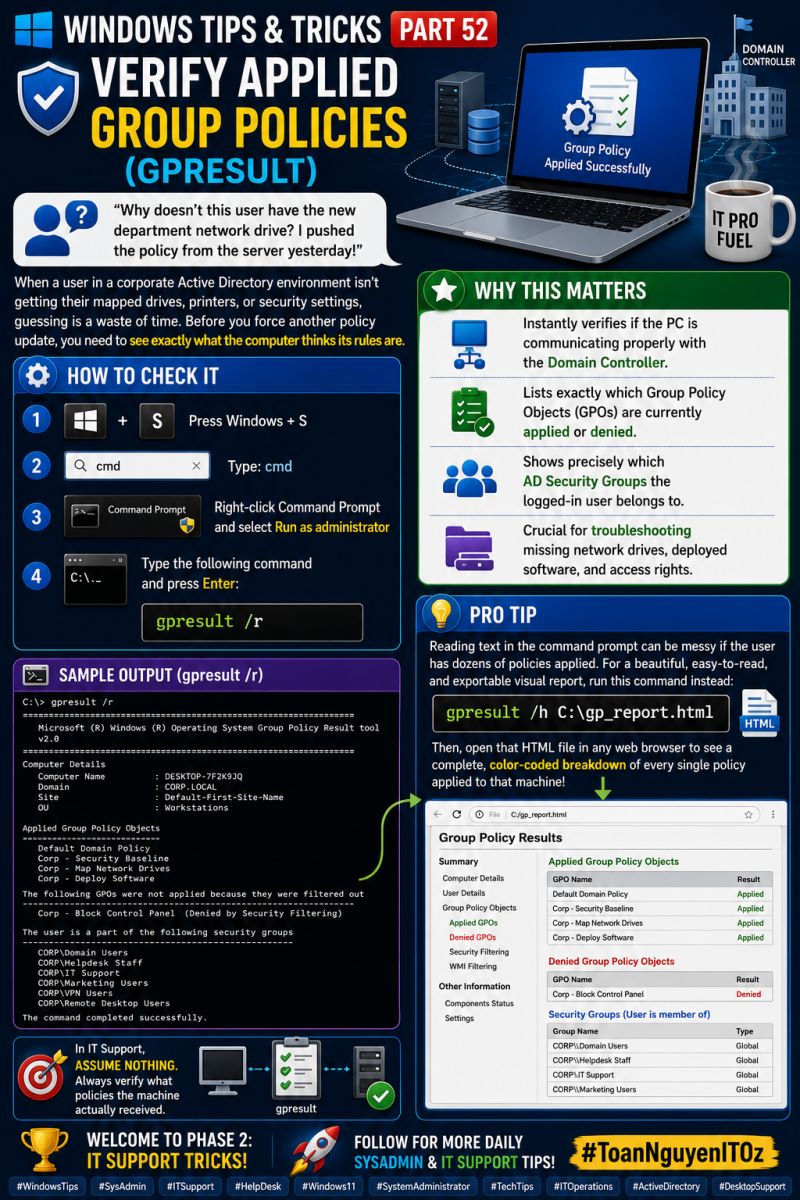
Windows Tips & Tricks – Part 52: Verify Applied Group Policies (gpresult)
Verify Applied Group Policies (gpresult)
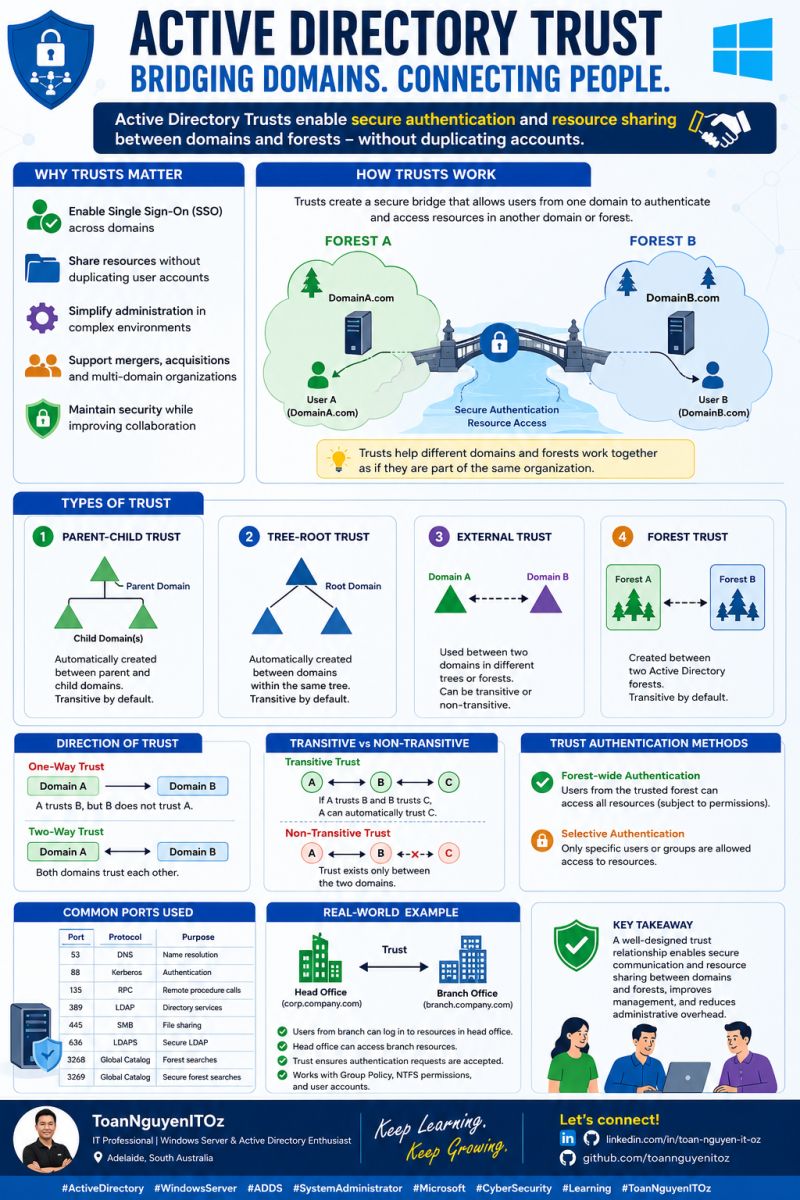
Active Directory Trusts: The Invisible Bridge That Keeps Enterprise Networks Conne...
When people first learn Active Directory, they usually focus on users, groups, and Group Policy.
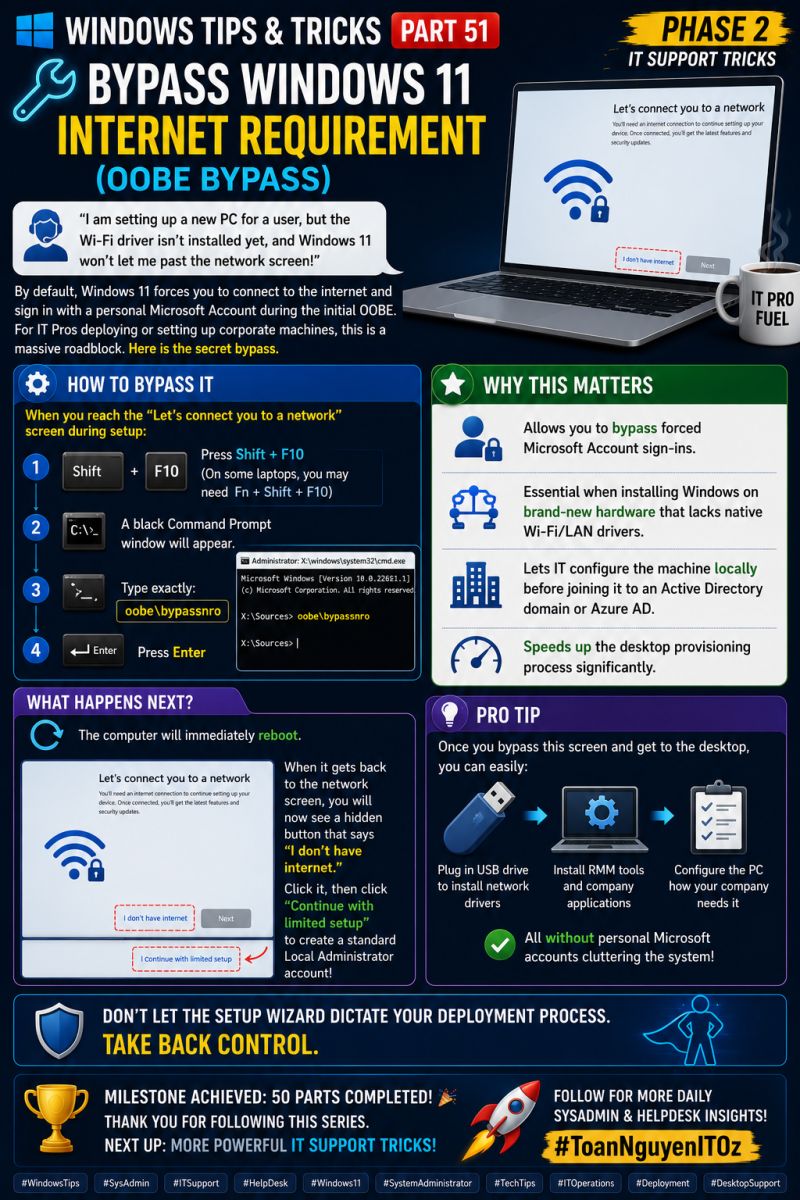
Windows Tips & Tricks – Part 51: Bypass Windows 11 Internet Requirement (OOBE Bypass)
Bypass Windows 11 Internet Requirement (OOBE Bypass)
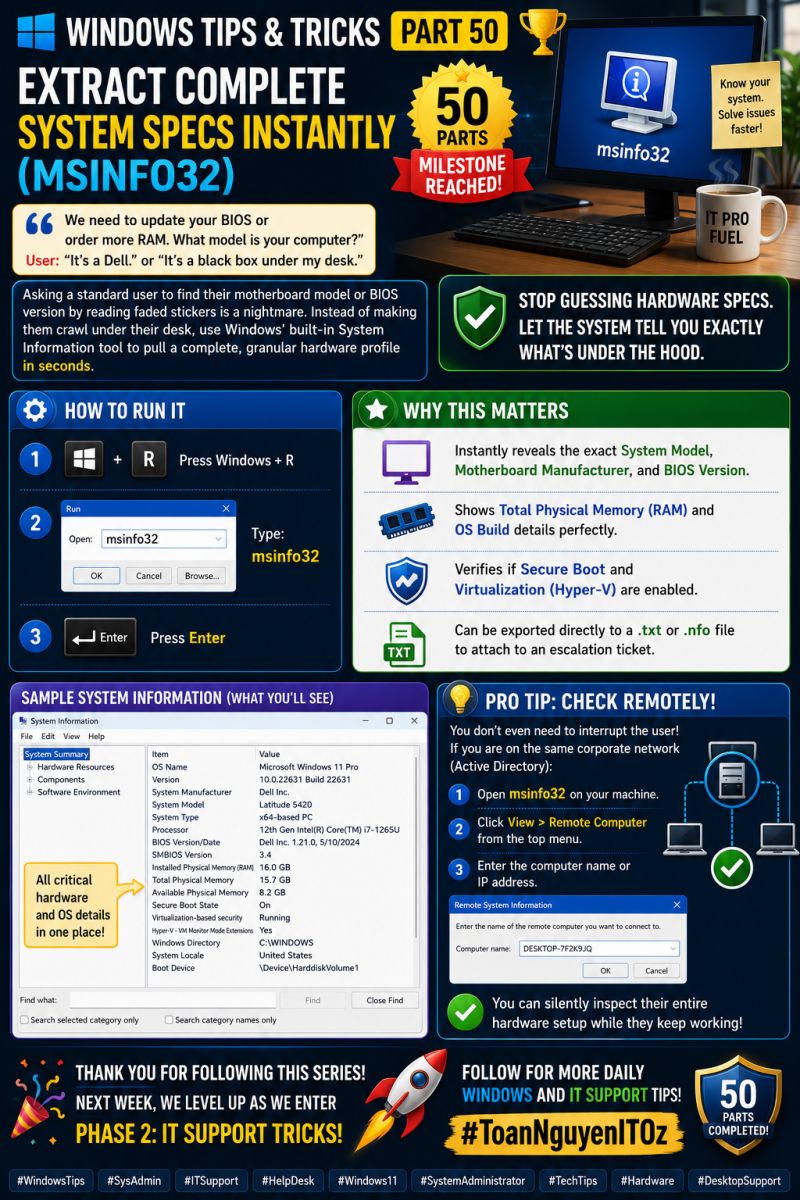
Windows Tips & Tricks – Part 50: Extract Complete System Specifications with msinfo32
Milestone Reached — 50 Parts
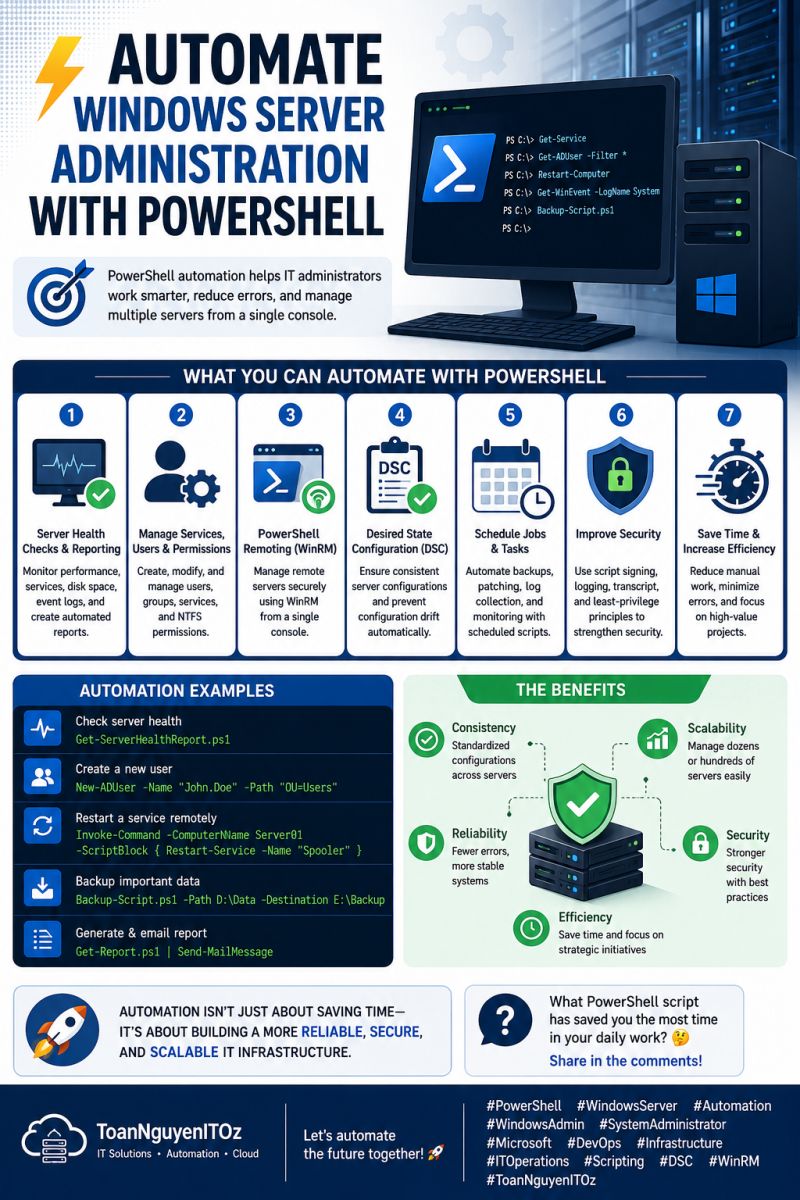
Automate Windows Server Administration with PowerShell 💻
Managing a handful of servers manually may be manageable. Managing dozens—or hundreds—is a different story.
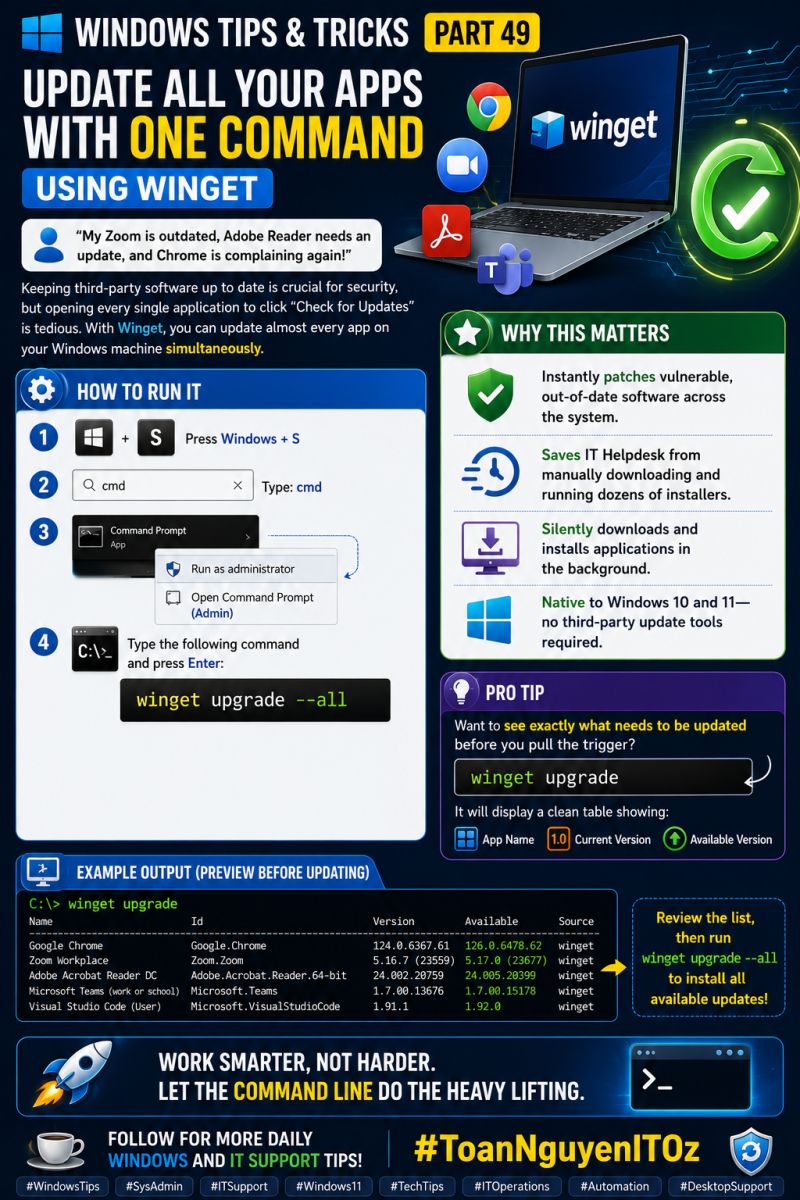
Windows Tips & Tricks – Part 49: Update All Your Apps with One Command (Winget)
Update All Your Apps with One Command (Winget)
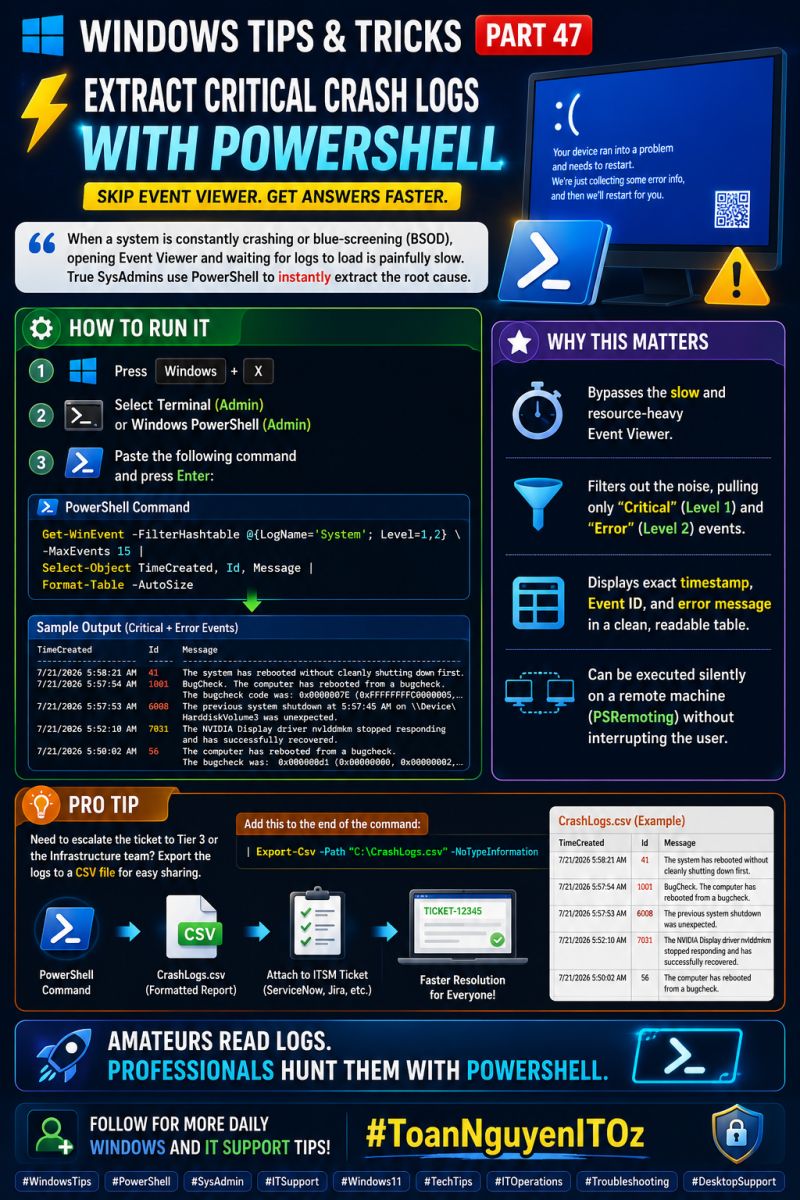
Windows Tips & Tricks – Part 47: Extract Critical Crash Logs with PowerShell
When Windows crashes or throws a BSOD, you dont always need to open Event Viewer.
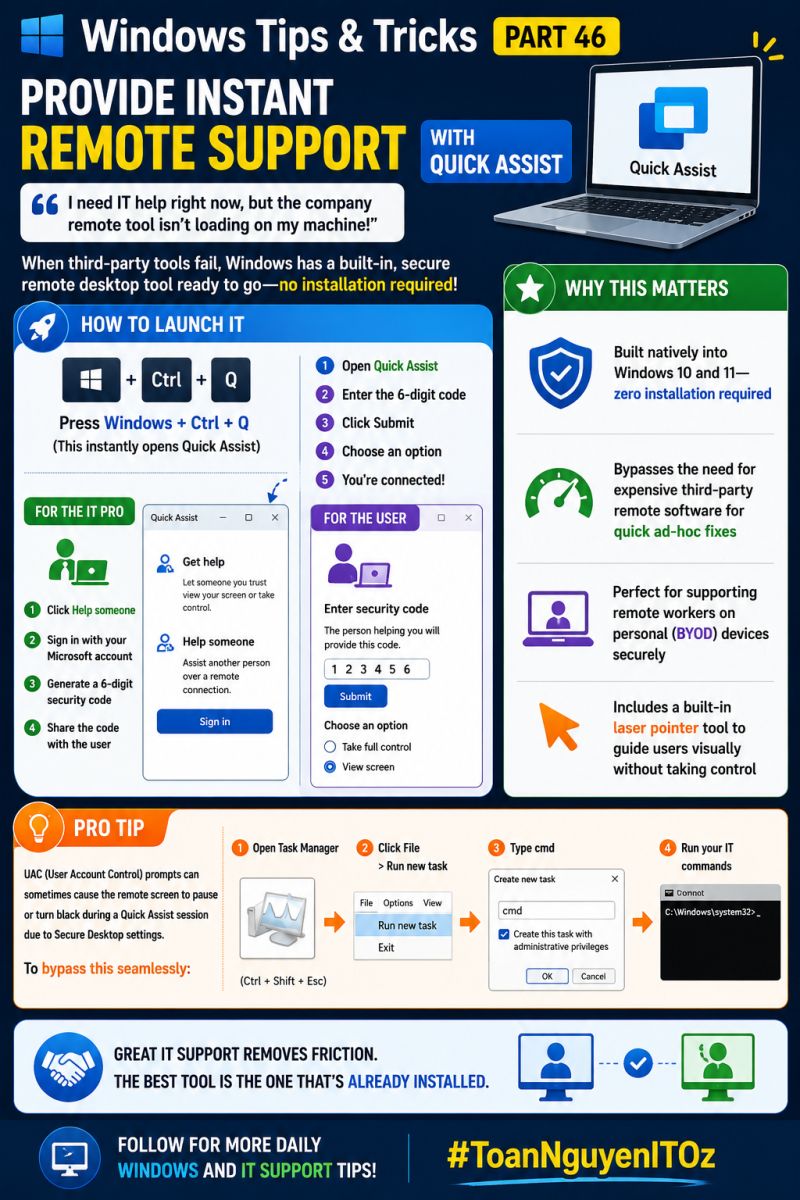
Windows Tips & Tricks – Part 46: Provide Instant Remote Support with Quick Assist
Need to help a user remotely, but your companys remote support tool isnt working?
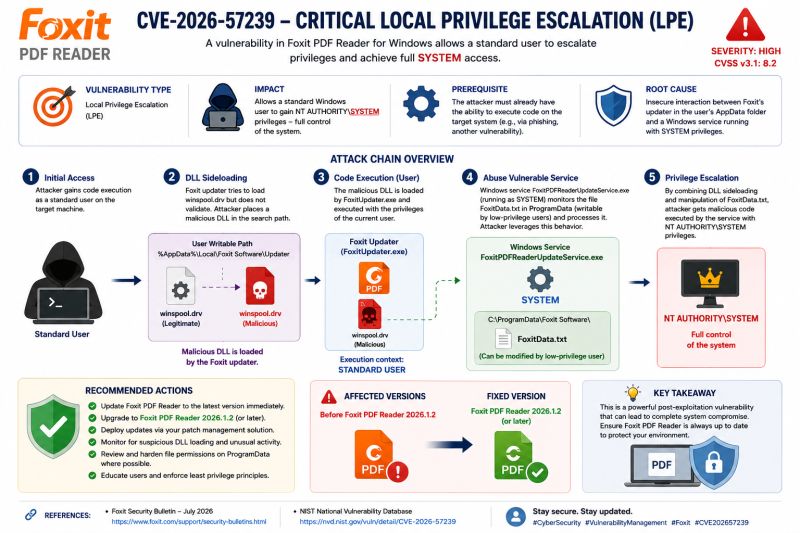
Critical Local Privilege Escalation Vulnerability Discovered in Foxit PDF Reader (...
If your organisation uses Foxit PDF Reader on Windows endpoints, this is a security update you shouldnt ignore.
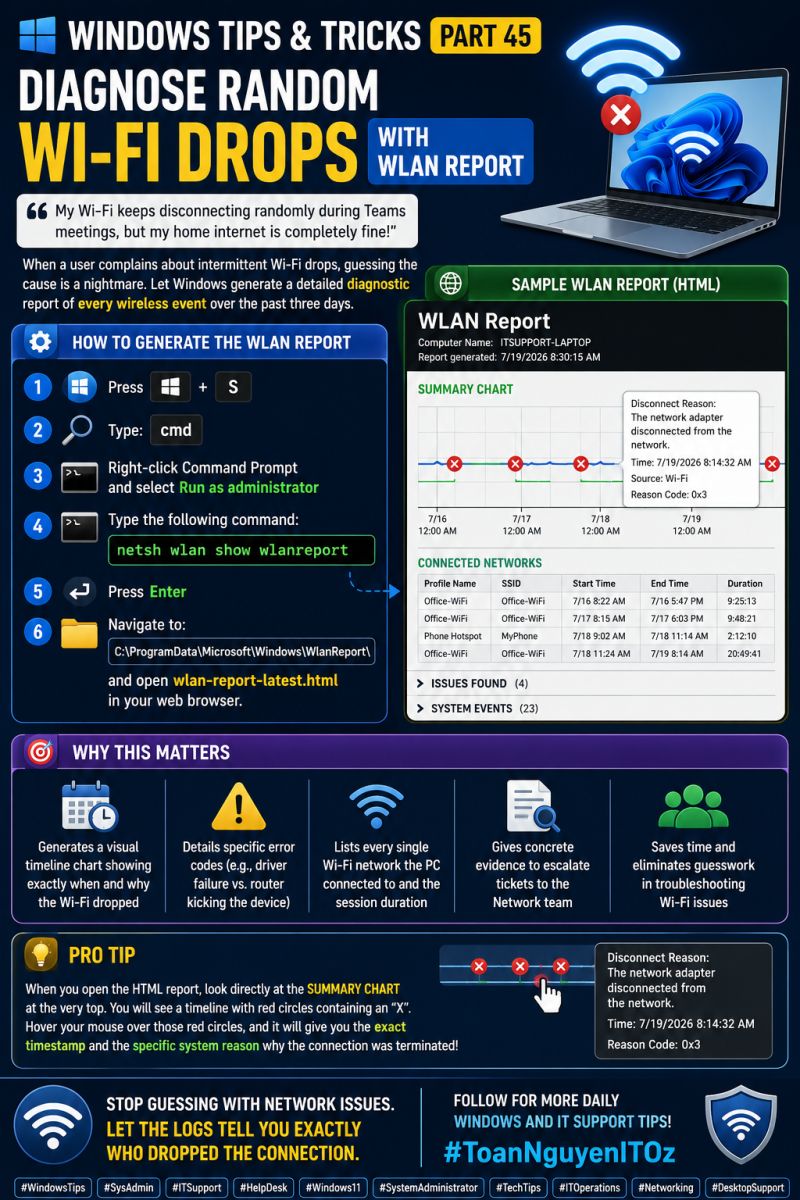
Windows Tips & Tricks – Part 45: Diagnose Random Wi-Fi Drops with WLAN Report
Diagnose Random Wi-Fi Drops with WLAN Report
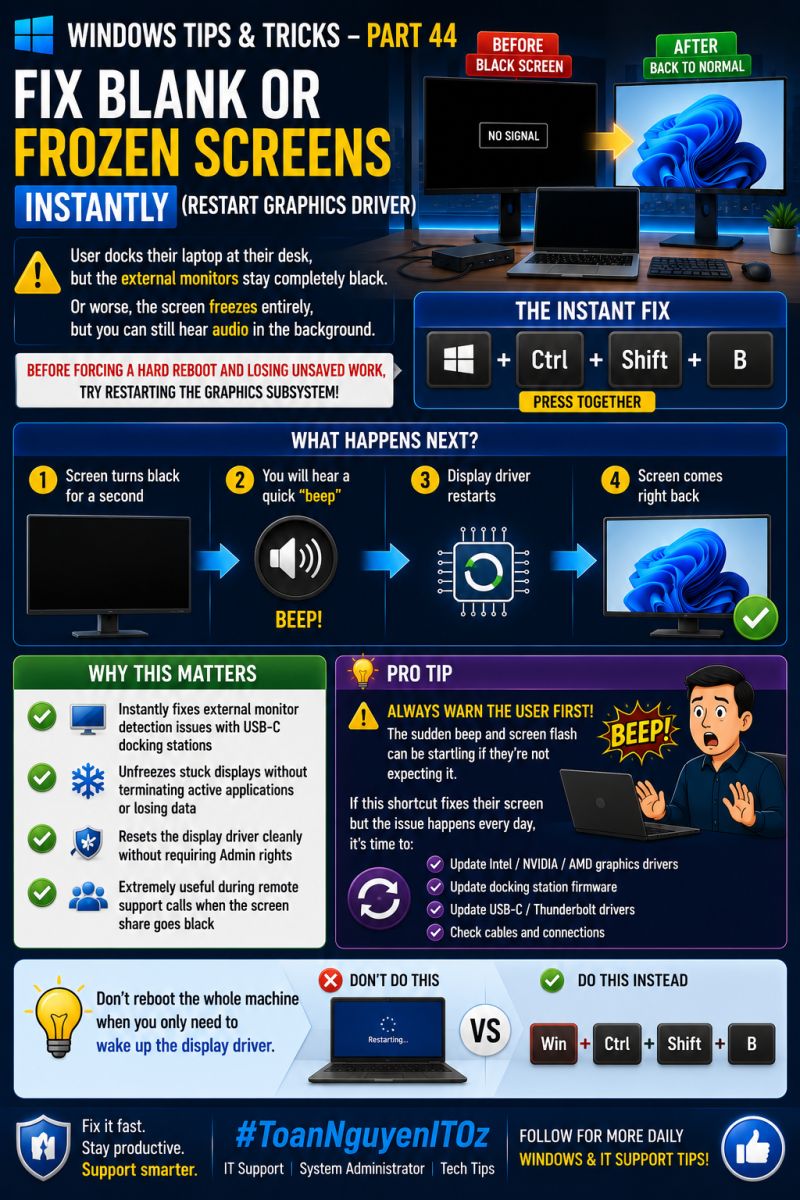
Windows Tips & Tricks – Part 44: Fix Blank or Frozen Screens Instantly
A user connects their laptop to a USB-C docking station, but the external monitors remain completely black.
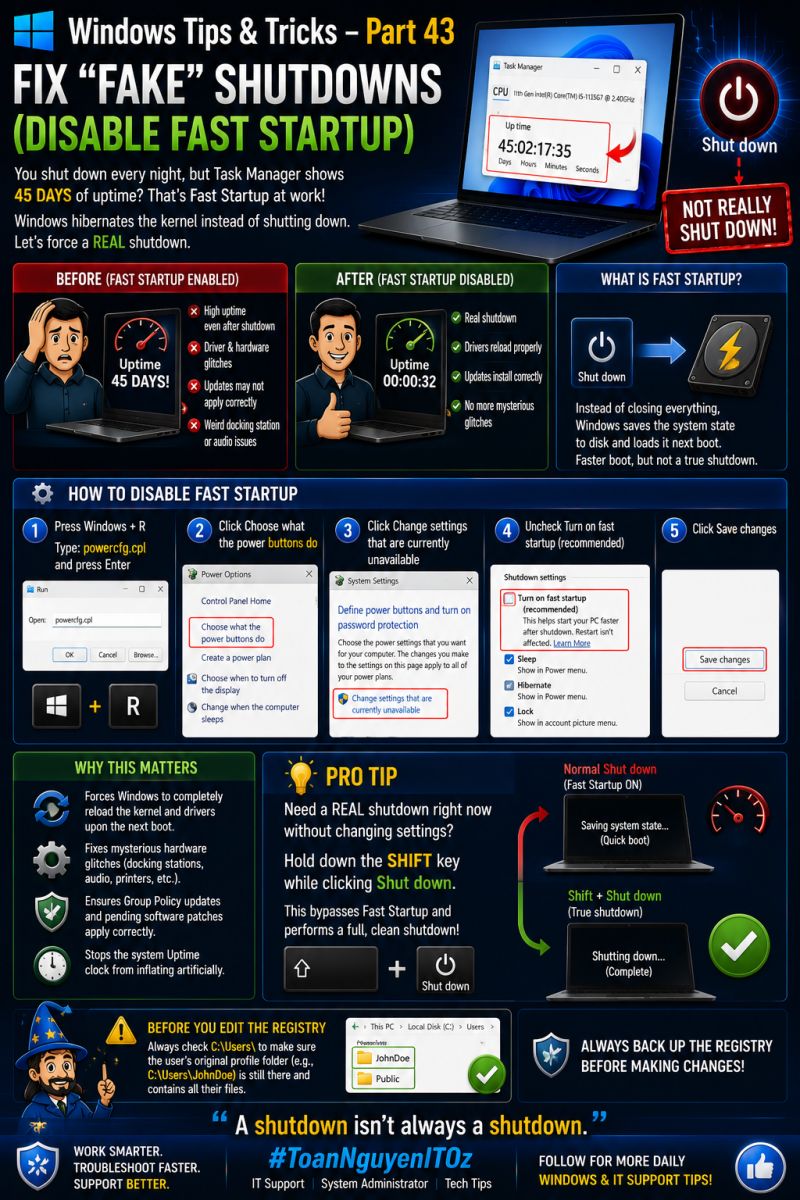
Windows Tips & Tricks – Part 43: Fix Fake Shutdowns (Disable Fast Startup)
Fix Fake Shutdowns (Disable Fast Startup)
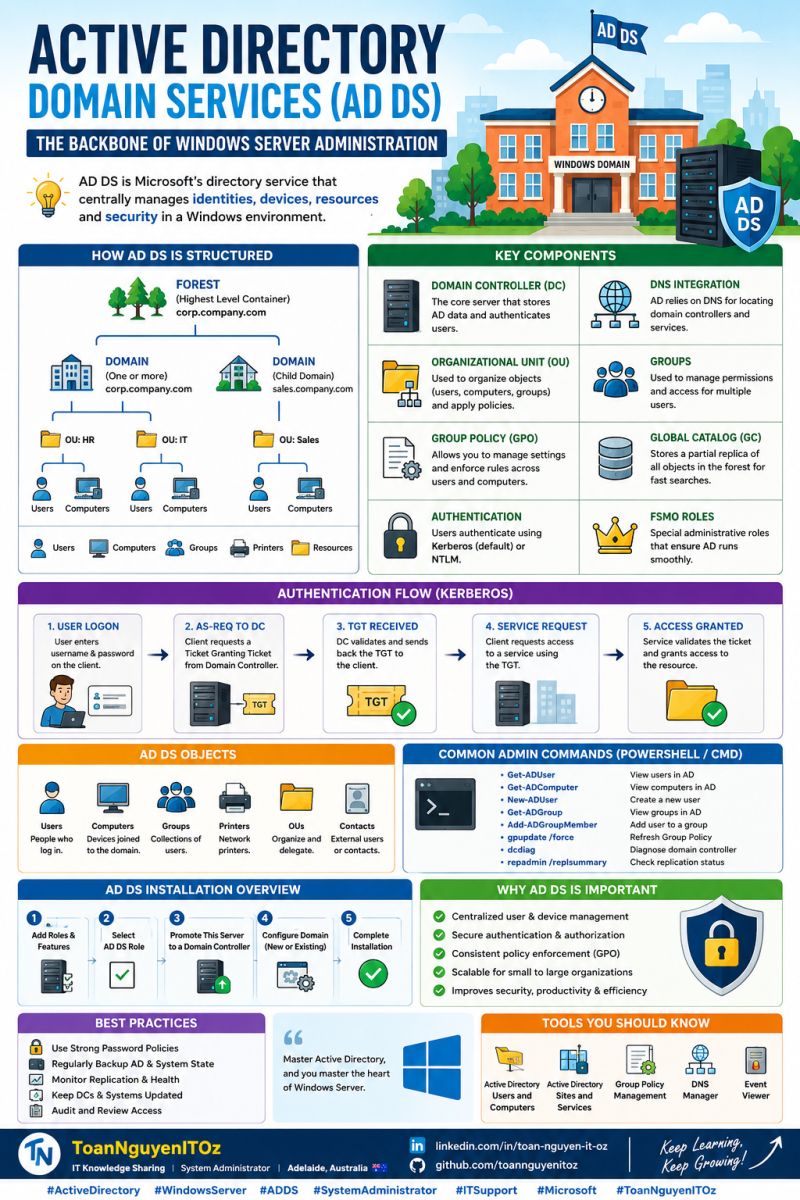
Active Directory Domain Services (AD DS) – The Foundation of Enterprise Windows En...
If youve ever worked in an enterprise IT environment, chances are youve interacted with Active Directory Domain Services (AD DS)—whether ...
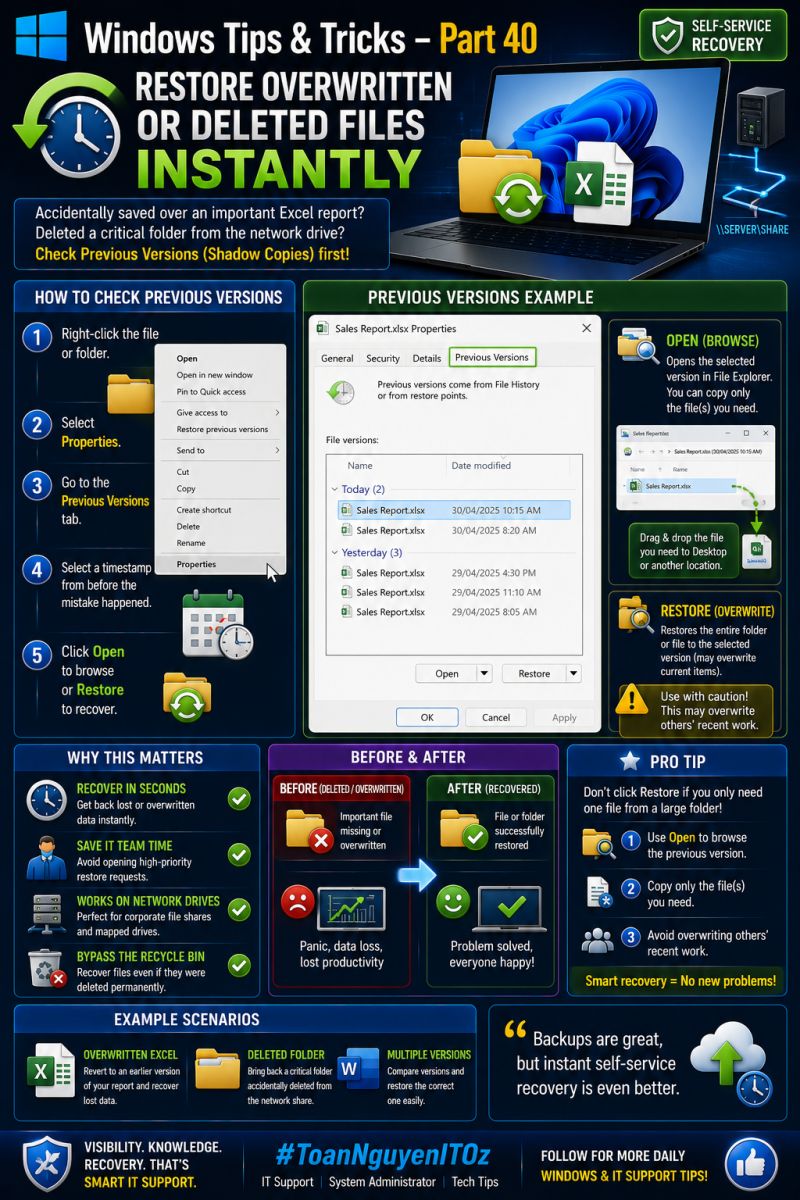
Windows Tips & Tricks – Part 40: Restore Overwritten or Deleted Files Instantly
Accidentally saved over an important document or deleted a critical folder?
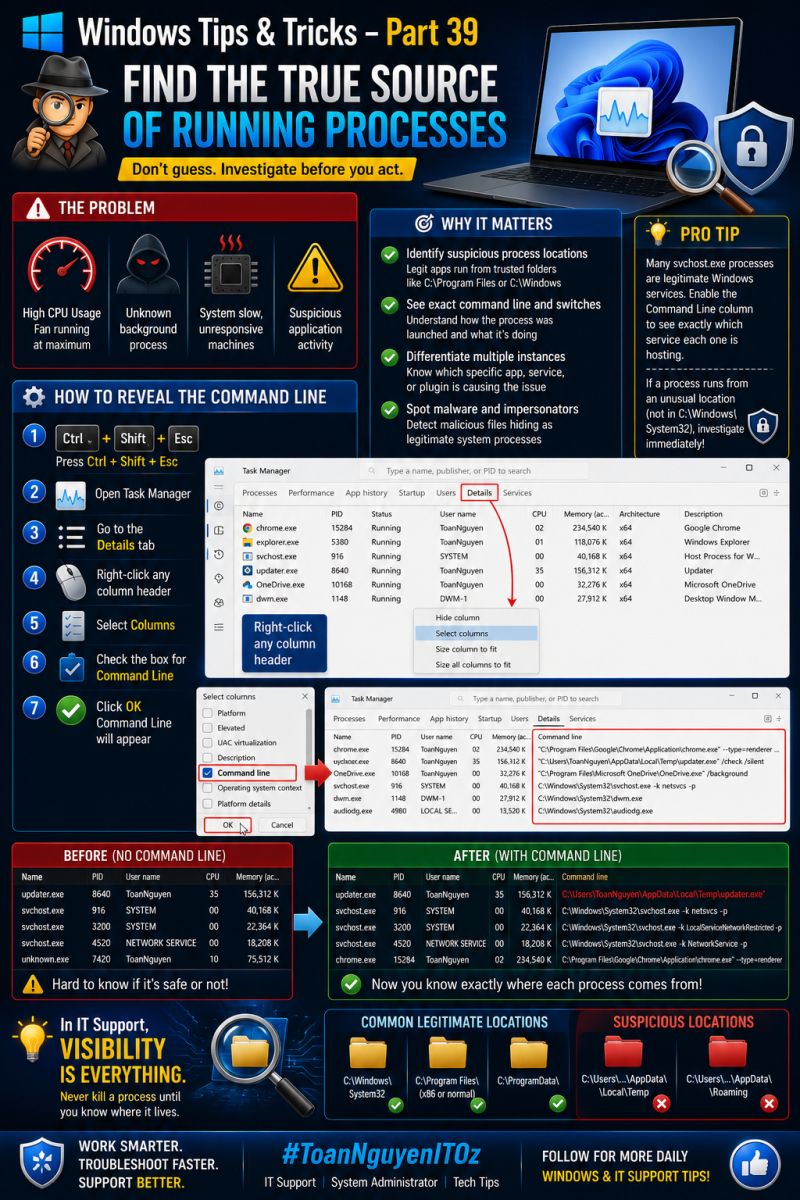
Windows Tips & Tricks – Part 39: Find Where A Process Really Came From
A suspicious process is consuming CPU, RAM, or making your laptop sound like a jet engine?
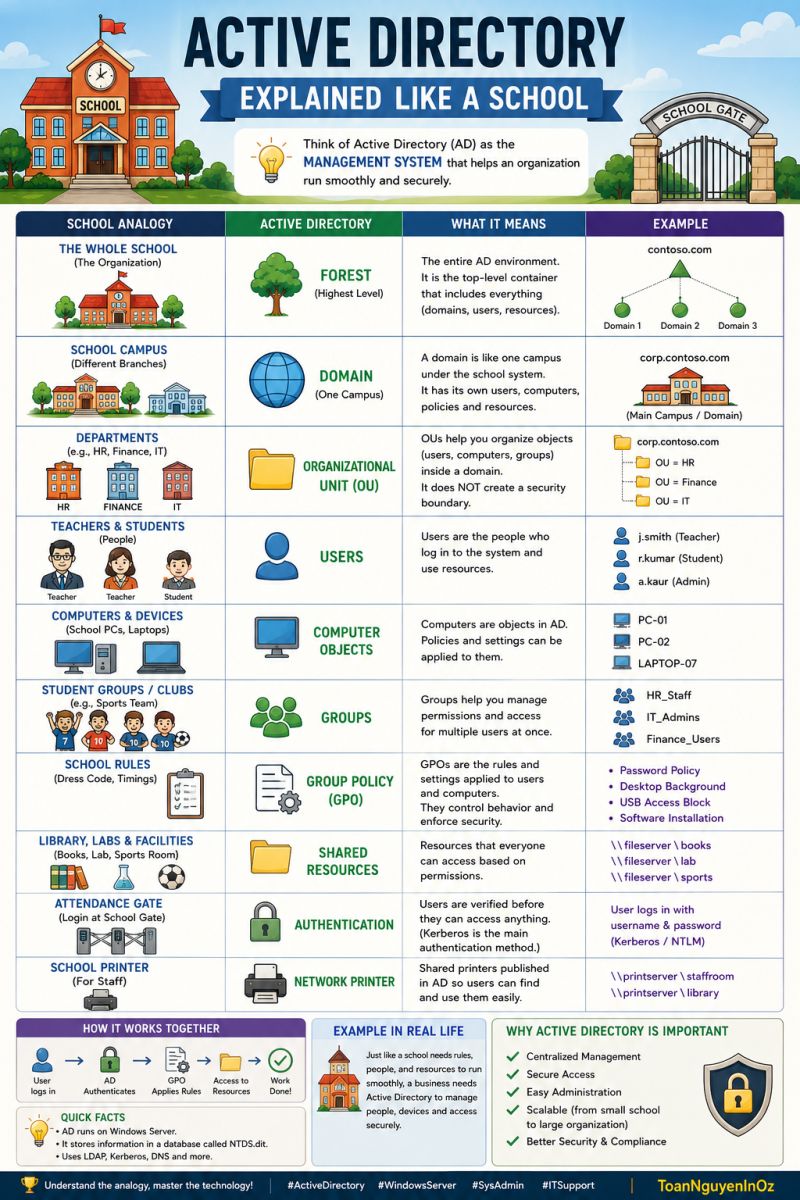
Active Directory Explained Like a School
One of the biggest challenges for beginners learning Windows Server is understanding Active Directory. Terms like Forest, Domain, OU, Gro...
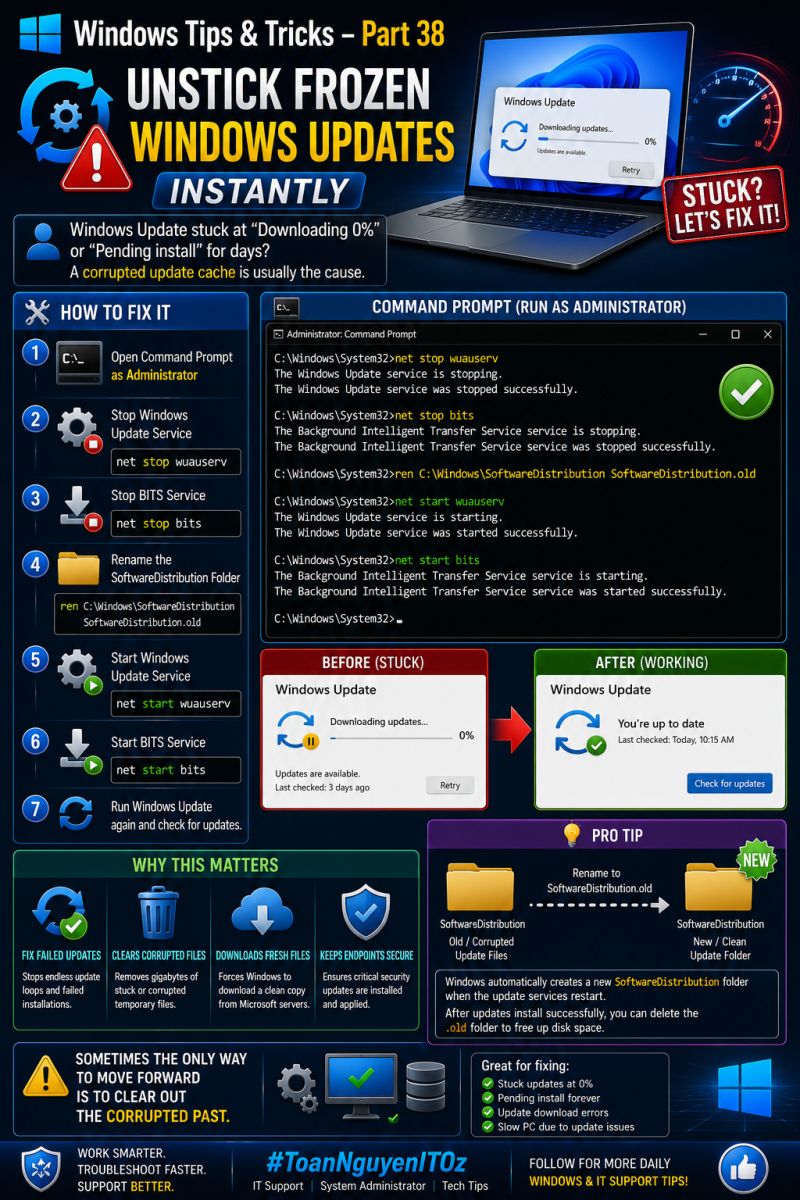
Windows Tips & Tricks – Part 38: Unstick Frozen Windows Updates
Windows Update stuck at 0 Downloading, Pending Install, or failing repeatedly?
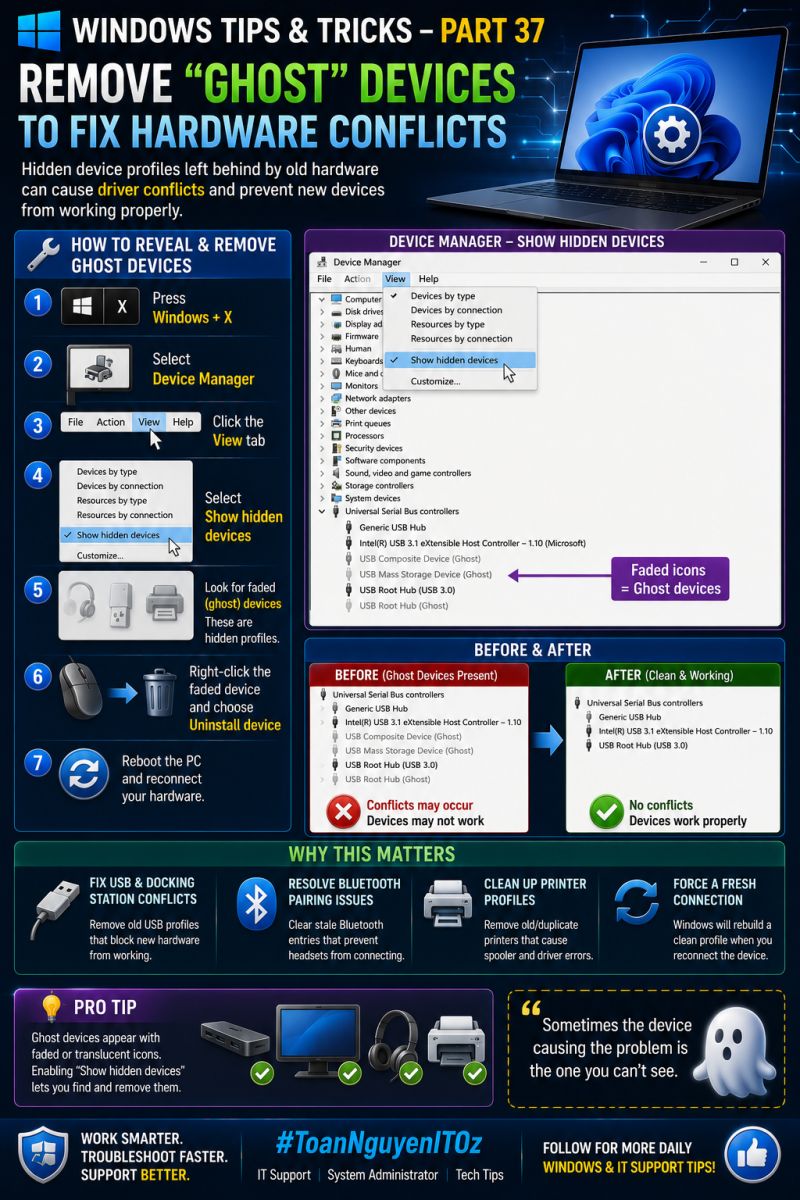
Windows Tips & Tricks – Part 37: Remove Ghost Devices to Fix Hardware Conflicts
A USB dock, monitor, printer, or Bluetooth headset suddenly stops working—even though it works perfectly on another PC? Windows may be ho...
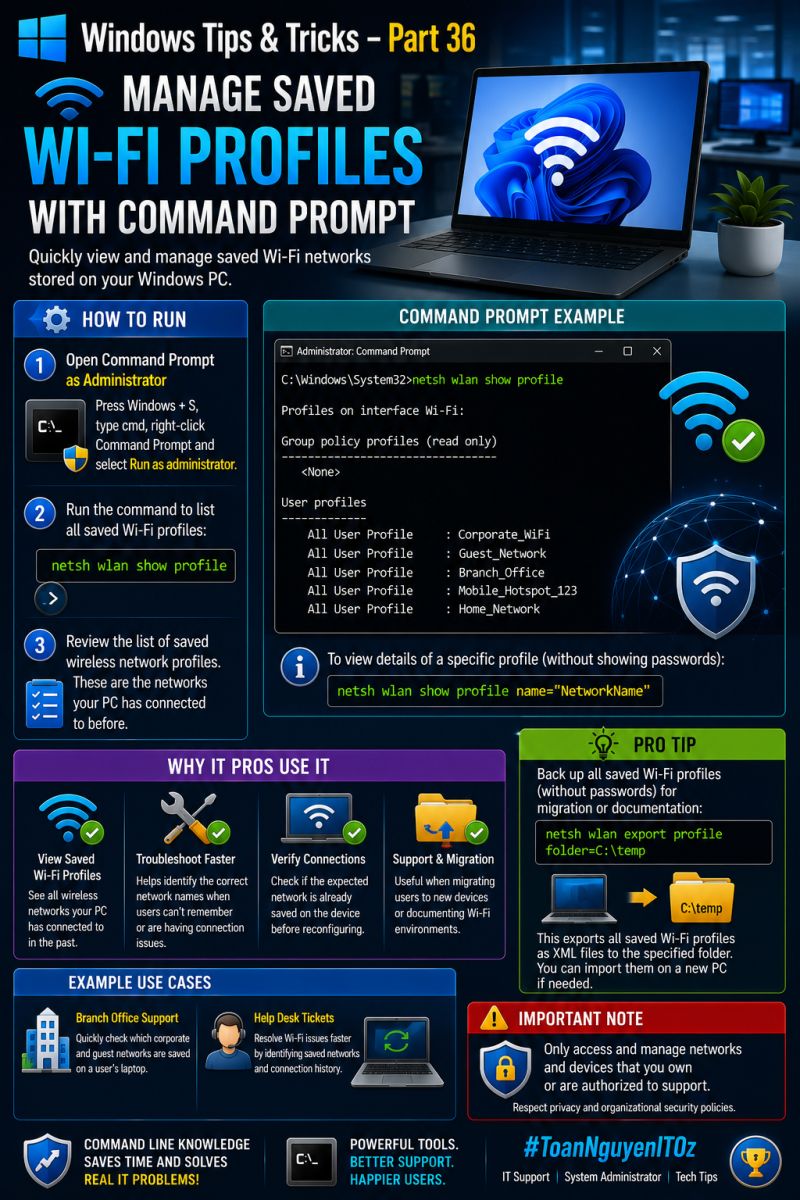
Windows Tips & Tricks – Part 36: View Saved Wi-Fi Networks with Command Prompt
View Saved Wi-Fi Networks with Command Prompt
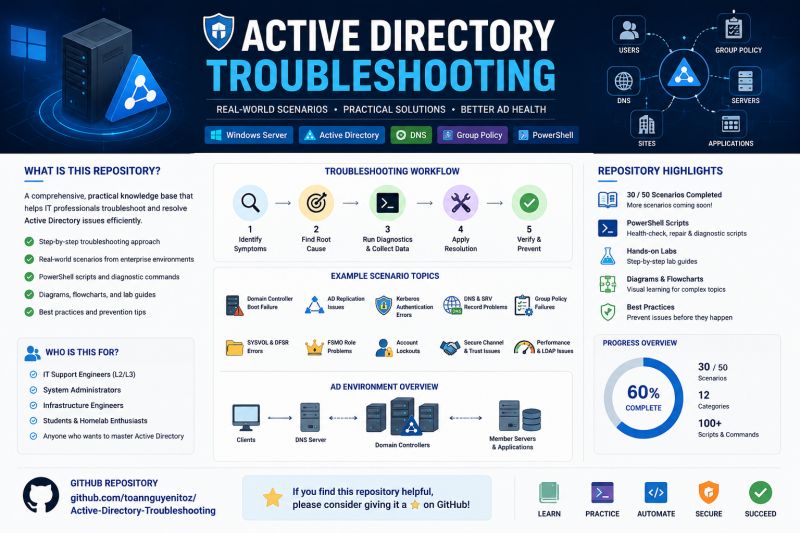
Introducing My New GitHub Repository: Active Directory Troubleshooting
Im excited to share one of my latest GitHub projects:
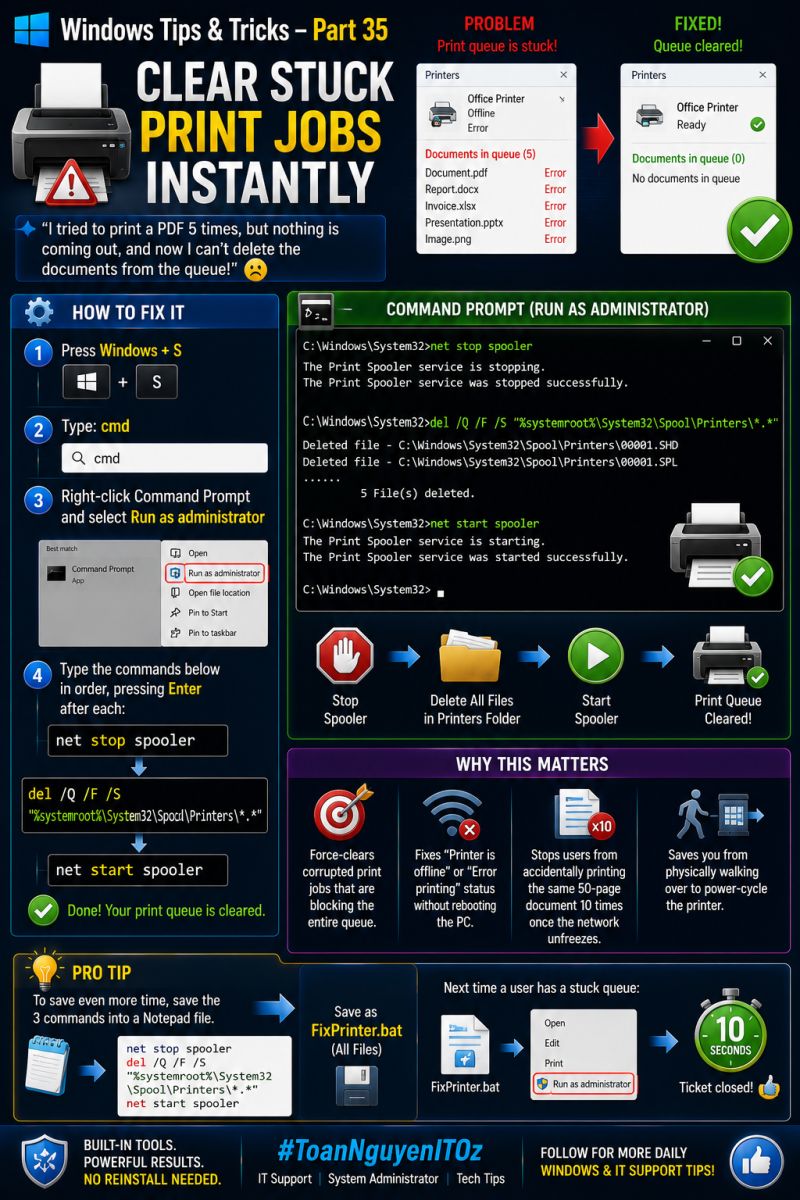
Windows Tips & Tricks – Part 35: Clear Stuck Print Jobs Instantly
Print queue frozen? Documents wont print or delete?
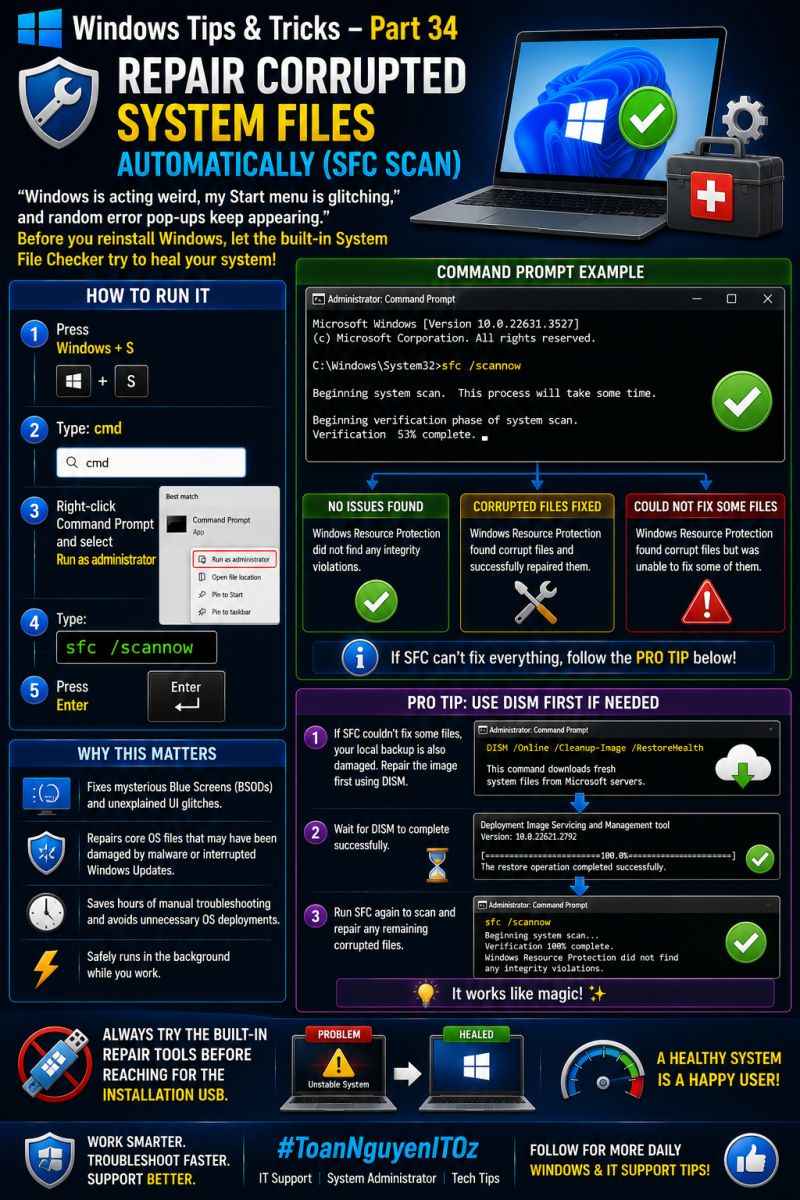
Windows Tips & Tricks – Part 34: Repair Corrupted System Files with SFC
Start Menu glitching? Random Windows errors? Strange system behavior?
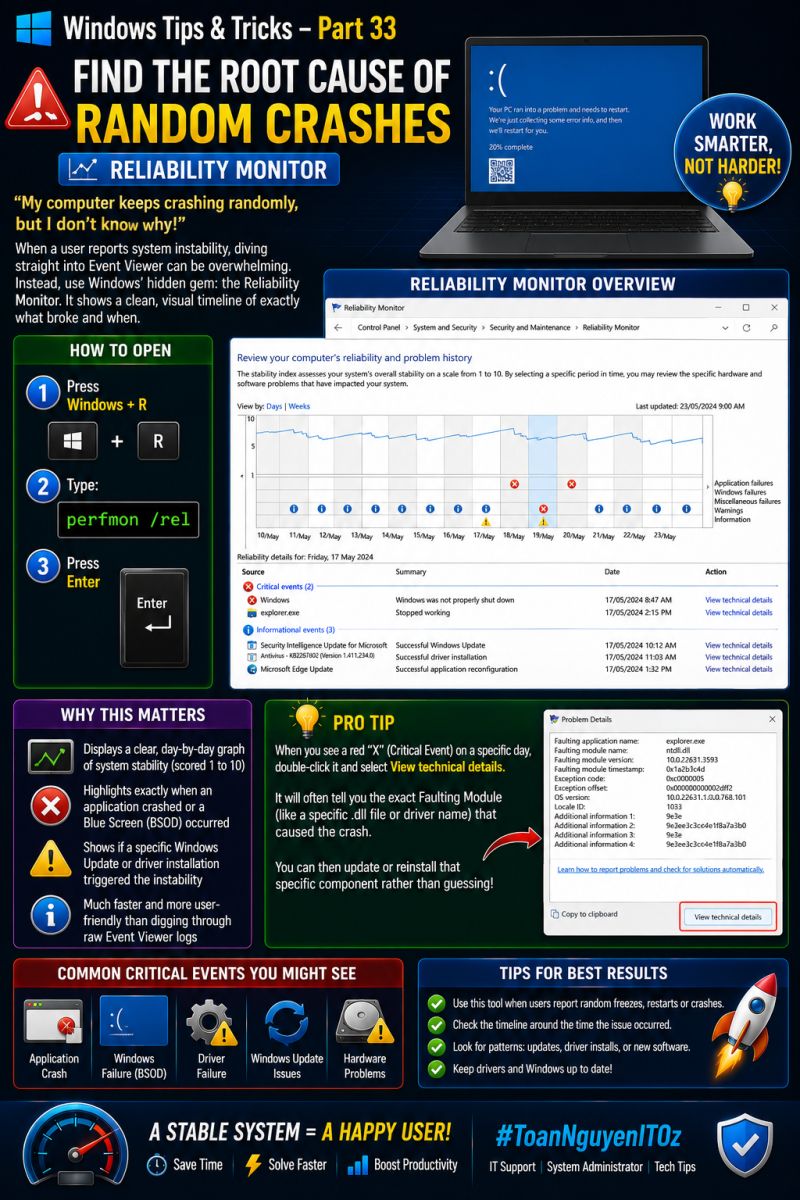
Windows Tips & Tricks – Part 33: Find the Root Cause of Random Crashes
Skip the overwhelming Event Viewer logs and use Reliability Monitor instead.

Google has officially open-sourced a collection of AI Agent Skills — and theyre av...
The repository currently includes 13 ready-to-use Skills that work with popular AI coding assistants such as Claude Code, Cursor, GitHub ...
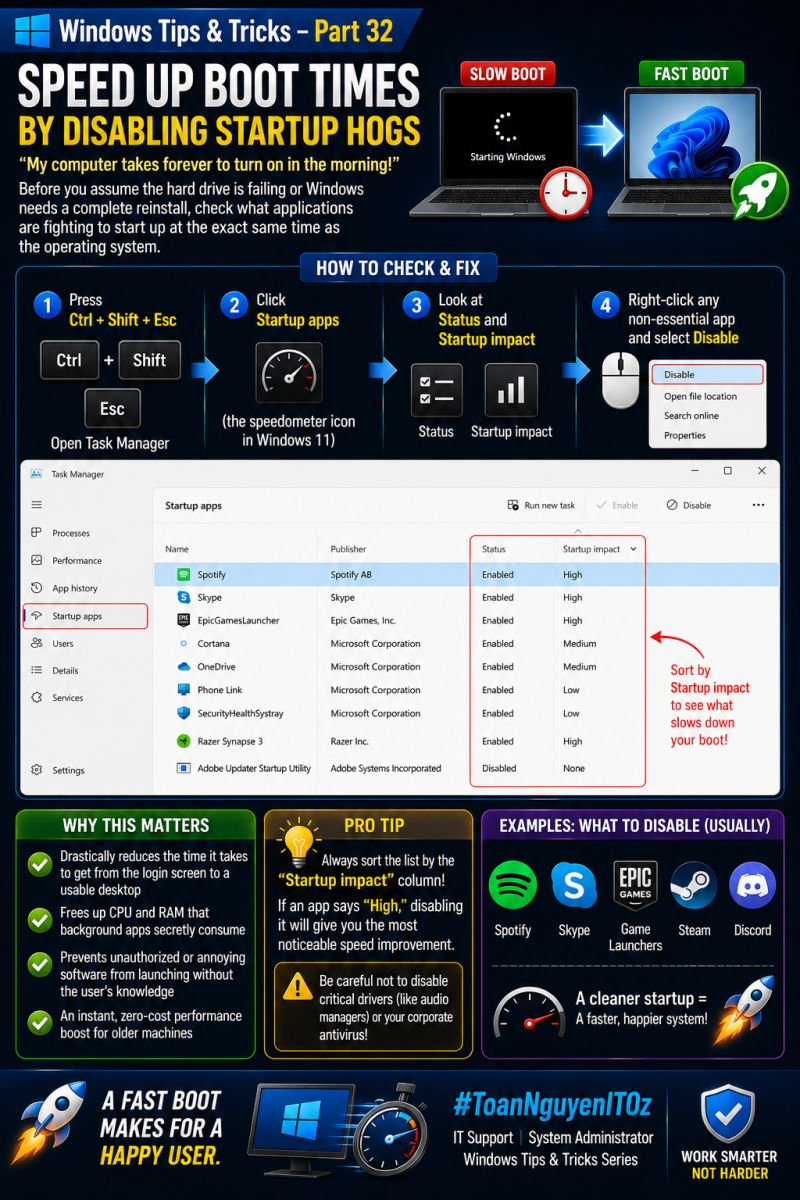
Windows Tips & Tricks – Part 32: Speed Up Boot Times by Disabling Startup Apps
PC takes forever to become usable after login?
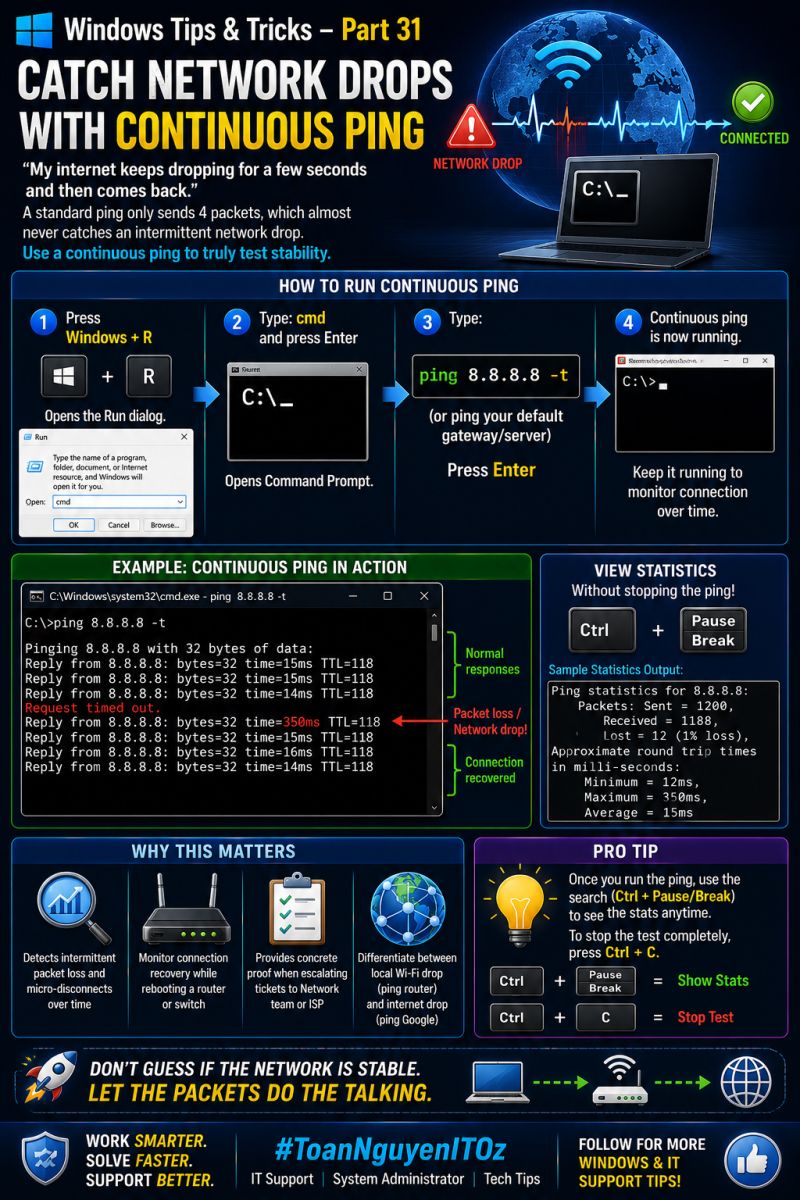
Windows Tips & Tricks – Part 31: Catch Network Drops with Continuous Ping
Internet drops for a few seconds and then comes back?
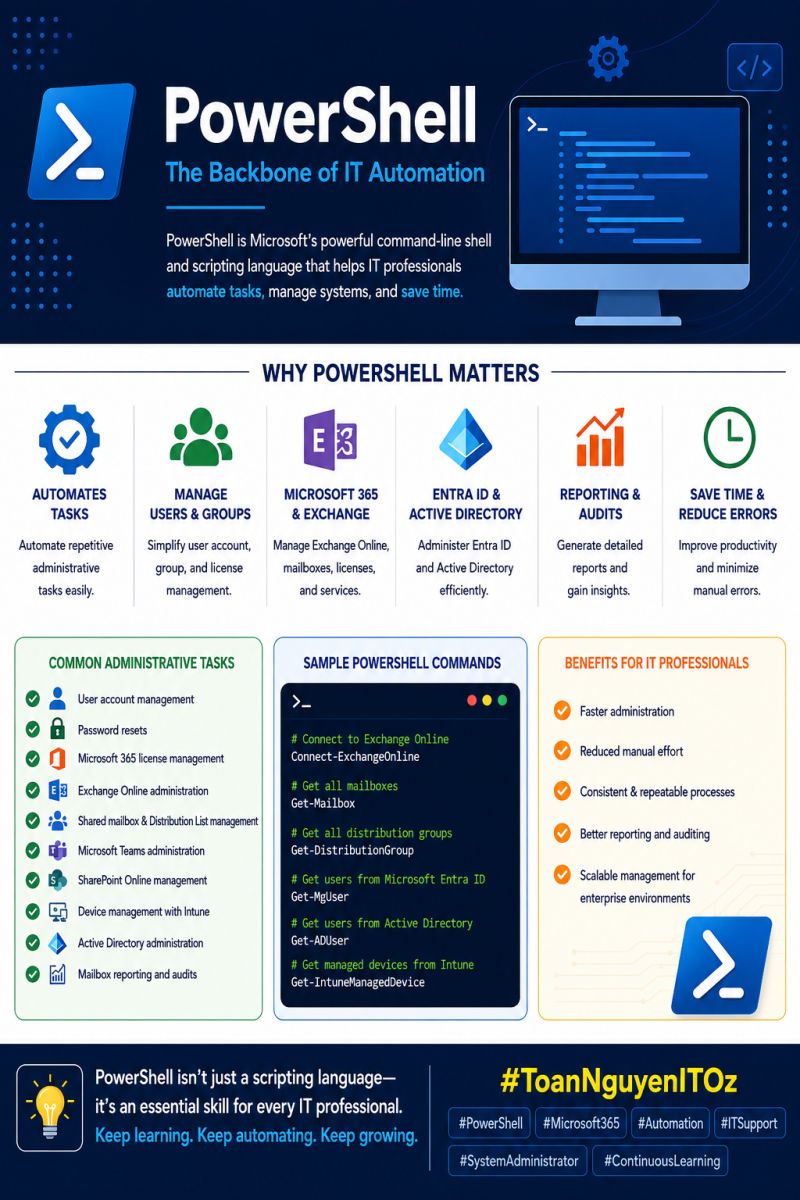
PowerShell: A Must-Have Skill for Every IT Professional
PowerShell is much more than a command-line tool—its one of the most valuable skills for anyone working in IT.
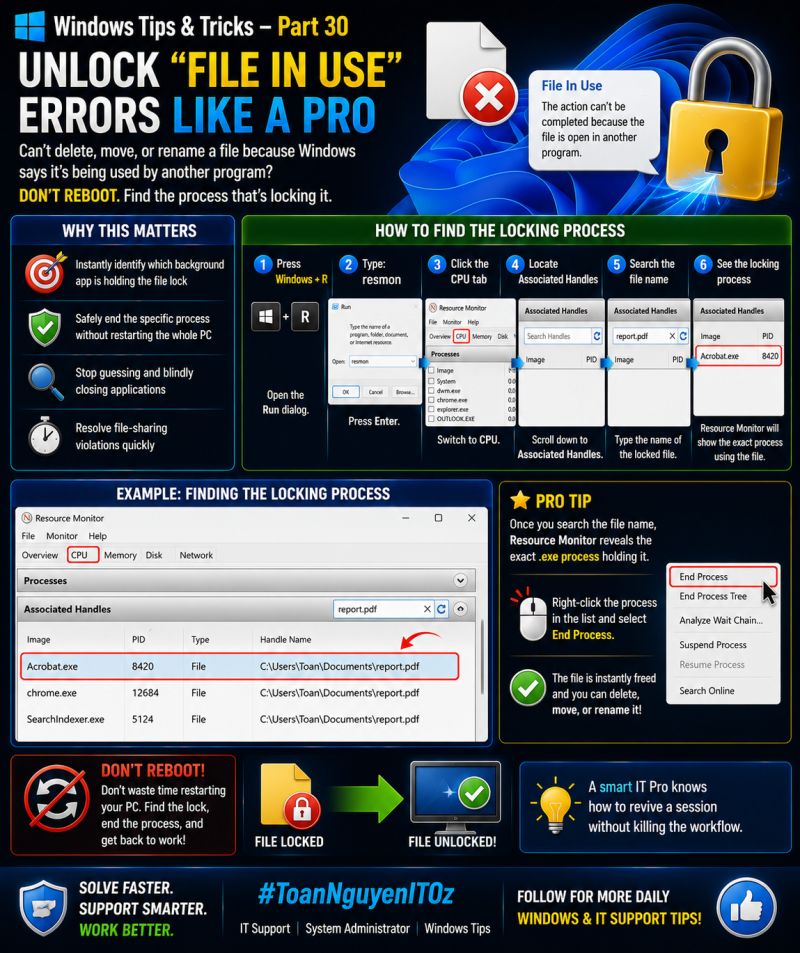
Windows Tips & Tricks – Part 30: Unlock File In Use Errors Like a Pro
Cant delete, move, or rename a file because Windows says its being used by another program?
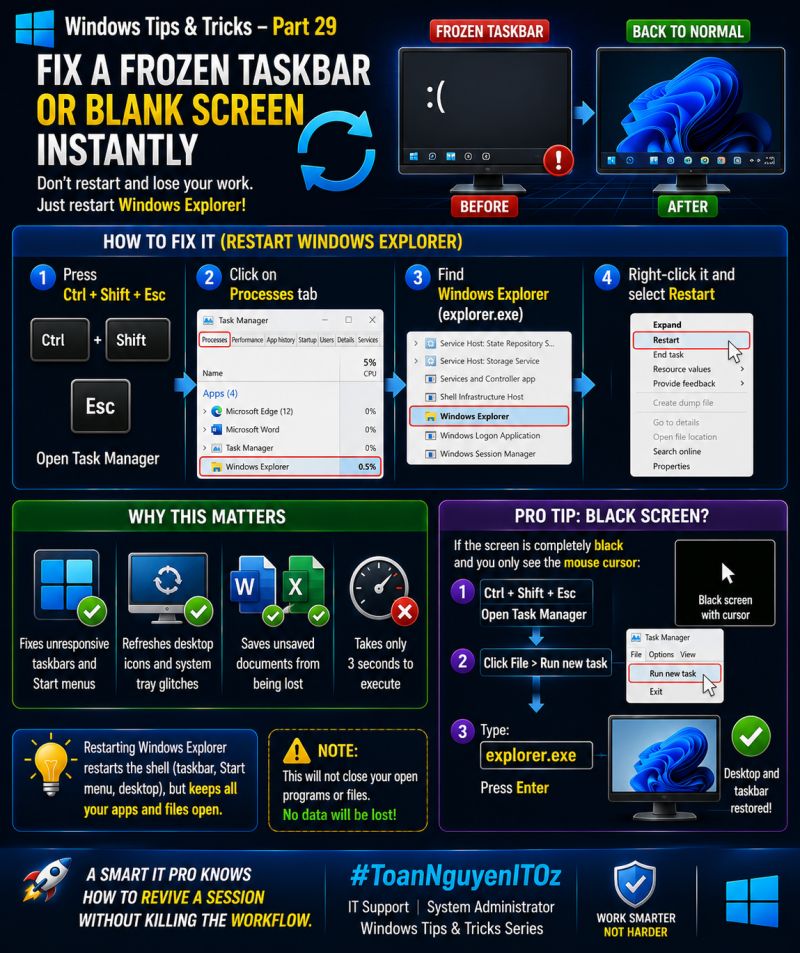
Windows Tips & Tricks – Part 29: Fix a Frozen Taskbar or Start Menu Instantly
Taskbar frozen? Start Menu wont open? Desktop not responding?
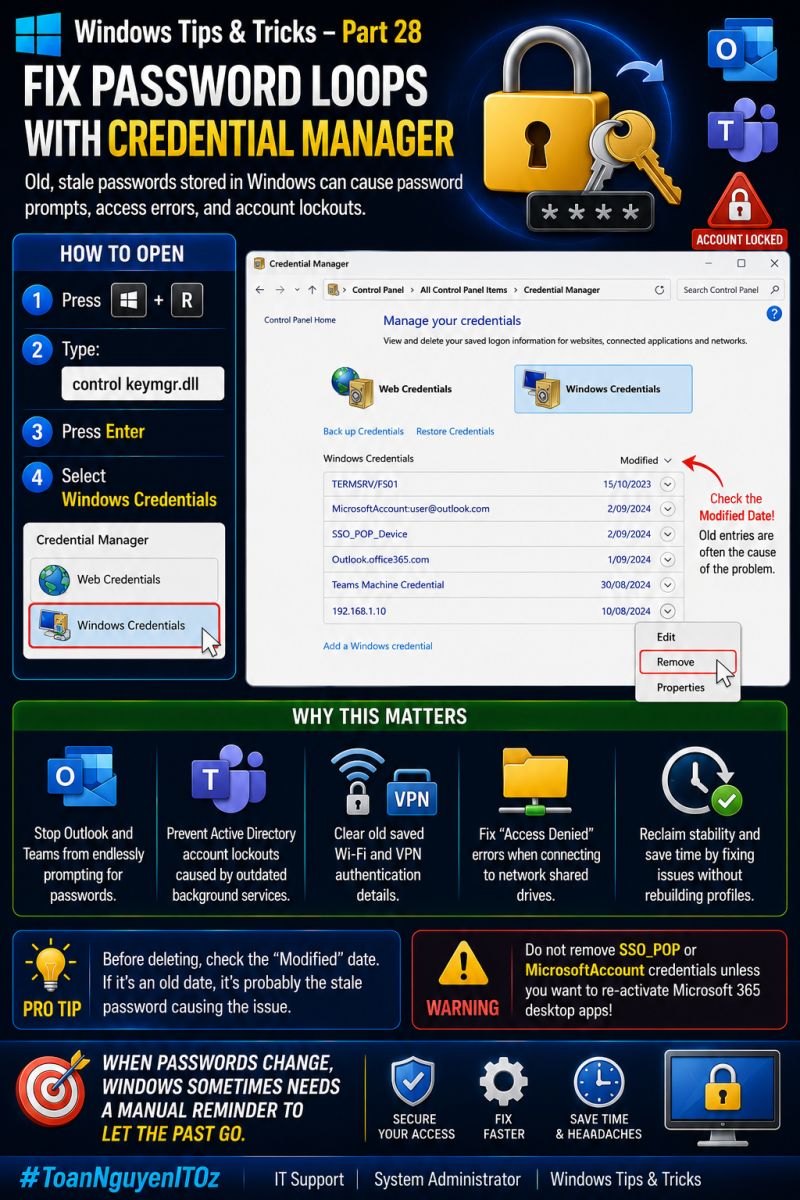
Windows Tips & Tricks – Part 28: Fix Password Loops with Credential Manager
Outlook keeps asking for a password? Teams wont sign in? Account keeps getting locked?
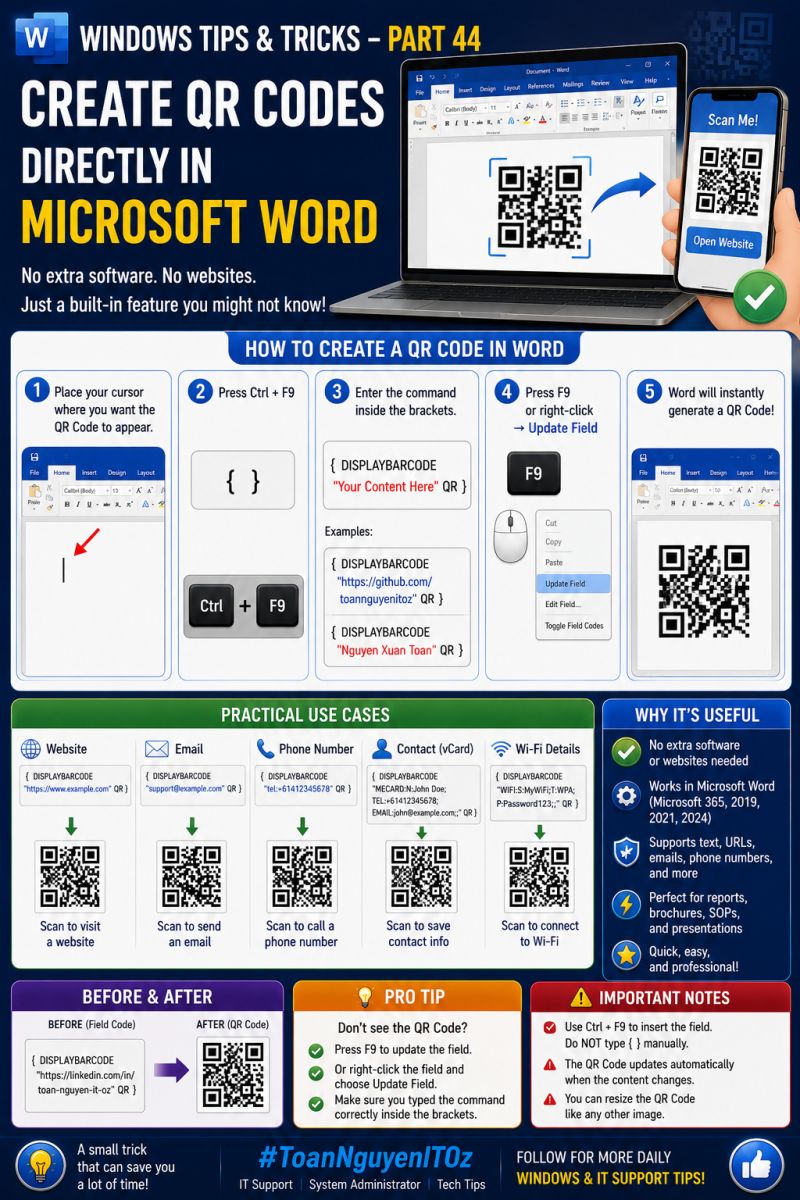
CREATE QR CODES DIRECTLY IN MICROSOFT WORD
Did you know Microsoft Word can generate QR Codes without any third-party software or online QR generator?
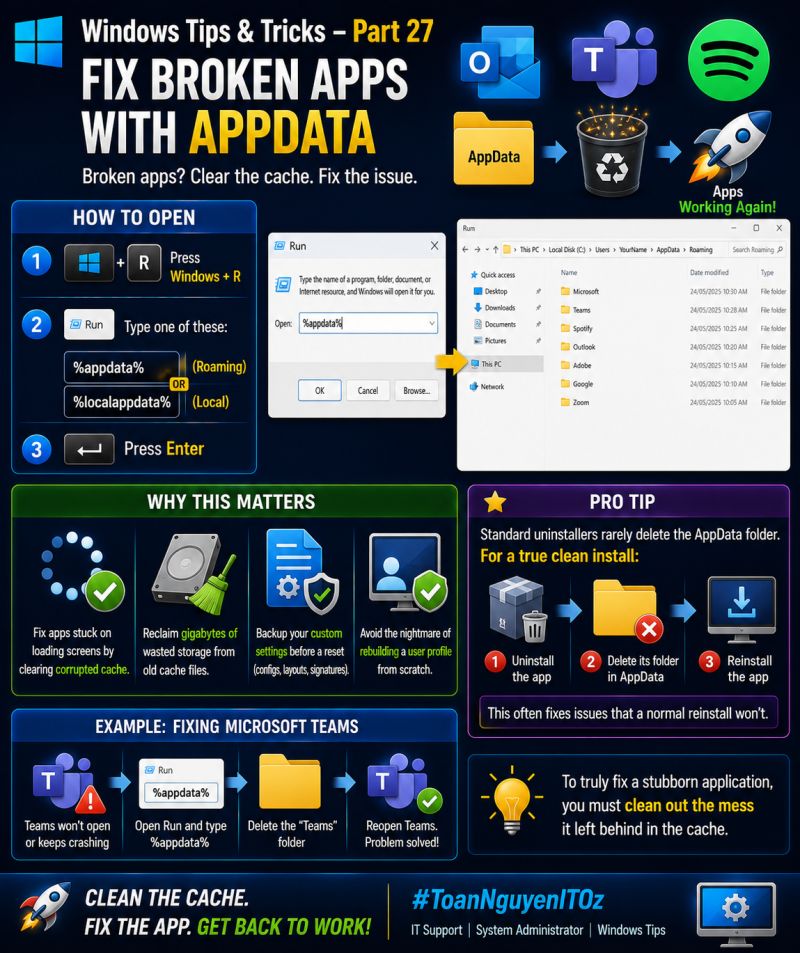
Windows Tips & Tricks – Part 27: Fix Broken Apps with AppData
Teams, Outlook, or Spotify wont open?
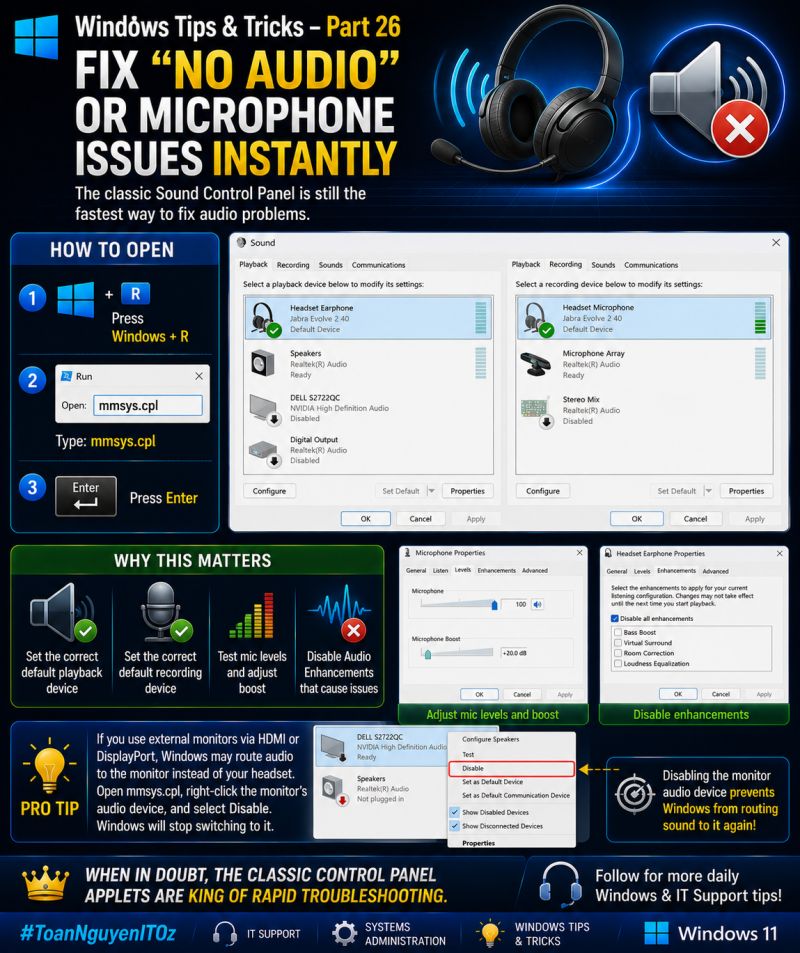
Windows Tips & Tricks – Part 26: Fix No Audio or Microphone Issues Fast
Headset not working in Teams or Zoom?
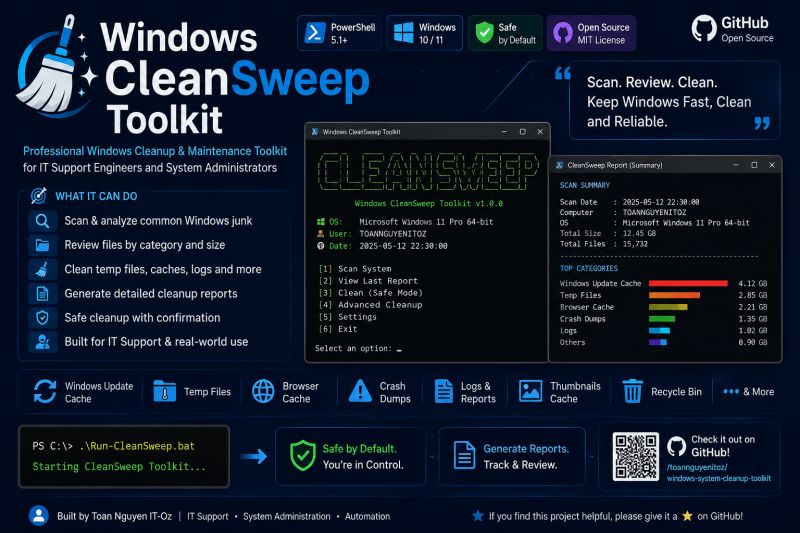
New GitHub Project: Windows CleanSweep Toolkit
I have just started a new IT Support portfolio project:
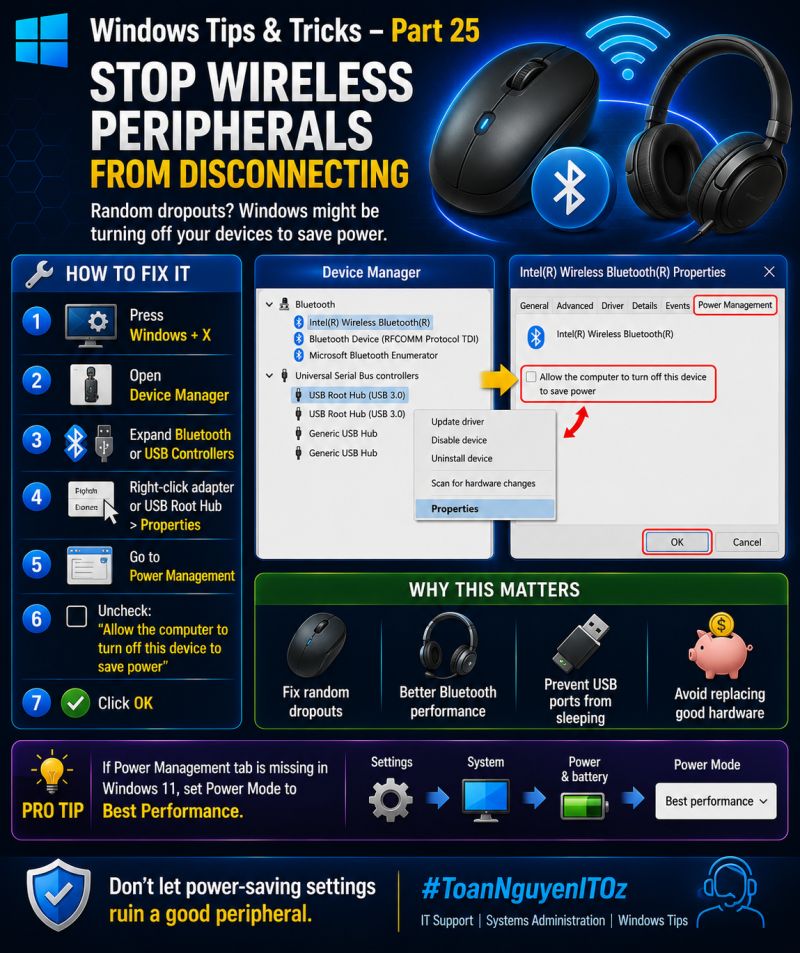
Windows Tips & Tricks – Part 25: Bluetooth Mouse or Headset Keeps Disconnecting?
Before replacing the device, check Windows Power Management settings.
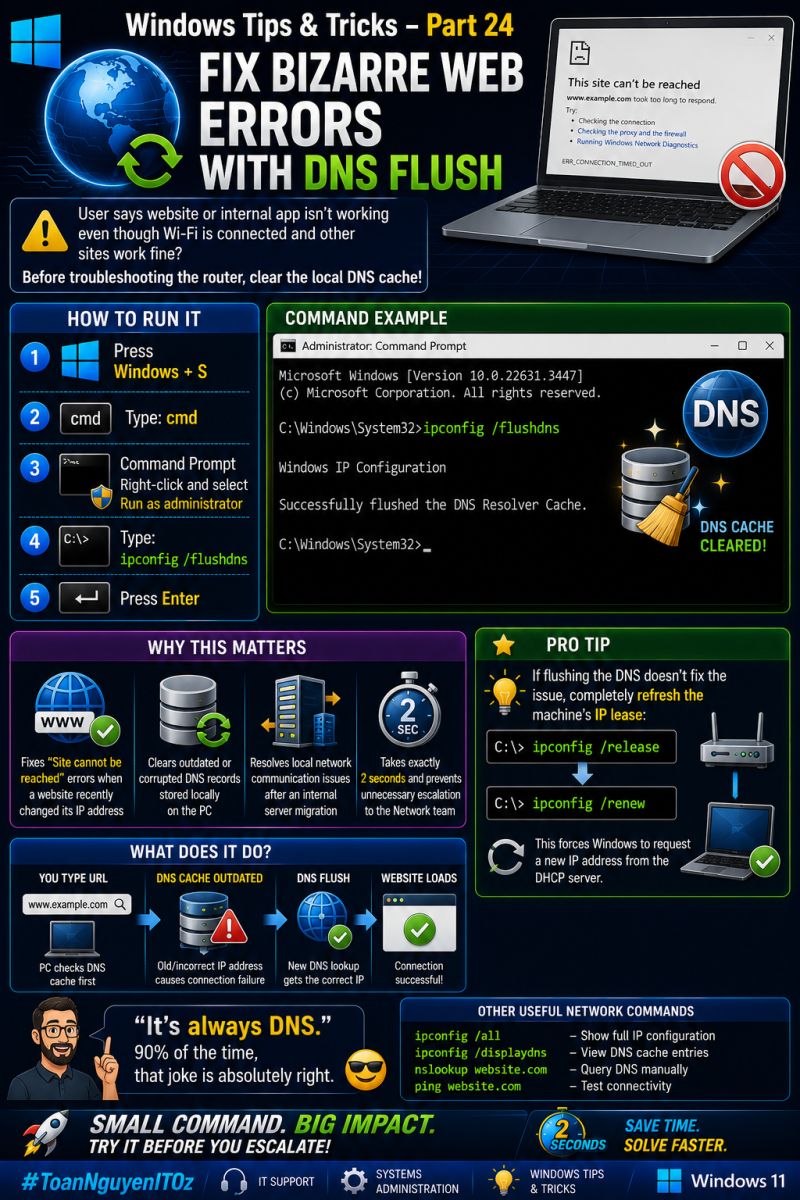
Windows Tips & Tricks – Part 24: Fix Bizarre Web Errors with DNS Flush
Getting Site cant be reached errors while the internet connection is working fine?
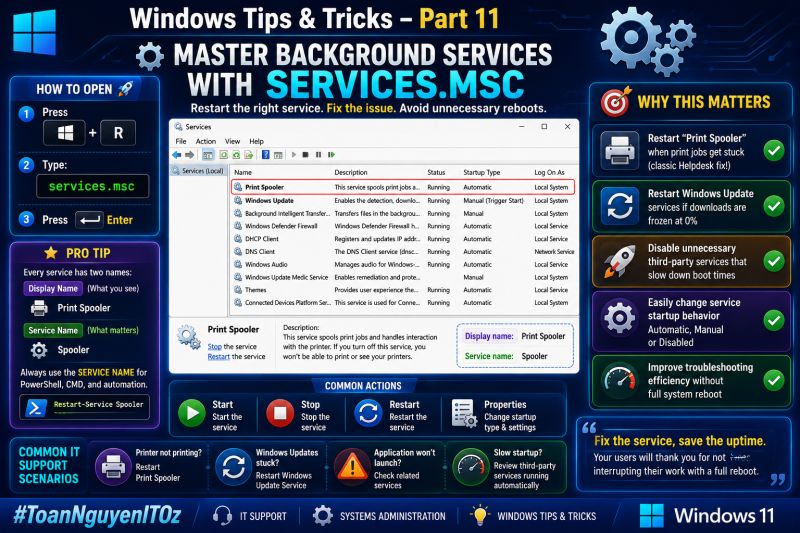
Windows Tips & Tricks – Part 11: Master Background Services with Services.msc
Master Background Services with Services.msc
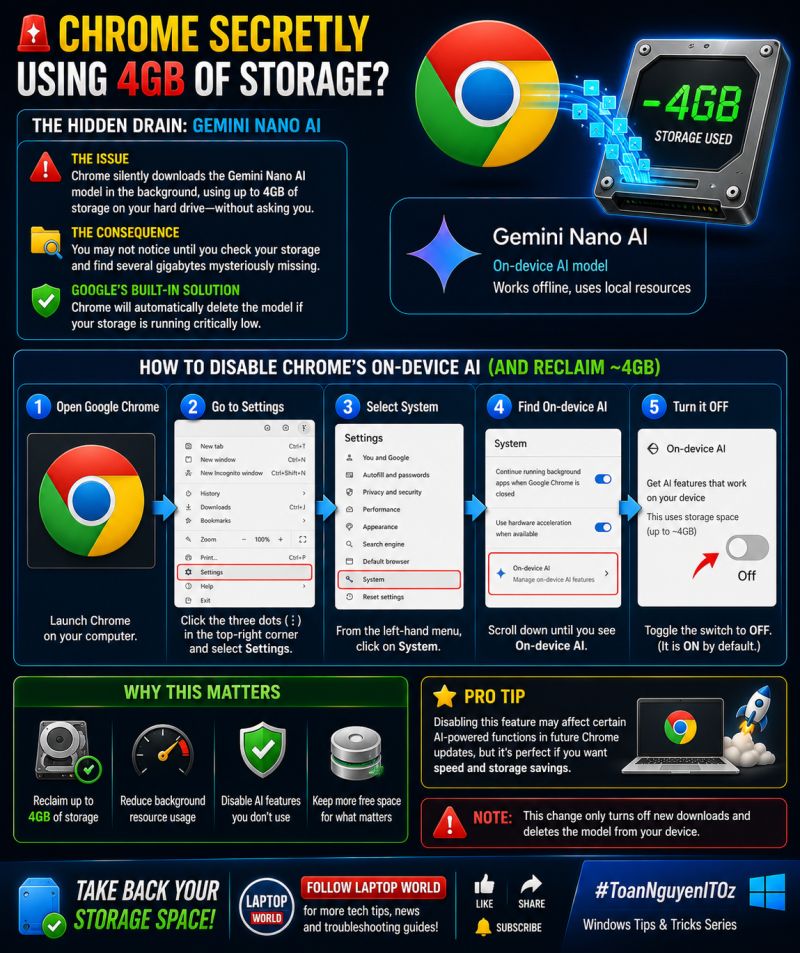
Google Chrome Secretly Using 4GB of Storage? Heres How to Disable Gemini Nano AI
Did you know that recent versions of Chrome may automatically download the Gemini Nano AI model, consuming up to 4GB of disk space in the...
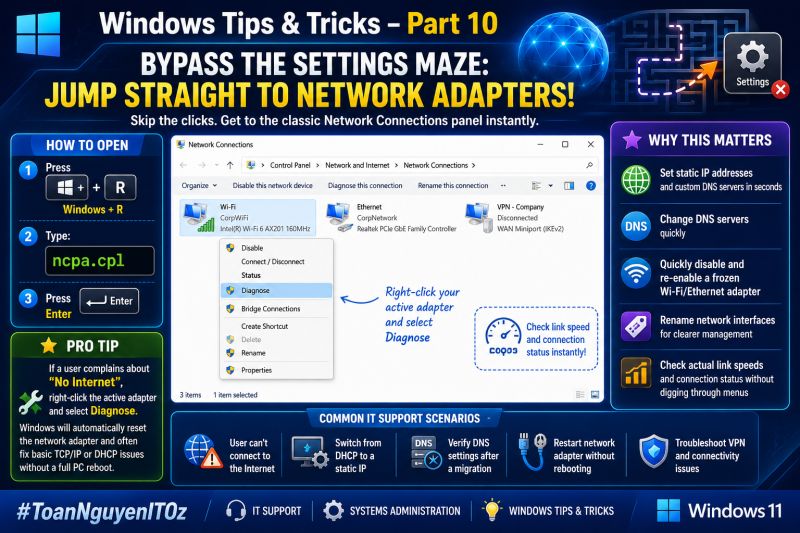
Windows Tips & Tricks – Part 10: Bypass the Settings Maze: Jump Straight to Network Adapters
Bypass the Settings Maze: Jump Straight to Network Adapters
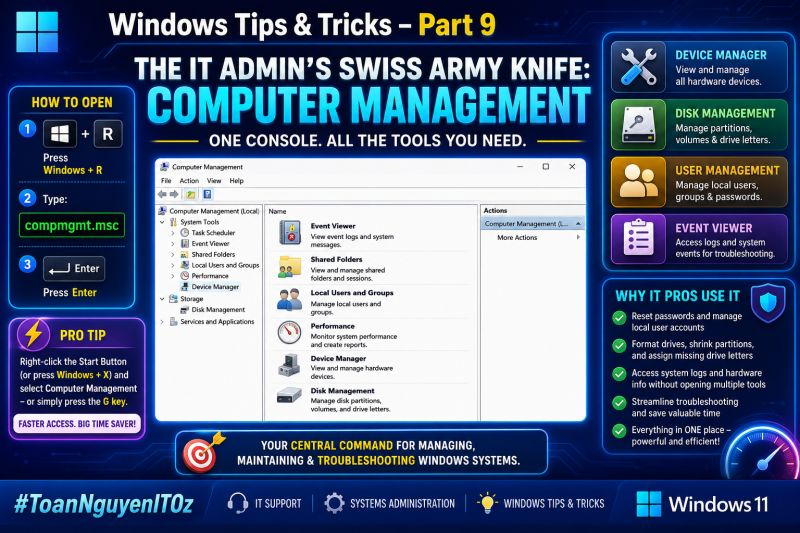
Windows Tips & Tricks – Part 09: The IT Admins Swiss Army Knife: Computer Management
The IT Admins Swiss Army Knife: Computer Management
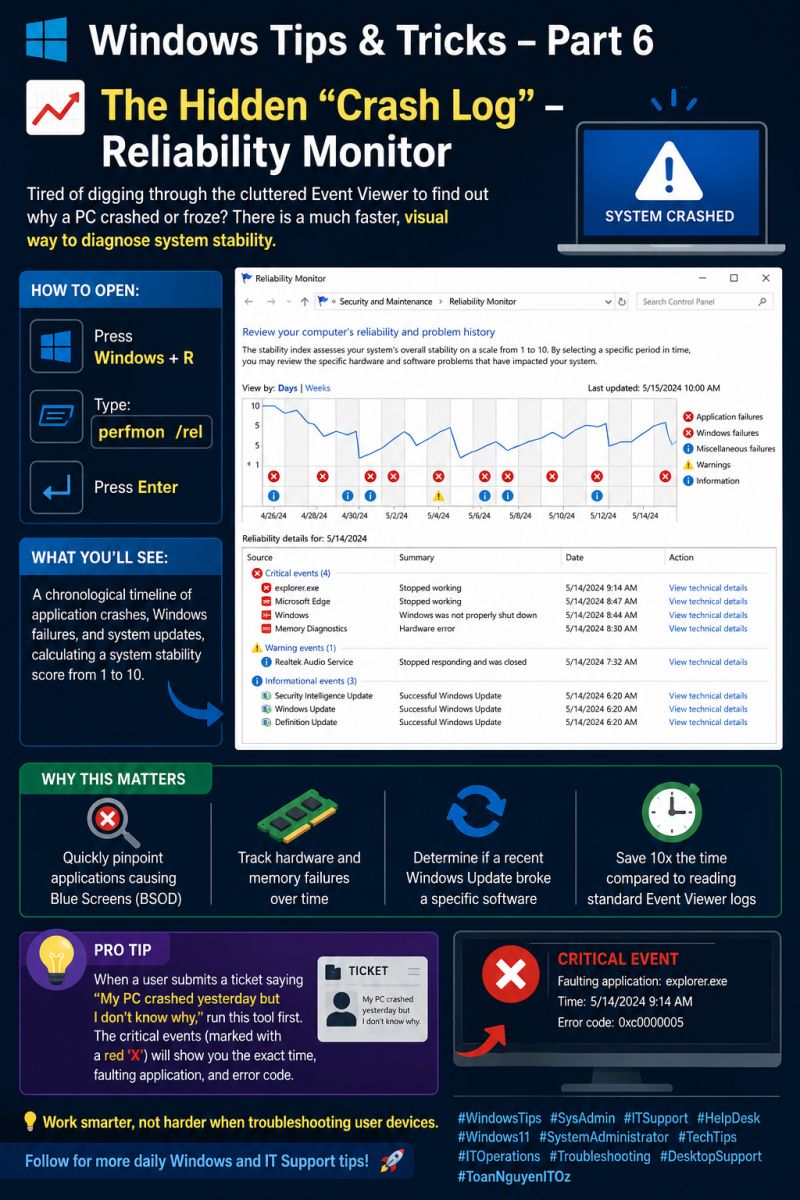
Windows Tips & Tricks – Part 06: The Hidden Crash Log - Reliability Monitor
The Hidden Crash Log - Reliability Monitor Tired of digging through the cluttered Event Viewer to find out why a PC crashed or froze? The...

I earned my Get started with Power Automate badge! I’m so proud to be celebrating ...
I earned my Get started with Power Automate badge! I’m so proud to be celebrating ...
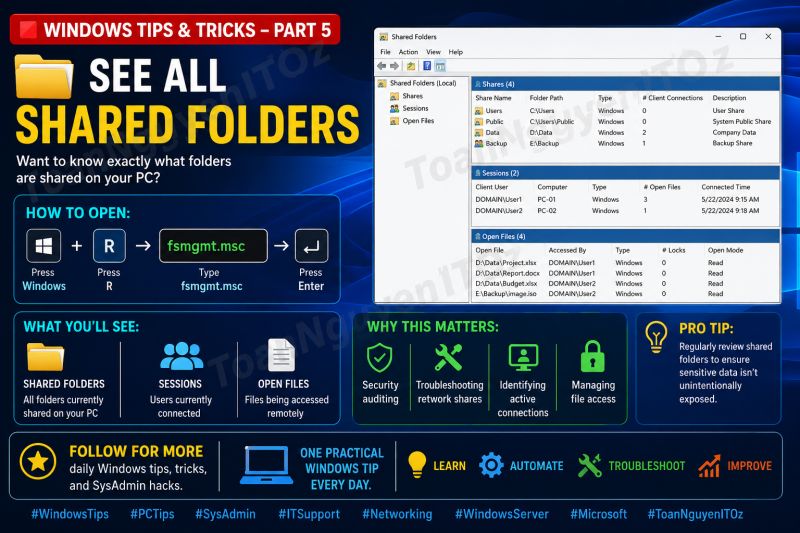
Windows Tips & Tricks – Part 05: View All Shared Folders on Your PC
Want to see exactly what folders are being shared on your Windows computer? Open Shared Folders Manager: Press Windows R Type: fsmgmt.msc...
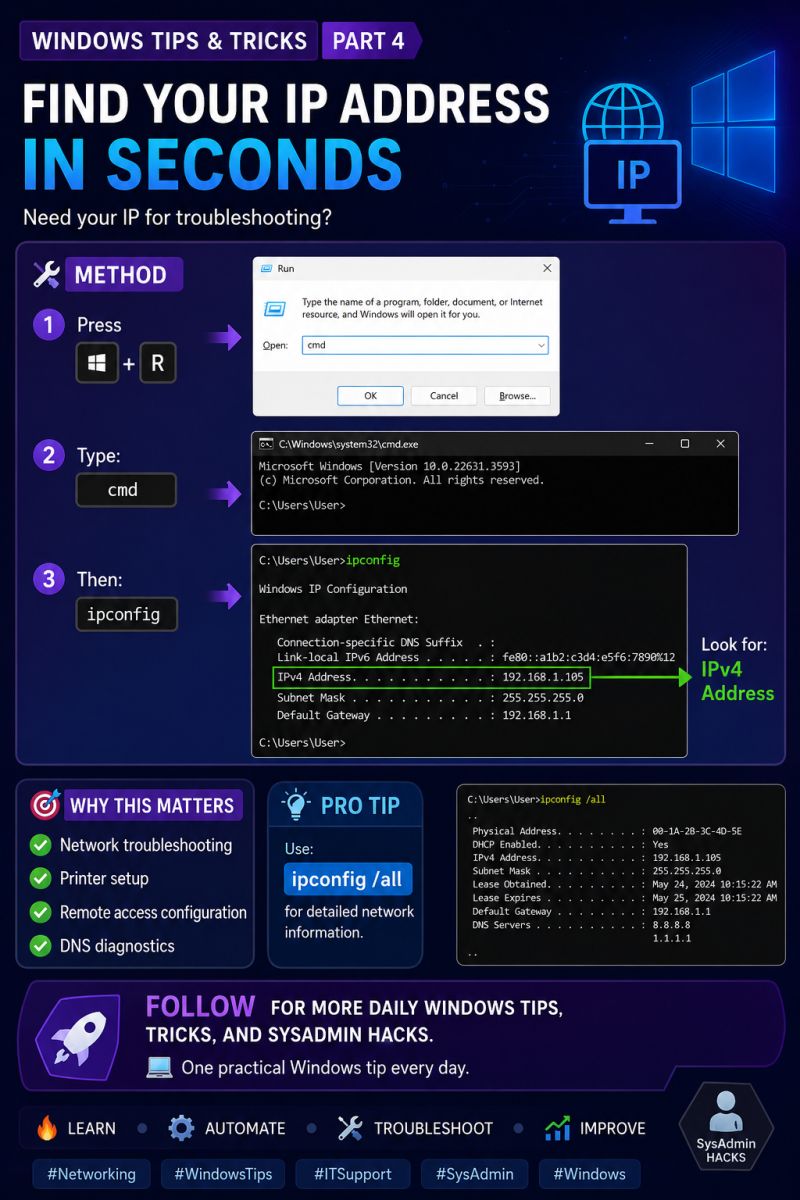
Windows Tips & Tricks – Part 04: Find Your IP Address in Seconds
Need your IP for troubleshooting?
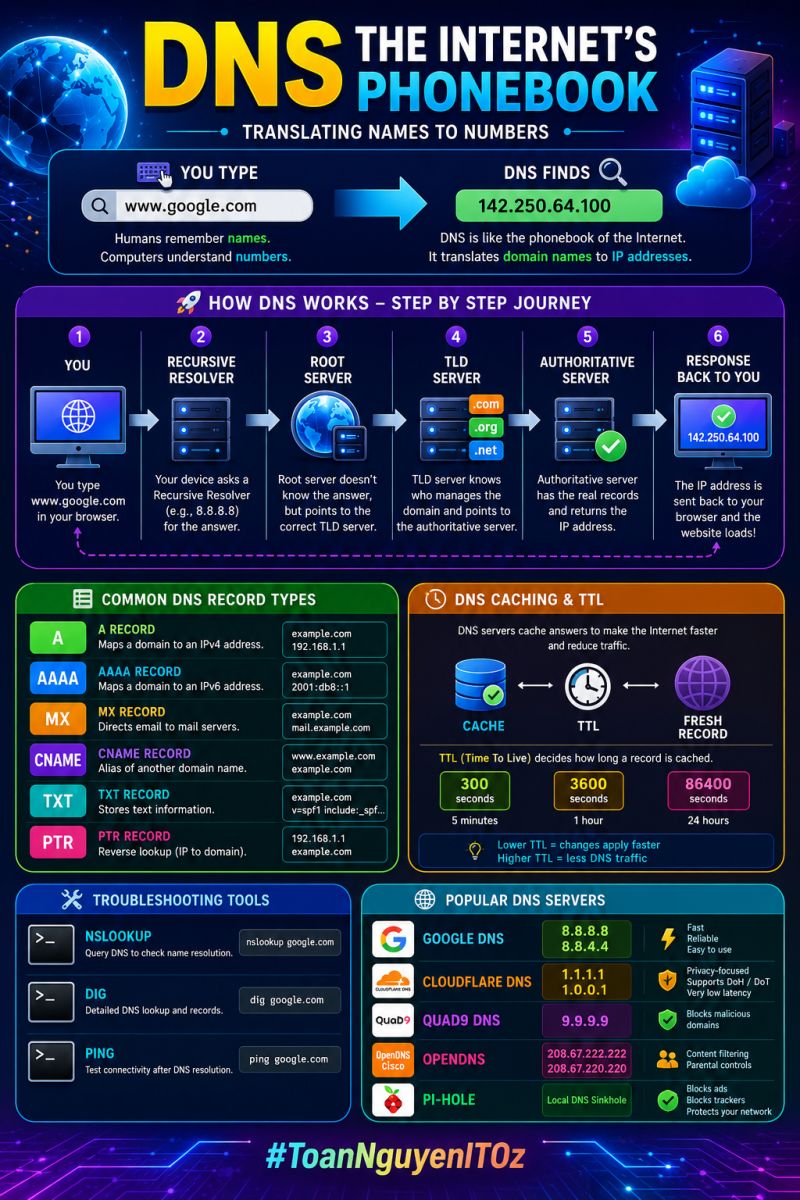
DNS – The Internets Phonebook
Every time you type a website address like:
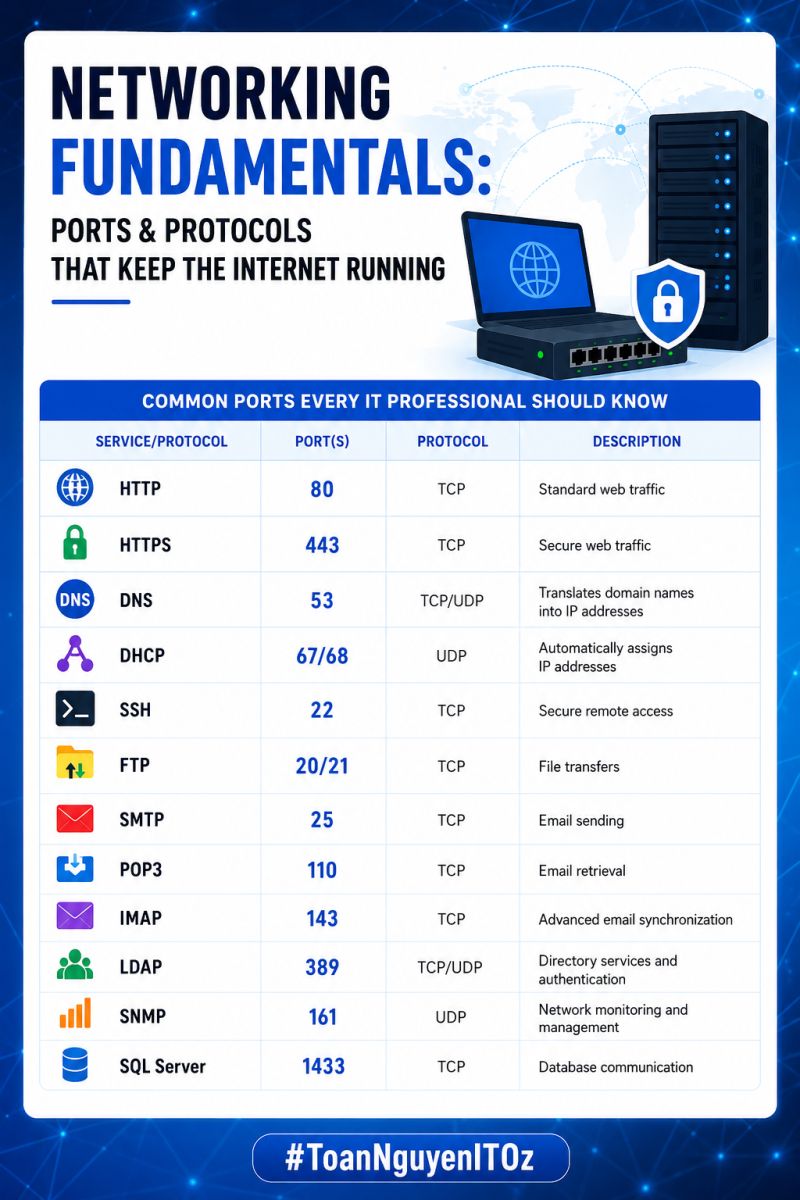
NETWORKING FUNDAMENTALS: Ports & Protocols Every IT Professional Should Know
One of the most important skills in IT Support, Service Desk, System Administration, and Networking is understanding how devices communic...
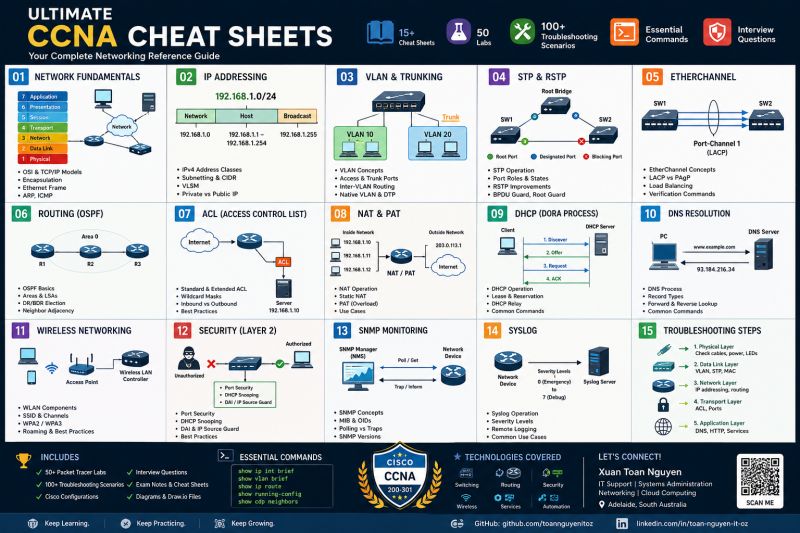
New GitHub Project: Ultimate CCNA Cheat Sheets
I have created a complete CCNA learning repository designed for networking students, IT support professionals, system administrators, and...
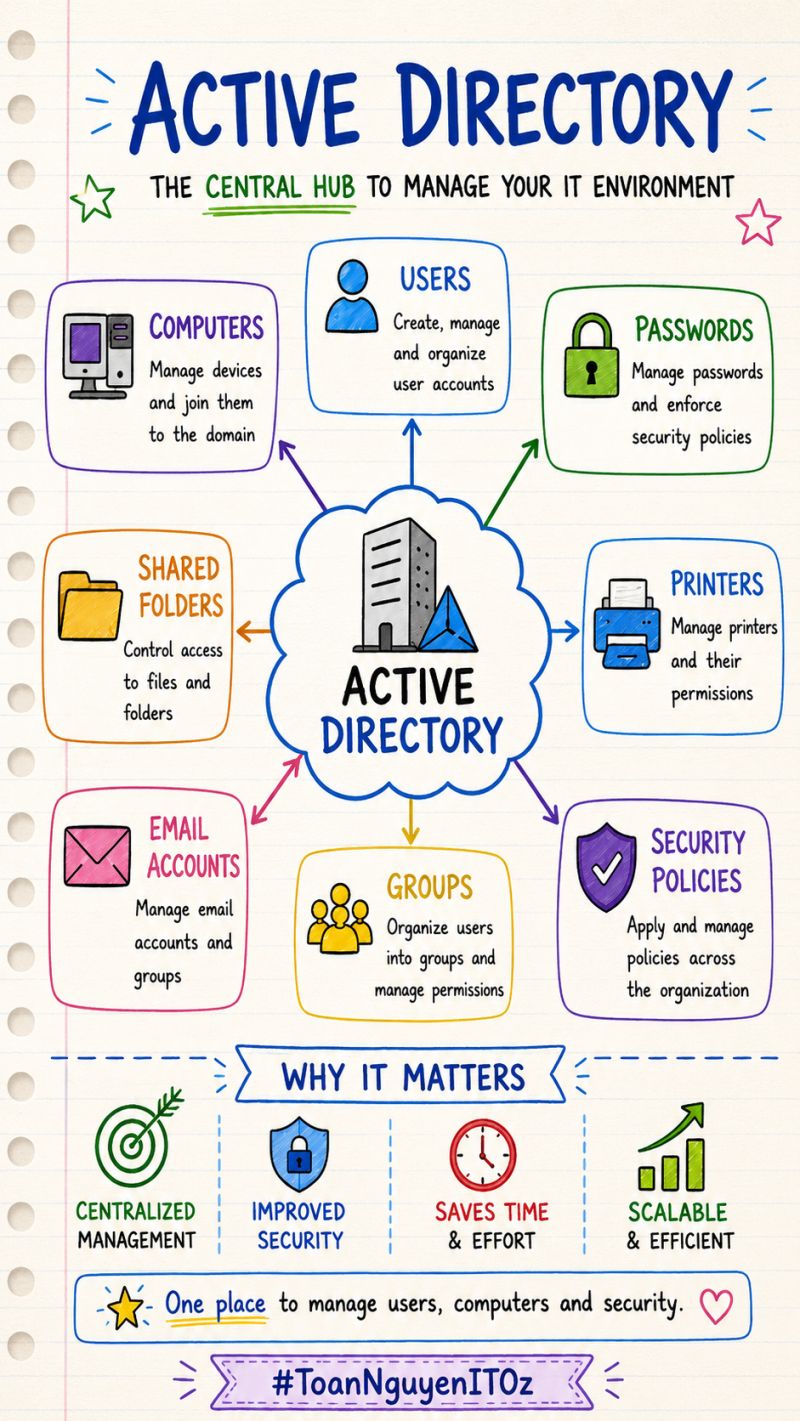
ACTIVE DIRECTORY – THE CENTRAL HUB OF IT MANAGEMENT
When learning or working in IT Support and System Administration, one of the most important technologies to understand is Active Directory.
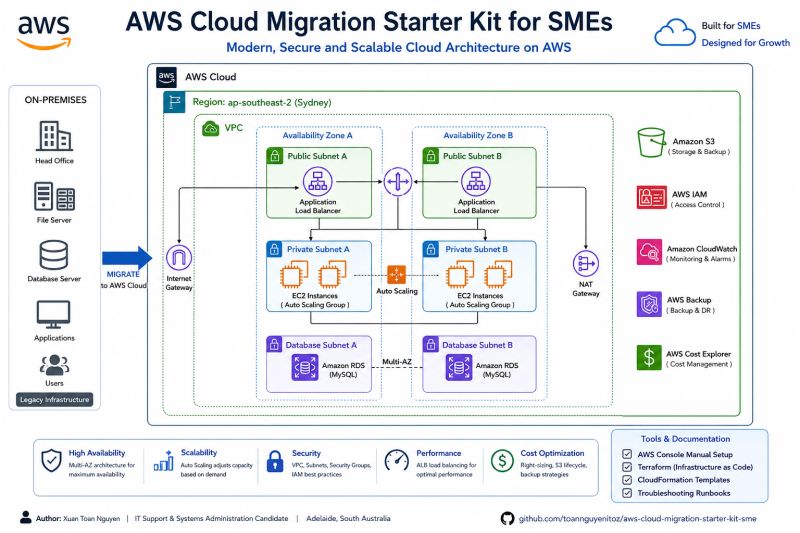
New AWS Cloud Portfolio Project
I’m excited to share my latest project:
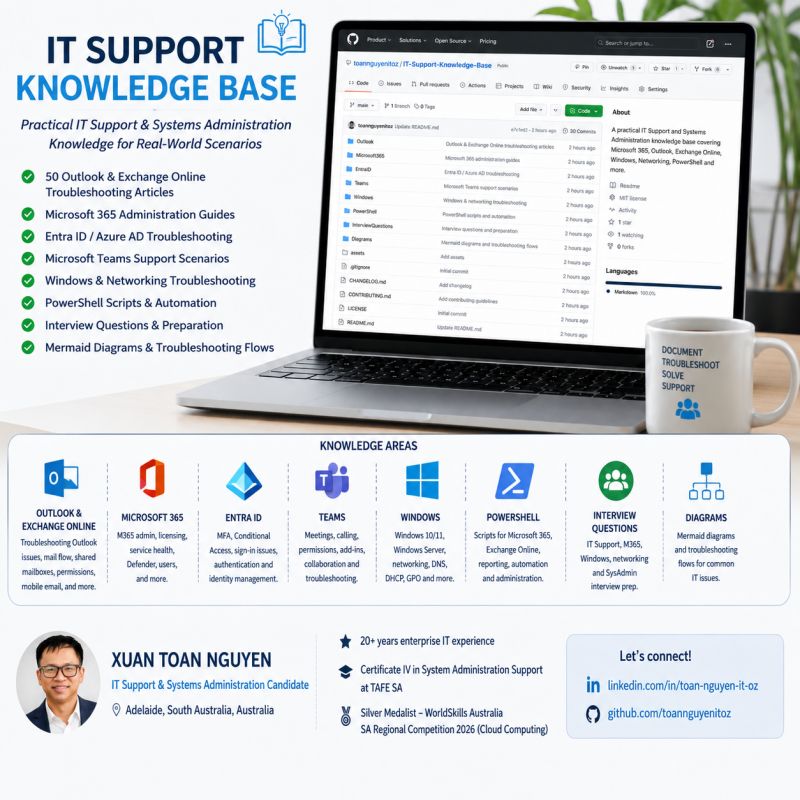
I have recently updated my GitHub project: IT Support Knowledge Base.
This repository is part of my practical IT Support and Systems Administration portfolio, built to document real-world troubleshooting sce...
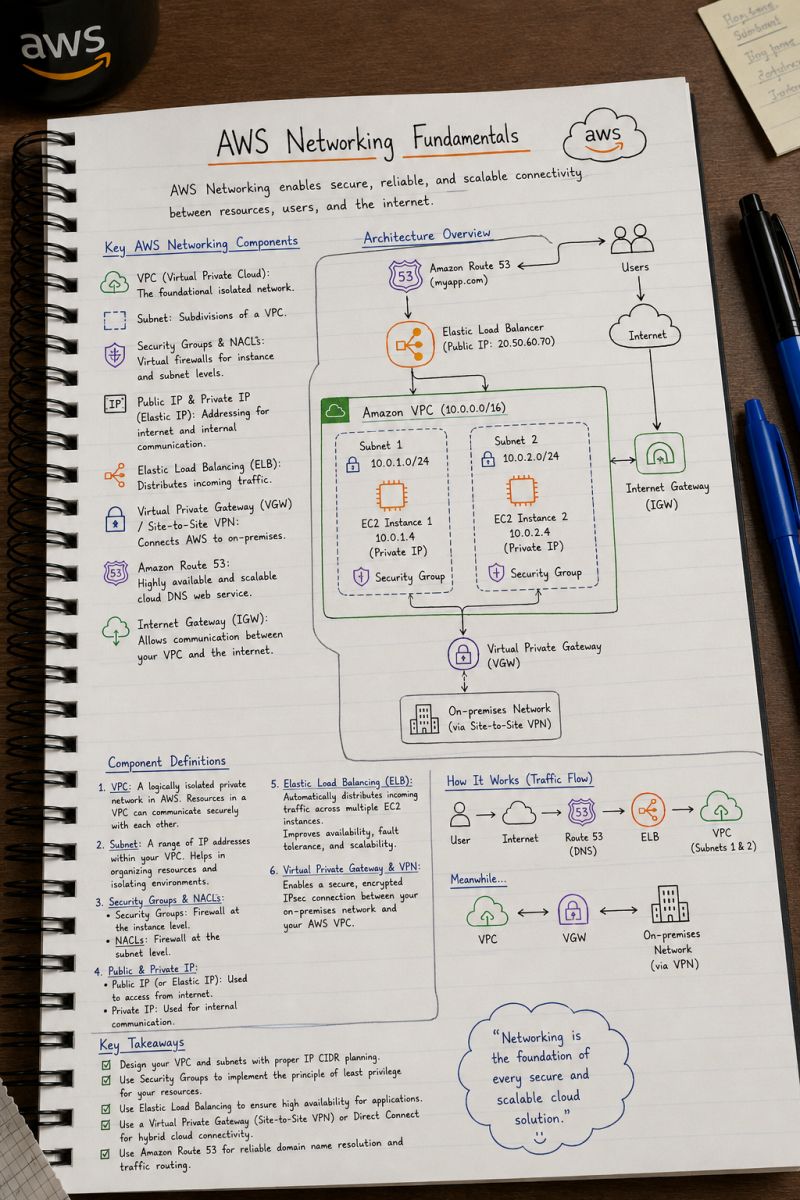
AWS Networking Fundamentals
🔐 Networking is the foundation of every secure and scalable cloud environment.
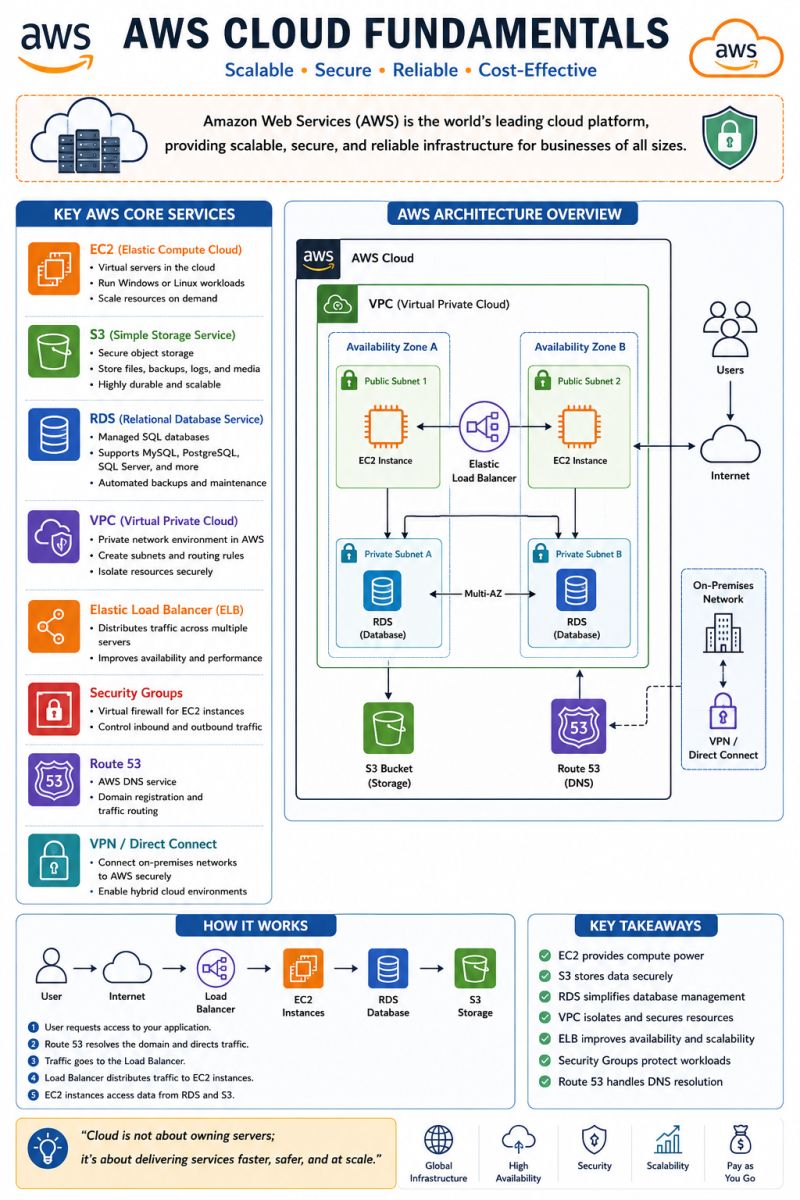
AWS Cloud Fundamentals – Part 1
☁️ AWS Cloud Basics Every IT Pro Should Know
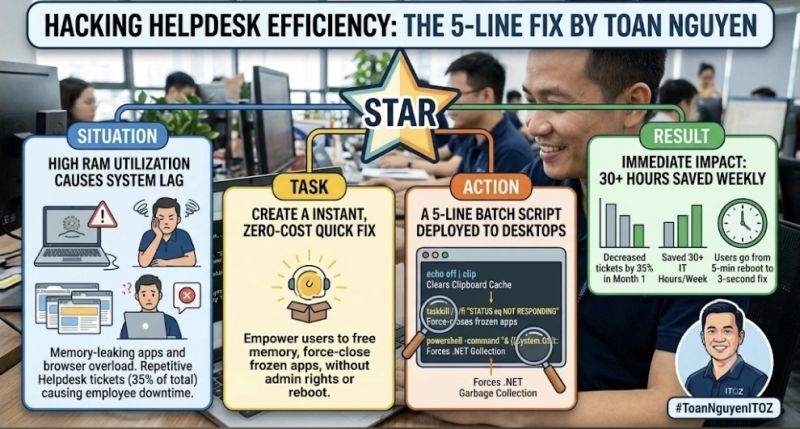
A simple Batch script helped reduce a large number of slow computer support tickets.
Many users were experiencing sluggish performance, frozen applications, and unresponsive systems caused by excessive memory usage, backgr...

I earned my Develop AI agents with Microsoft Foundry and Visual Studio Code badge!...
I earned my Develop AI agents with Microsoft Foundry and Visual Studio Code badge!...

I earned my Develop AI agents on Azure trophy! I’m so proud to be celebrating this...
I earned my Develop AI agents on Azure trophy! I’m so proud to be celebrating this...
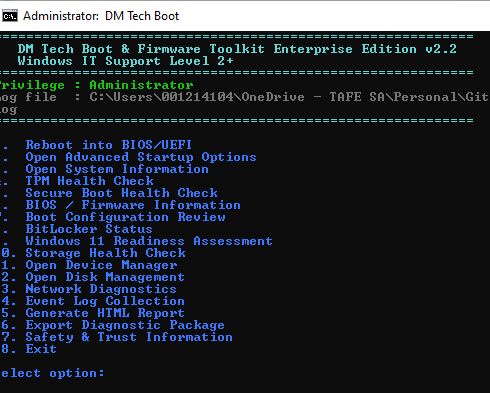
I have just published a new GitHub project: DM Tech Boot & Firmware Toolkit Enterp...
This is a practical Windows IT Support Level 2+ toolkit built with PowerShell for troubleshooting common firmware, boot, security and sys...

Just registered for Googles 5-Day AI Agents: Intensive Vibe Coding Course hosted o...
As someone pursuing a career in IT Support, Systems Administration, Cloud Computing, and Automation in Australia, Im always looking for o...
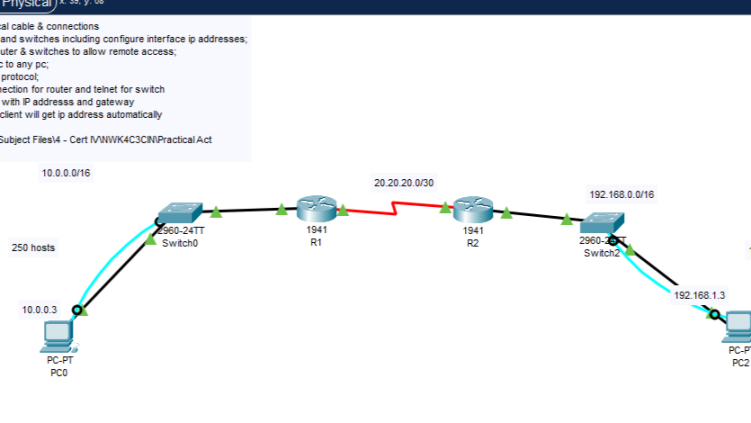
I have just published a practical networking lab project on GitHub.
This project is a complete Cisco Packet Tracer solution for a small routed network with two LANs, two routers, two switches, dynamic rout...
My First GitHub Project
I’m excited to share my first GitHub project:
I am excited to continue building my IT career in Adelaide, South Australia, with ...
My background includes 20+ years in banking technology, covering software support, IT operations, BI systems, automation, AI/data analysi...