
This standard operating procedure is part of Part 69 of the *Windows Tips & Tricks* series published by Toan Nguyen (Toan Nguyen IT OZ). Connect with over 20+ years of banking and enterprise systems administration experience on LinkedIn.
1. Scenario Overview & Problem Context
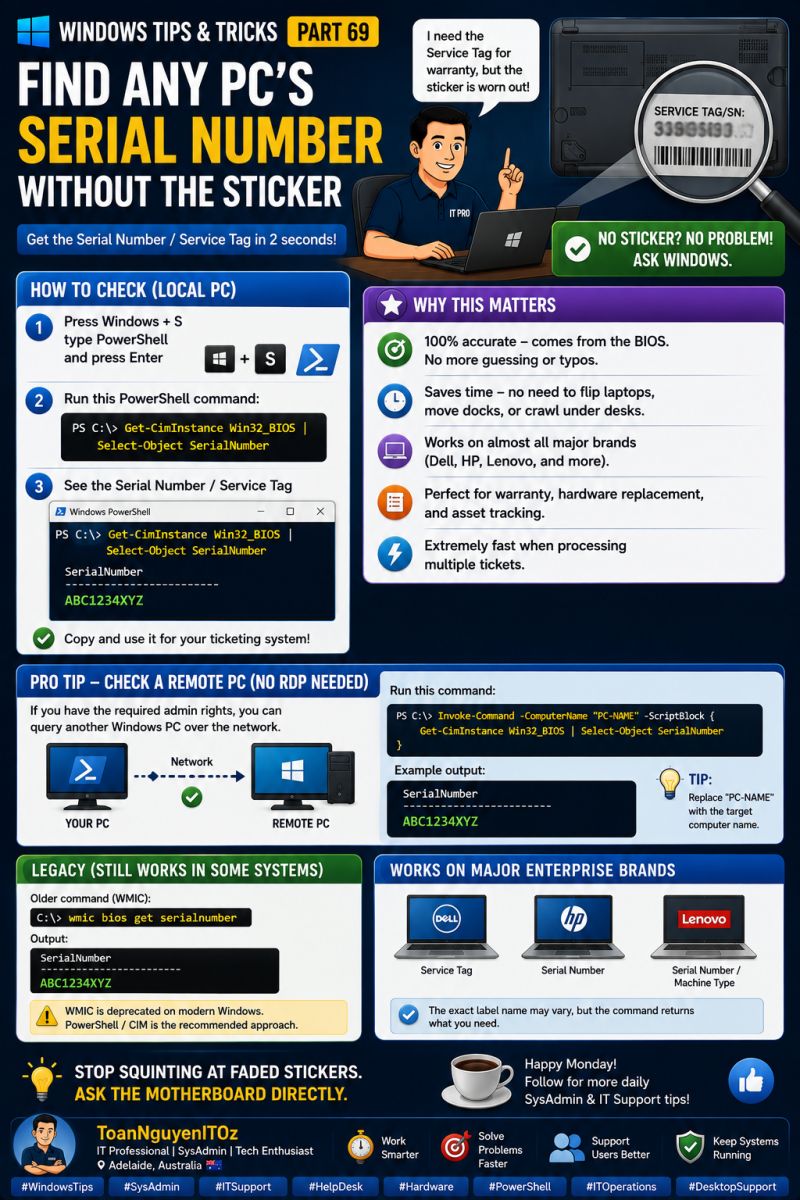
I need the laptops Service Tag, but the sticker is completely worn out
I need the laptops Service Tag, but the sticker is completely worn out
This is a classic Helpdesk situation.
The user cant read the sticker. The desktop is under a desk. The laptop is connected to a docking station. And you just need one piece of information to create a hardware support ticket.
2. Step-by-Step Diagnostic & Remediation SOP
Execute this procedure using an elevated console (Run as Administrator) to ensure necessary system access:
-
No need to physically inspect the device
-
Avoids mistakes from reading tiny or damaged labels
-
Useful for Dell, HP, Lenovo and other OEM devices
-
Perfect for warranty and hardware replacement tickets
-
Saves time when supporting multiple users
3. Production Command Scripts
1
Get-CimInstance Win32_BIOS | Select-Object SerialNumber
4. Technical Breakdown & Parameter Deep Dive
Understanding how native Windows administrative tools operate helps prevent unintended side effects across domain environments:
<span class="cmd-tag">Get-CimInstance</span>: Interacts with the underlying Windows subsystem, CIM/WMI repository, or Active Directory directory partition to execute the administrative operation.- Silent Background Execution: Minimizes end-user disruption by querying or modifying configuration parameters without requiring an intrusive remote desktop takeover.
5. Enterprise Troubleshooting & Verification Checklist
| Checkpoint | Verification Step | Common Remediation |
|---|---|---|
| Administrative Privilege | Run whoami /priv or check elevated terminal badge |
Ensure PowerShell is launched via Run as Administrator |
| Firewall & Ports | Verify local Windows Defender Firewall state | Permit WinRM (TCP 5985/5986) or ICMP/RPC rules if remote |
| Service Dependencies | Query associated Windows Service state | Check Event Viewer (eventvwr.msc) Application/System logs for error codes |
💡 20+ Years Banking & Enterprise IT Pro-Tip
In high-availability enterprise environments, resolving endpoint anomalies at the command line without requiring a full system reboot or user session interruption significantly lowers Mean Time to Resolution (MTTR). Always verify event logs and confirm service availability before closing user tickets.
🔗 Join the Live Community Discussion: Have questions or additional variations for this command? 👉 View and join the original LinkedIn post discussion
Authored by Toan Nguyen (Toan Nguyen IT OZ) — 20+ Years Enterprise & Banking IT Experience in Adelaide, South Australia.