
This guide is Part 104 of the Windows Tips & Tricks series published by Toan Nguyen (Toan Nguyen IT OZ). In Phase 3, we move from desktop troubleshooting to enterprise Systems Administration. Follow on LinkedIn.
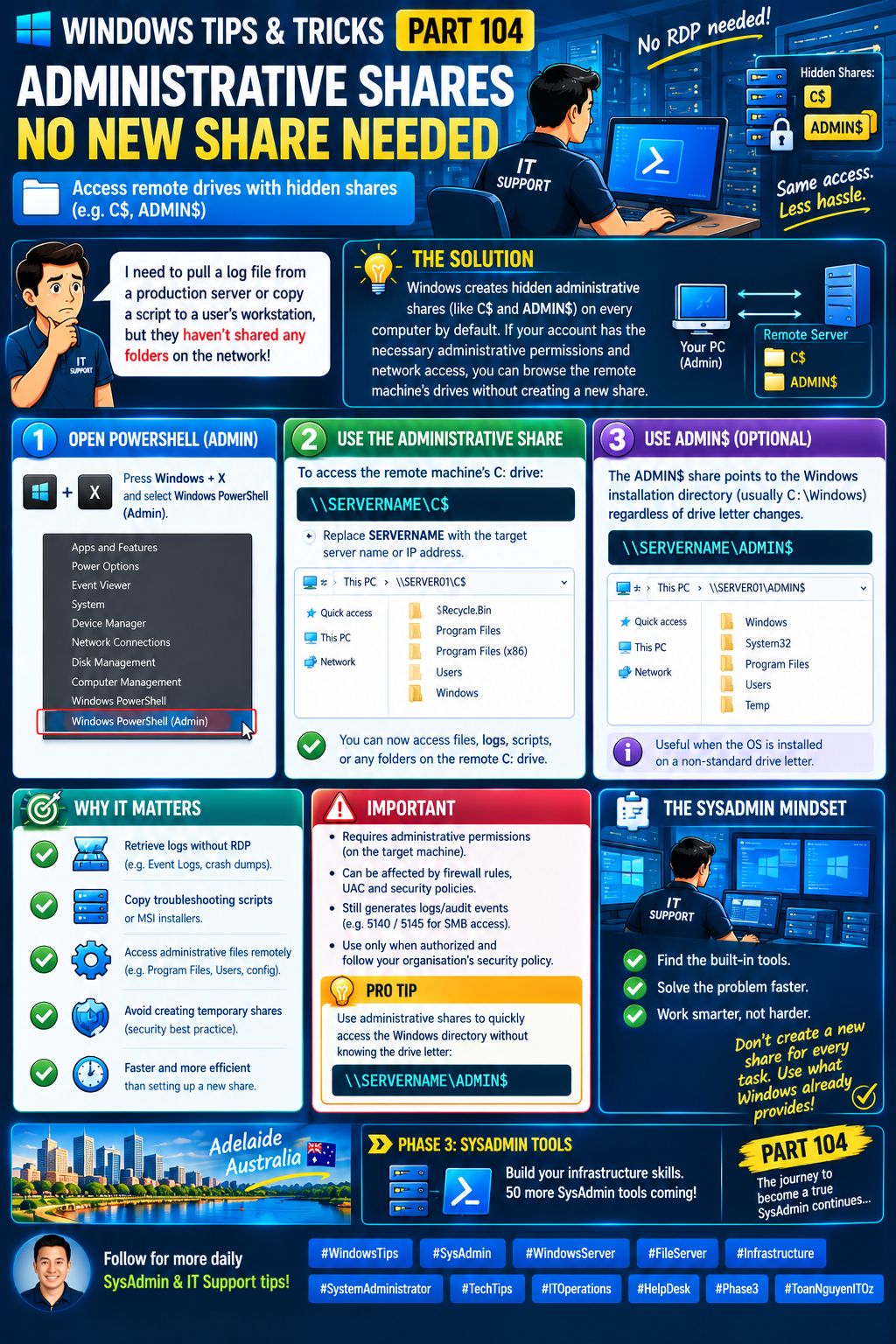
1. Scenario Overview & Problem Context
📁 Windows Tips & Tricks – Part 104
🔐 Administrative Shares — No New Share Needed
“Someone needs a log file from a remote PC, but there’s no shared folder. Do I really need to create one?”
Not necessarily. 👨💻
Windows commonly provides hidden administrative shares such as C$ and ADMIN$ for authorized administrators out of the box.
2. ⌨️ Quick Example: Accessing Remote Drive C$
Press Win + R and enter:
1
\\SERVER01\C$
🔎 This opens the remote machine’s C: drive directly when your account has the required administrative permissions and remote access is allowed on the network.
You can then easily navigate and access system directories such as:
- 📂
C:\Windows - 📂
C:\Program Files - 📂
C:\Users - 📂 Troubleshooting logs, dump files, and scripts
3. ⚡ Another Useful Share: ADMIN$
Press Win + R and enter:
1
\\SERVER01\ADMIN$
ADMIN$ normally points directly to the Windows installation root directory (typically C:\Windows). It is widely used by administrative tools, deployment systems, and management agents.
4. 🎯 Why It Matters for SysAdmins
- ✅ Retrieve logs without RDP: Pull application and system logs quickly from servers or workstations without interrupting user sessions or consuming RDP connection licenses.
- ✅ Copy troubleshooting scripts: Silently drop diagnosis utilities or PowerShell scripts to a remote host.
- ✅ Access administrative files remotely: View configuration files, backup dumps, or IIS logs on the fly.
- ✅ Avoid creating temporary shares unnecessarily: Keep your file share inventory clean and prevent leaving open, forgotten shared folders on servers.
- ✅ Useful for enterprise Windows administration: Standard practice across enterprise Active Directory environments.
5. ⚠️ Security & Operational Note
Administrative shares provide powerful root-level access.
- Authorization required: Always use them with least-privilege administrative accounts.
- Network & Policy requirements: Firewall rules (File and Printer Sharing / SMB port 445), Network Access Protection, UAC remote restrictions (
LocalAccountTokenFilterPolicy), and Group Policies can affect remote access across endpoints.
6. 💡 SysAdmin Mindset
Don’t create a new share for every admin task.
Know the built-in tools that Windows already provides.
🚀 Phase 3 — SysAdmin Tools continues!
🔗 Join the Live Community Discussion: Have questions or additional tips about Administrative Shares and remote Windows troubleshooting? 👉 View and join the original LinkedIn post discussion
Authored by Toan Nguyen (Toan Nguyen IT OZ) — 20+ Years Enterprise & Banking IT Experience in Adelaide, South Australia.